SenorCapitan
Members
-
Joined
-
Last visited
Everything posted by SenorCapitan
-
Things you could try: Try naming your mods folder from "mods to "_mods". Check and see if you anti-virus is the issue. Remove dinput8.dll from your directory and retry. Do this one at a time and if it help then your steps closer to figuring the issue out. Hope it helps!😀
-
Where you in a pursuit when it crashed and if so, what callout pack?
-
@KurtJuarezYou will receive better support by creating your own thread and not commenting on others. @n0.you Are you still encountering this issue?
-
Still having this issue?
-
The tech here is very busy I'm sure because of the thousands of people who play LSPD:FR. There are multiple people who invite you to there discords for fast help and the RPH discord is open for public help also. I would go to the RPH discord if it is an RPH issue that you are having. When you encounter a crash, make sure you generate a detailed crash report which you will have the option to do so via RPH upon the crash alert. Its a better way for to determine the issue.
-
How long were you running LSPD:FR before the crash? Closing roads is an option is the interaction menu of LSPDFR which is open the same way as it is in stock GTA. I have not used it before so i don't know how it works
-
When you say "unlimited loading screen", are you talking about with or without RPH attached. (Attached meaning you lauched GTA via rage or via epic games launcher) Also try going into the RPH settings and disable "Load these plugins on startup" then try launching GTA via RPH my clicking "save and lauch" at the bottom right on the RPH settings.
-
Try naming your mods folder from "mods" to "_mods" and see if it runs and if it does then it must be a mod you have.
-
Your scripthook is out dated. when ever are encountered, it is ok to move files to desktop, being on the desktop doesn't effect the game unless they are actually in the folder when the GTA.exe or PlayGTA.exe is located.
-
Post your ELS config for the vehicle your using (police, police2, police3, ETC) and is this issue for all vehicles?
-
-
-
@JOHN775Do you have the smart radio by albo?
-
Im not sure then, may have to ask the maker of that els config.
-
police3.xml Try downloading this xml and replacing this one with the one that is not working to see if it does anything.
-
I’m not sure then, sound like a problem with the xml
-
And have you tried a different police or police 3 config for els? Try copy the police2 els config and pasting it to desktop then rename it police or police3 and see if it works then (backup the police and police3 that you have in)
-
Link the pack your using, I’ve put these els configs in my game and they responded code 3, also I know you said even with a wanted level they don’t run code 3 but have you tried getting a wanted level in normal gta or calling 911 in normal gta to test and see if they respond code 3?
-
-
Copy and paste what’s in your els police and police3 xml.
-
Try lunching GTA normally without rage while your mods folder is names "mods" and see what happens. Try going into the rage settings and clicking on the plugins tab and selecting load these plugins on startup and once you’ve done that check every plugin except lspdfr and see if your RPH will lunch.
-
 Make sure Ped and vehicle image is false . DisplayPedImage=false DisplayVehicleImage=false Make sure the computerplus folder and the pdb is also in there.
- 1,743 comments
- 172 reviews
-
-

- 1
-
-
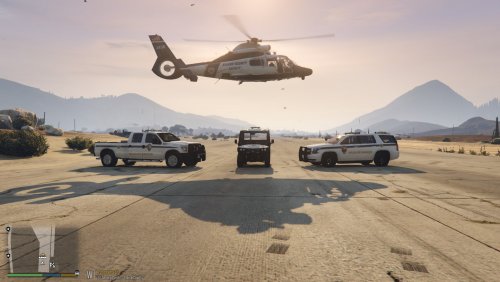 Great work, I recently made uniform similar to doj but eup and these would go great with them, keep up the great work.
 -
Try lunching RPH while your pc is disconnected from your network.
-
No Well if I disconnect from the internet it will But without the internet my STP isn’t working