


Yard1
Friends of LSPDFR
-
Joined
-
Last visited
Everything posted by Yard1
-
Happy new year everybody! Nice to see some new faces in the CT :)
-
-
-
-
 FIB Police doesn't spawn when wanted, and FIB SWAT spawns only in Pillbox Hill. You can of course change the configuration.
- 1,524 comments
- 85 reviews
-
-
-
We have not noticed the save bug, but that might have been because none of us loaded saves when mid game xD It's a rather low priority bug, but we will add it to the list. Thanks, will fix the revolver. Those issues on the peds are already known, but they won't be fixed in the near future due to a combination of problems :( Wesołych Świąt! :D
-
-
The patch is for a different problem, installation has been fixed, it will be updated shortly.
- 1,524 comments
- 85 reviews
-
We have a workaround for installation problems, it will be uploaded shortly.
- 1,524 comments
- 85 reviews
-
-

- 1
-
-
Just FYI, looking at what you said in the forum thread, it all points out to you missing either or both ScripthookV and ScriptHookVDotNet. Please reinstall them, just to be sure: https://www.gta5-mods.com/tools/script-hook-v https://www.gta5-mods.com/tools/scripthookv-net Could be carcols, @NefariousBonne might have the answer, I did not touch carcols aside from the license plate.
- 1,524 comments
- 85 reviews
-
-
- 1
-
-
That's a bug, this should not be happening. Please follow the steps I have outlined above.
- 1,524 comments
- 85 reviews
-
Do you have scripthooks installed? If yes, can you go to Scripts/SixStarResponse/SixStarResponse.ini and set Debug to 1 and DebugNatives to 1, replicate the bug, and pastebin the SixStarResponse.log (main GTA V folder) here?
- 1,524 comments
- 85 reviews
-
- Firetruck does not need to have that flag, since the LiveryChanger addon will set the livery on firetrucks automatically (unless the player spawns the truck in) - can't say much about lighting setups, that's @NefariousBonne's area of expertise - intended with replacement, LSSD has nowhere to use its boat with BCSO installed - not intended, I'll check it out Thanks for feedback :)
- 1,524 comments
- 85 reviews
-
-
- 1
-
-
It should, if you download the gameconfig fix linked in the top of description. A more comprehensive fix will be out shortly. A note, however - when playing LSPDFR, make sure to remove SixStarResponse.dll from scripts folder, or change it's extension (to eg. bak). The SSR script is not really meant to be used with LSPDFR and may cause some oddities.
- 1,524 comments
- 85 reviews
-
There is a shitton of mods that have nothing to do with LSPDFR AT ALL here. Thanks.
- 1,524 comments
- 85 reviews
-
-
It seems like you don't have the ScripthookV and ScripthookDotNet installed, which are required for RDE to work properly.
-
-
-
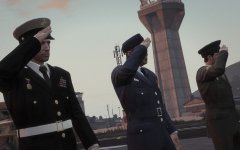 Press F to pay respects
 -
You can uninstall it easily if you installed RDE on a clean version of the game, just delete mods and scripts folders. You can replace any car in RDE, not our fault if you don't know how to do it.
- 1,524 comments
- 85 reviews
-
A whole shitton: https://drive.google.com/open?id=1-aEjUHRFThEV3eyr4SE50KcGom2cS4Ji_CAl0diAfzg
-
Do you have both Scripthooks?

