


Yard1
Friends of LSPDFR
-
Joined
-
Last visited
Everything posted by Yard1
-
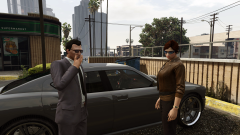 It's supposed to help it blend in better.
 -
-
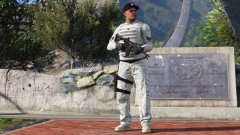 Looking good! What camo pattern texture are you using? i can recommend this for the USAF camo: http://i.imgur.com/OTGHyvT.jpg, I think it's higher quality than the one you have right now.
 -
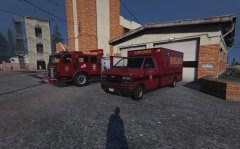 Fuckin' A, man!
 -
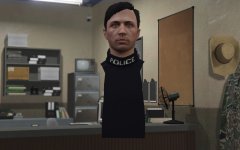 He looks so happy :D
 -
Version 2.1 has been released on gta5-mods and will be released on LCPDFR shortly. Jenkins, get on that .50! Looks like SAHP got jealous of LSPD's Bravado Gresley's PPVs... Changelog: Version 2.1: Completely redone dispatch files, various presets to choose from NOOSE SEP&PIA will now spawn in traffic in certain areas (SEP in Pillbox Hill, PIA in the port and LSIA) Higher quality NOOSE SEP&PIA car and ped textures Added unarmed HMMWVs (replacing crusader) and armed HMMWVs (added vehicle), armed HMMWVs are spawned by FiveStarResponse script Added the SAHP Bravado Gresley PPV More aggressive juggernauts, will now fire full auto Planes have radars - player will always be seen when in air Added AlexVonShep's BCSO mod as an optional addon (replaces LSSD with BCSO, highly recommended) Added Alex_Ashford's Fat Cops (not spawning as of yet) Updated popcycle Updated FiveStarResponse script Added GhostFix script to the archive Other small bugfixes Two BIG surprises are in the works..... if you want to test them they have actually been included but are not 100% working yet and as such have not been implemented fully. The two models are "warsub" and "rhib" if you want to play around with them for now.
-
Didn't have it then :P
-
My guess is that the site ran out of disk space. My guess is that the site ran out of disk space.
-
 Alex_Ashfold is working on them, they are going to be included in the patch after 2.1.
- 1,524 comments
- 85 reviews
-
Have some more preview screens of 2.1 guys - https://imgur.com/a/x399E Taken by @BroCop
-
Have some more preview screens of 2.1 guys - https://imgur.com/a/x399E Taken by @BroCop
- 1,524 comments
- 85 reviews
-
-

- 1
-
-
https://puu.sh/m3WYl/2c95d18c22.jpg
-
New avast! URL blacklist: //Mgmt said it was a good idea, 100% malware blocked though so users can't complain *
-
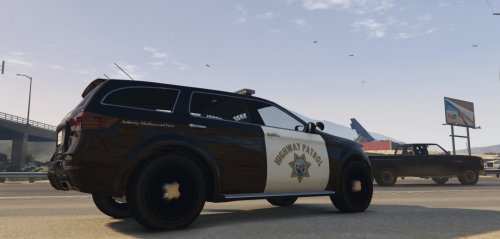 You should use PNG, JPEG loses quality when saved :(
 -
Mate, it says on all my V mods nobody needs my permission to do anything with my stuff - just found it funny that you were faster :D Got a PSD/XCF? That would make my life easier.
-
I am actually going to release a SAHP Gresley (model+texture) in a couple days :P
-
Blast it, looks like they finally detected Sam's keylogger trojan backdoor exploit rootkit virus worm zero-day botnet malware!
-
-
Hey guys, We are looking for somebody with a reasonably powerful PC and a knack for making screenshots, to, well, make some screenshots for the newest version of RDE. If you are interested, please PM me. Alright, I've gotten enough messages. Thanks!
- 1,524 comments
- 85 reviews
-
-
- 1
-
-
Hey guys, We are looking for somebody with a reasonably powerful PC and a knack for making screenshots, to, well, make some screenshots for the newest version of RDE. If you are interested, please PM me. Alright, I've gotten enough messages. Thanks!
-
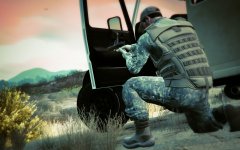 The flag is pointing the wrong way: http://cdn.trendhunterstatic.com/thumbs/new-army-combat-shirt-is-fire-proof-and-has-high-tech-camouflage.jpeg
 -
-
Some of the files are either included or based on LEI, and some replace parts of LEI.
- 1,524 comments
- 85 reviews
-
Well then, you can replace them in rde.dlc just like you would normally.
-
The LSPD Gresley is included in Realism Dispatch Enhanced 2.0, and the SAHP Gresley is in limbo.


