sssneaky
Members
-
Joined
-
Last visited
Everything posted by sssneaky
-
I just started playing this awesome mod again and was thinking about starting another guide for people like my last one I did a year back and then GTAV bloody updates and everything goes to shit like two days into testing and modding. Just my luck. 😅
-
-
Building a NASA PC this week and I've completed a 300+ mod list for Skyrim and I'm bored. Might be time to come back to LSPDFR with a new thicc modding thread..
-
I remember using both at one point. I've spent the last day looking at what's available and I've noticed there's less you can do with the mod now. Sad to see. Oh well rip.
-
Hey guys I have GTA installed again was wondering if it's worth making a big mod list again or has the game become more buggy and crashy since 4.1?
-
This is exactly why he left. He spent time and energy on these mods and then people like you come along and think it's easy and take it for granted that people create stuff like this for YOUR enjoyment. You didn't pay anything for this mod or to him specifically so shut your entitled hole up. It's really no wonder he stopped creating things when you go ahead and say bull shit like this.
-
This is sad news. Sounds like .4.2 has fucked a lot of mods. I might get back into this soon and do testing again. Is .4.1 version still available? Because that was working fine with around 100 mods or so.
-
Don't have to reinstall GTAV ever, just make a copy of the original to the side somewhere incase you have to start the mod process again.
-
It's been a hot minute since I've been around these parts. How ya'll doin? All files are already uploaded? What do you mean?
-
https://www.lcpdfr.com/forums/topic/91443-041-stable-list-with-links-authors-video-demos
-
You must have installed them in the incorrect location then. I haven't played this mod in a couple weeks now so I'm not sure if everything in this list still works at 100%
-
Albo on youtube. Watch his guides.
-
When I regain interest in the mod I will probably do this. I haven't done any kind of forum post or tutorial before so I have lots of room to learn, thanks for your suggestions and glad I could save you time with a mod list! No problem man. Maybe your 3d settings are default and not utilizing your cards max potential. Try going into Nvidia Control Panel > Manage 3D settings > Set Optimize Compute Performance: On Power Management Mode: Prefer Maximum Performance Texture Filtering Quality: High Performance Threaded Optimization: On In game settings is like on the list: Shaders: High PostFX: Ultra Particle FX: Very High Everything else on lowest possible. Use "Cleanworld" in console when it get's choppy from to many entities nearby.
-
Best of luck to you man. Just take your time and do one thing at a time and you'll eventually have a beast of a mod to play. I used this thread cause I have a 970. Maybe build your graphics off of this. But this is for normal GTA without any modding. When I am playing LSPDFR I used v-sync as well but all my settings were basically the lowest apart from Textures, PostFX and Shaders. When playing normal GTA with v-sync on it makes the game sooooooooo buttery smooth.
-
good stuff
-
LSPDFR needs to be updated with optimization in mind. Has nothing to do with your GPU bro. 1070 should be beasty enough. GTA normal runs at over 100fps for me with a 970 so..
-
Are you sure you edited the correct .meta file? I've edited the wrong one before and nothing changed then found the proper one and it fixed this problem instantly.
-
Reinstall whole thing. Someone had this issue a couple weeks ago and installed it incorrectly or changed something that caused this.
-
change handling ID to gresley
-
TrainerV: WeaponDamage=0 //Weapon Damage Multiplier Enabled WeaponPowerMult=1.0 //Weapon Damage Multiplier These are a couple options in the TrainerV menu that might achieve what you're asking.
-
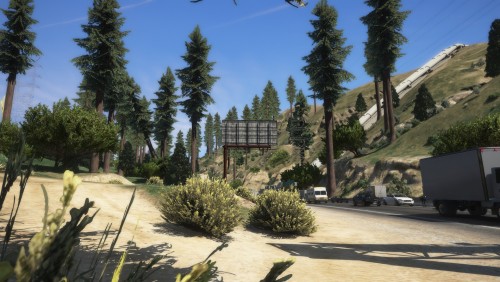 Another amazing YMAP addon that makes the game so much more playable in the northern regions! Works perfect in combination with Route 68 Remastered.
- 11 comments
- 3 reviews
-
-

- 1
-
-
Added Interstate 1 Remastered. Tested for 2 hours with latest updates to STP, UB, Interaction+ & ClearTheWayV. No crashes, games running perfectly smooth. Also added but not fully tested yet More Robberies by @xIconikkx I don't know. I don't have ever texture loss problems. You must have installed something extra or something wrong perhaps. Only time I had texture loss problems was when I was running a modded police vehicle that had 4k textures.
-
Texture loss is caused by high resolution vehicles most of the time. Shouldn't have anything to do with music. I've changed keys in the spoilers and if it's still conflicting then just change the key to X. Speedometer I use is the one from the trainer, details in the spoiler.
-
Check spoilers. I've modified everything so it doesn't conflict.
-