


NolanPatrol
Members
-
Joined
-
Last visited
Everything posted by NolanPatrol
-
 I'm really enjoying this mod! Sometimes I get overwhelmed by all the charges, so being able to call the sergeant for advice feels super immersive. Great job, Cossack!
- 49 comments
- 10 reviews
-
-
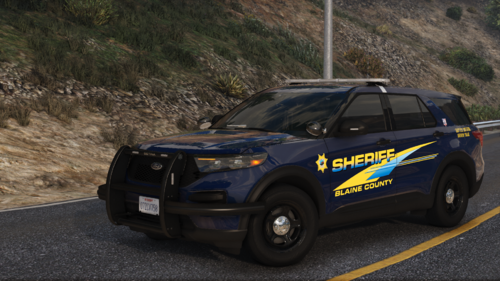 This looks very good!
 -
 To be honest, for now I’ve removed this script. All the cars keep braking, which doesn’t create a good flow for me. It takes me out of the immersion. However, I see that you’re working on fixing this bug. Once it’s fixed, this will be a really nice script.
- 189 comments
- 9 reviews
-
Thanks i will try it some day. This might fix it!
-
Yes correct. However i need the trainer. Ill just wait for now and stick to legacy.
-
Yes i did. I also tried to put in in the steam starting options
-
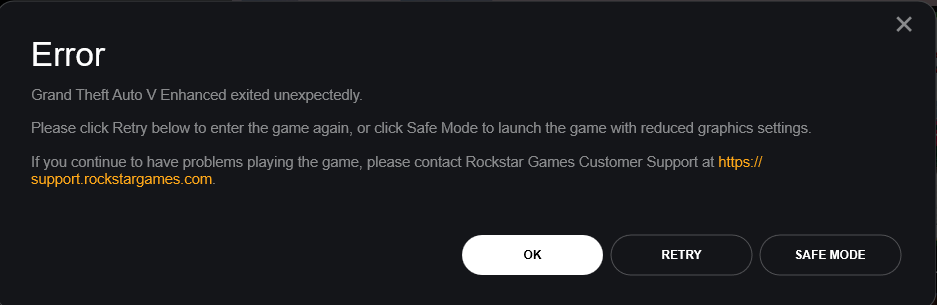
This is not a crash. Gta will not start with the file in my main directory. If i take it out everythings works fine. So i do no have a log for you. with and without RPH i get this error.
-
I tried a lot of thing including turning off battleeye ofcourse. When this file is in my game directory i get the error shown in the picture. Does anyone know how to fix this? I think i need this file to use asi files like simple trainer etc. I also did a fresh install of gta enhanced. I installed the following things: RPH+LSPDFR, scripthookV & RagenativeUI
-
Can you show a screenshot on where to find this setting? I cant seem to find it in the meny ingame and also not in the INI file.
-
 So i have been testing it for a few hours ingame now and i am not sure if it works correctly. I do get a message that the suspect is resisting or is drawing a weapon. However the suspect was allready arrested like 10 seconds before.+ He did not have a gun on him. If this plugin works correctly it is great.
- 108 comments
- 5 reviews
-
-
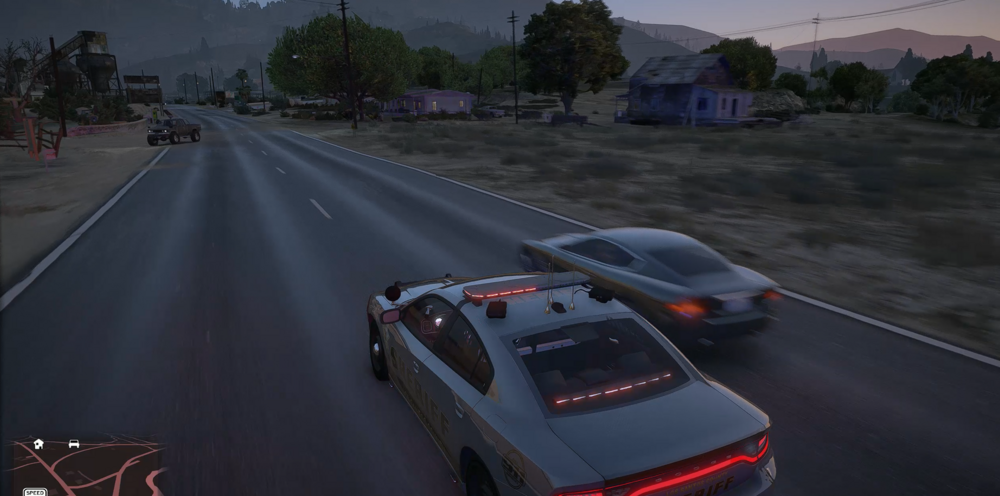
Hi guys, i have this weird blurry effect when cars drive infront of me or pass me. I think its to create an effect that a car is going fast but i dont like it. Anyone familiar with this?
-
-
-
Put the plugin timeout threshold to 60000. DId you restart your pc? Please make sure your pc account has full management of the gta5 folder.
-
Hi, You have a few plugins that are outdated Cheepcallouts Roadincident callouts Tacco highway callouts radio chatter computer+ Make sure to keep your plugins updated because this can crash the game or lspdfr. Debugg Tackle is also incorrectly installed. Please move it to the plugins folder. Also having a lot of callout packs could be the issue. Some callouts dont work together. Goodluck! I hope you can patrol the streets soon!
-
 I really appreciate the potential of this pack, and I can tell there’s a lot of work behind it. The callouts are definitely some that I'd want to have during my sessions. However, I’d love to see some fresh ideas that add more variety and depth to the experience. Suggestions for Improvement: Hit and Run Callout: Currently, it plays out like a pursuit callout, but it would be fantastic if we could actually interact with the person who got hit, maybe ask questions, gather clues, or deal with the scene before jumping into a chase. It would add more layers and realism. Not every callout needs to end with a pursuit or a shootout—some of us enjoy the investigative side or calmer interactions. More Diverse Callouts: It would be great to see more scenarios that don't revolve around immediate combat or chases. For example, assisting stranded civilians, handling disputes, or even non-violent scenarios where you need to mediate, investigate, or help out without necessarily escalating to violence. I know it's tough to avoid repetition, but having more peaceful resolutions or creative storylines would be a great addition. Technical Issue: The panic button feature didn’t seem to work for me. What I Liked: I’m glad that Stop the Ped integrates seamlessly with the callouts. I'm really curious to see what you'll bring in the future! Keep up the good work—there’s so much potential here, and I can’t wait to see how the pack evolves. I’ve also made a showcase video of the callouts, which I hope helps highlight some of the things that are working well and where there might be room for improvement. (Yes chatgpt helped me with typing because my english isnt the best lol)
- 24 comments
- 4 reviews
-
-

- 1
-
-
- lspdfr callout
- rph
- lore
- non-lore
-
Tagged with:
-
my man, Your content is great! You made my Sandy Shores way nicer! however the png`s in this post are not working. (for me) Keep up the good work ❤️
-
Hey, Have you tried loading up gta 5 and after being ingame starting up RPH?
-
 This looks awesome! I will be trying this together with DeputyRyansExplosionFX!!!
 -
I do not think AssortedCallouts is the problem since i do not see it back in the log. However it is always the best to only use updated mods/plugins. if so i think reinstalling is your best option.Hey there, Looks like Traffic policer is the problem. It is either corrupt files or some files are missing. I would suggest to use other mods since traffic policer is not updated to the newest lspdfr.







