




Haze Studios
Members
-
Joined
-
Last visited
Everything posted by Haze Studios
-
-
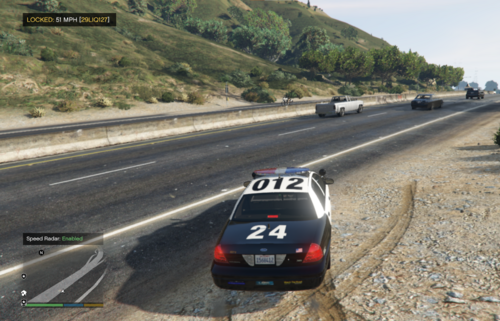 Is there an in game screen shot of what the radar looks like? Instead of just using a Gemini generation.
- 7 comments
- 1 review
-
 That's fine, you just have to move it down on the axis. It's a very simple fix.
 -
 Hot
Hot -
Looks like the hat sits too high.
-
 Just rename the model names if you want it replace.
 -
 It would be cool if your mod description described your mod instead of straight promotion 😀
 -
 Is there a link somewhere?
 -
Any plans on adding some showcase screenshots or videos?
-
.thumb.gif.815bff76a5cef81ac6cf868661b46d11.gif) No. NonELS vehicle use Sirens, ELS uses extras. The only way to do this would be to open the vehicle in ZModler3 and convert the extras to sirens, and then making the carcols file.
No. NonELS vehicle use Sirens, ELS uses extras. The only way to do this would be to open the vehicle in ZModler3 and convert the extras to sirens, and then making the carcols file. -
-
-
 Did you use AI to reply to his comment?
 -
-
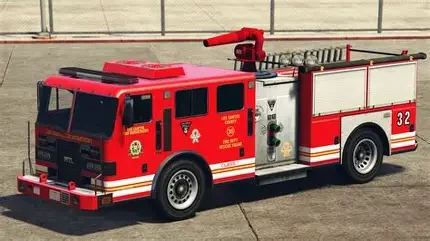
This seems like a pretty in-depth project. It would be nice to see some more screenshots of the mod instead of just a fire truck. Is there a fire hose? Is there equipment? How in-depth is the EMS system? What does the radio look like?
-
 Cool Idea 👍 maybe edit the description to take the actual description outside of the "pasted content" box so it's easier to read? Along with better text formatting instead of right from AI :)
- 32 comments
- 1 review
-
-

- 1
-
-
 Yeah Ik was just curious if it did or not.
 -
Does this also prevent ELS's audio from playing when changing light stages?
-
 The problem is, how much AI to allow, how to enforce it, Do they go through every single project that’s uploaded and check for AI. I think AI can be used to help but the problem is everyone has their own definition of what they believe is help versus not.
- 16 comments
- 1 review
-
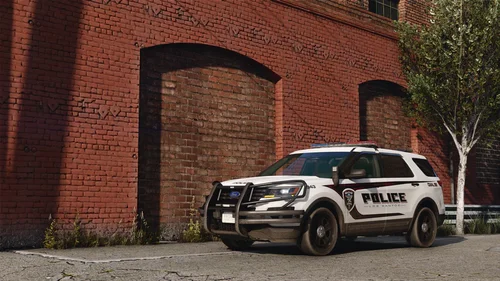 I have found that the GTA V uses what's called Jenkins Hash, and I had a method that would convert plain text into said hash, which would allow for you to use normal model names in your configs. Might be worth giving it some research 😀 Also what does ULC stand for?
 -
It's too easy to spot when they are made with AI now. A big give away is that they are SHVDN scripts ☠️. I am looking forward to seeing sometime of change with all this AI stuff though
- 16 comments
- 1 review
-
Names aren't copyrighted, there are so many other scripts that use the same names. SimpleHUD is such a generic name. The whole "Simple" prefix is very generic. They look nothing alike and different qualities. I mean this mod is most likely fully AI anyways so is it that big of a deal 😃
- 16 comments
- 1 review
-
-
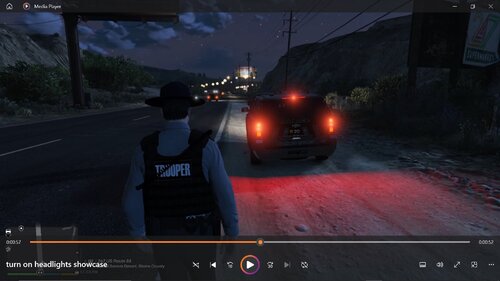 I do not have any experience with SHVDN code, but - You are using a Try/Catch on tick, no real need to do that. - You don't have the catch statement to do anything, so basically you are just using the try/catch as a safety blanket so the plugin doesn't crash. - You are getting every vehicle in the word every 0.5 seconds, sounds pretty expensive. - You check "veh.Driver != null && veh.Driver.Exists()", which is pointless as they basically do the same thing. - You enable head lights / full beams every 0.5 seconds on the emergency vehicles. By looking at the code this project seems very AI heavy, would be nice to disclose if it is :) I like the idea though.
 -
 There’s a higher chance of Khori releasing another mod this year then that happening





.thumb.gif.815bff76a5cef81ac6cf868661b46d11.gif)


.thumb.png.04d34e402e1b5c69bba1e7f450179ac7.png)
