




Caesar
Members
-
Joined
-
Last visited
Everything posted by Caesar
-
I think I figured out whats wrong! They didnt tell me that I had to fill out a application for AdSense. lol.
-
Says its being reviewed. It's said that for about a week, and no email D: "Your AdSense Application has been submitted and is being reviewed. You will receive an email regarding the status of your application within about a week."
-
It doesnt give me a choice. It just picks 3 and wont let me add my picture I added at the end of the video(for the thumbnail). :(
-
 OH. MY. GOD. IM IN LOVE FINALLY!
 -
-
Awwww, its my truck!! I think that's the first video I've seen with my truck other than my own! -- Arizona Virtual Emergency Services Lieutenant
-
Indeed it does. They just got two new Taurus's too :D
-
 What's this..?
 -
Nope, you don't. -- Arizona Virtual Emergency Services Lieutenant
-
Orange Park Police (my local department)
-
Dude this is like your 5th topic TODAY make ONE post and ask all of your questions in that post. Your spamming up the forums0
-
Seems interesting!!! I would recommend for FBI is: --- Arizona Virtual Emergency Services Lieutenant
-
How the hell do you get a thumbnail to work?!?!!? I can never get my videos to show one :(
-
 Oh, I looked right over that. lol
 -
Couldnt find it..Link?
-
Oh that will be cool, will it be ELS-H?
-
NEW VIDEO!!!!! http://www.youtube.com/watch?v=jx6cF0_89qA
-
Talk to Austin about that. I don't have a say anymore.
-
Here's this one. Its funny as hell! http://www.youtube.com/watch?v=1va8FxBl7Cg
-
-
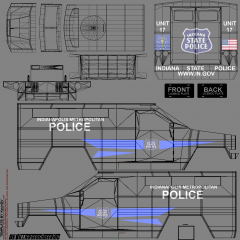 Ok good! It looks great then ;)
 -
Would look good if you got rid of the template in the background!!
-
Well..I really don't know if im right, but I think they get better in RC3.
-
Sounds like a toy lol. Nice job
-
Going on what NB is saying. Your computer might not be good enough. I had this exact problem. I had to update my video card.


