




RJ
Members
-
Joined
-
Last visited
Everything posted by RJ
-
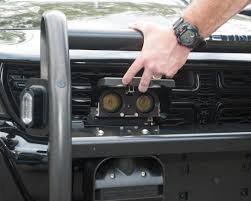
Hmm tried to search for any "electromagnetic pulse" devices (EMP) but like I suspected the device was way to large to fit in a hockey puck. The only thing I can still think of which I btw found the name of again "Star Chase" which looks like this: Is it possible that they shot a "Star Chase" and then coincidentally the car engine failed for some other unrelated reason?Are you referring to these things (picture)? Never heard about any devices disabling engines but these are GPS trackers that are deployed whilst driving during chases. Some cars can be remotely kill-switched but the police has to contact the manufacturer for them to do it from their systems.
 Sorry I was locked out of my account 😂, I replied mainly for anyone else who might be reading at this time hehe.
- 26 comments
- 12 reviews
-
-

- 2
-
Hey, that would have to be part of whatever model is in use. Whoever makes the model of the cars decides what color the lights should be 😉 Yes it definitely still does work, I wish I knew what was wrong in your case, it's impossible for me to tell from here.- 26 comments
- 12 reviews
Confirmed: Febcember 32st Traffic offenses assigned to train carts & trains I've noticed the only times I've crashed is when I'm doing highway patrol in close proximity with train tracks. I recently noticed that a train cart had the "no brake lights at dark" flag, so I wonder if for example "drug driver" gets assigned to a train or a train cart the game crashes?
- 3,646 comments
- 306 reviews
That is a problem with LSPDFR I'm afraid, but slight acceleration disables the computer.- 26 comments
- 12 reviews
 Slight fix is needed with the dirt mapping on the roof of the vehicle, I've included a screenshot of the roof. http://prntscr.com/aude9d
- 269 comments
- 67 reviews
Best car model I've downloaded, needs some interior improvement and dirtmapping fix. I have commented whats wrong with the dirt. Those are minor though and this is defiantly worth 5 stars.- 269 comments
- 67 reviews
Attempts to contact the author haven't been successful. He appears to be working on his work projects and is currently not working on this mod. I'll relay these suggestions as soon as I can reach him.- 26 comments
- 12 reviews
Additional mod or LSPD:FR suggestion request. In the U.S suspects are usually put in handcuffs regardless of their mental presence. To be able to handcuff unconscious felons would be a great addition to the whole "deep immersion" aspect everyone is trying to achieve. Simple animation where it shows the bodies with their hands behind their back would suffice. (Maybe bug test to see if the bodies glitch out if paramedics revive them). Thank you for reading this and if anyone can make this; my hat goes off to you. http://nymag.com/scienceofus/2015/04/why-cops-handcuff-dead-peopleThank you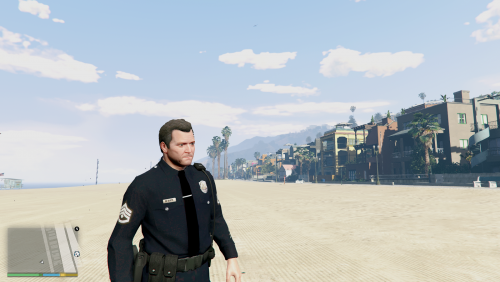 I love it! I'll be using that, as you can see from my profile picture I like using Michael in LCPDFR. He looks even better with the hat on. Some very small clipping on the arm decals with the shirt, but nothing serious at all (barely noticable).Michael makes quite the nice looking cop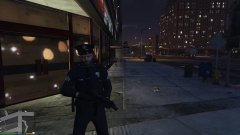
From the album: Michael 5-0
Did you know Michael has police uniform default in the game?
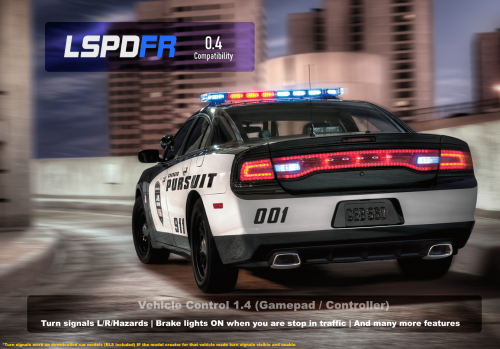
Additional Car Controls by Xenolit Indicators, idle brake lights, door / hood / trunk control, window control, radio skips, slow motion, engine control. interior light control. Summary Very reliable and lightweight mod that is very compatible with almost all other scripts. Extremely easy to control your car with just your controller. Definitely worth the immersion, try it for yourself! Easy to add or remove at will. Features Holding the modifier key (X) lets you quickly execute the following: Control doors, hood and trunk Control windows Skip radio song Control turn signals (signals auto switch off after turning by default) Interior light control Control engine Slow motion Brake lights on idle (brake lights turn on when the car is on and stopped) Menu for more options (control settings, individual controls) LSPD:FR & Script engine control Both LSPD:FR & this script take control of the engine after exiting, you can quickly fix it by doing either: Press M and go to Vehicle Engine control and put the engine status to on instead of always on OR Press X + DpadUP (controller) and go to settings, then disable the engine control from there Requires ScriptHookV 1.0.372.2 or higher Disclaimer: I did not create nor do I own or edit these files. This script is redistributed by me from gta5-mods website. If you have any suggestions or direct questions about the functionality of the script itself then contact XENOLIT. Whether indicators work on custom vehicles is up to the creator of that particular model, auto-idle brakes pretty much always work though. I've had a lot of requests to make this for keyboards, again this is not my mod, please ask the author but he's been out of reach for a while now. News update: 27/Mar/2019 still works with LSPDFR 0.4- 26 comments
- 12 reviews
-
-
- 12
-
Is it possible you can make the player hold the flashlight like this?Can't help but notice, but doesn't seem what type of police car I'm driving, people seem to compliment it. Preferably I'd like to disable that on police vehicles, if that's not an option then fully disable it. If someone can help with that in any way that'd be appreciated, I'm working on improving immersion as best I can.During chases it randomly decides to remove me from primary position and then the cops behind me ram me out of the way.




