


Taxi
Members
-
Joined
-
Last visited
Everything posted by Taxi
-
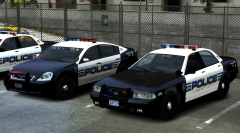 Looks good so far
 -
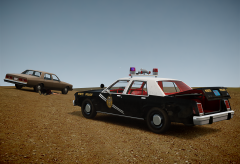 take the cash and run to the mexican border as fast as i can :D
 -
As far as i know Big Rigs wasn't a port. It was originally developed for PC but yeah...that game sucks xD
-
I loooooove Compeast's Dodge Aspen (NYPD never used that Dodge Aspen Model as far as i know...but damn it looks good :D) His Caprice is great too :) and a police version of GTA 4's vanilla Esperanto
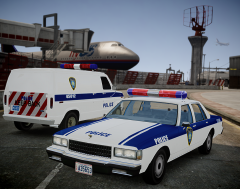 SexyHAPPY B-DAY!!
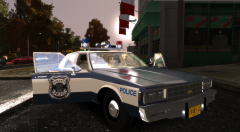 Looks great! I love ityeah i like the ideaehhh What kind of reason is that? You want to keep something illegal because you don't like the subculture around it? i don't think so: "Oh weed is legal now...better stop smoking it and start hitting the crack pipe" I'm pretty sure the people who only use marijuana wouldn't start using another drug just because theirs has been legalised. Why would they look somewhere else if they could just buy weed at the Gas Station?Ford LTD NYPD/LCPD Skins by taximan5 ----------------------------------------------- NYPD/LCPD Skinpack for EXPRESSION GAMING's (Compeast's) 1987 Ford LTD Crown Victoria ELS. Model Link: http://www.gta4-mods.com/vehicles/chicago-through-the-years-cpd-pack-f24408 Files Included: 8 Skins in total (4 LCPD + 4 NYPD Skins), Red Mars Skybolt Lightbar Textures, ELS Config File, Readme, Pics ---------------------------------------------------------------------------------------- Installation: 1. Open up the .wtd file of the Model with SparkIV or OpenIV 2. Replace the original paintjob with the one from this mod (can be found in the SKINS Folder) 3. Replace the "mars skybolt lightbar" and the "lights" textures with the once from this mod (can be found in the EXTRAS Folder) 4. Go to your ELS Folder and drop the "nypd_lcpd_ford_ltd.ini" into it. Now open your slotcontrol.ini and edit the vehicle section of the car you are using 5. Thats it! Changelog: :::::::::::::::::::: - Added 3 more NYPD Skins - Added 4 LCPD Skins Credits: :::::::::::::::::::: Skins by taximan5 ELS Config File by taximan5 to fit with the included red lightbar textures Screenshots by Ringo4493 Testing & QA by Ringo4493 *Huge thanks 2 Ringo for asking me to make a V2 of this. Proberbly wouln't have happend without that request to be honest :D* LCPDFR Exclusive!
- 9 comments
- 2 reviews
What he said ^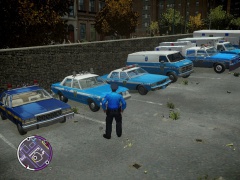 Nothing..NOTHING can beat the classic NYPD Paintjob :D Keep them classics rollin'You're welcome :D @sergiyj: thanks I'll add it to the listUpdate: March 20 Great Truck. Low file size (a little over 1mb) Very usefull to anyone with an 80s setting 4 L.C based Paintjobs included Commercial: 1988 Ford E-350 Cube Truck by Alex_SS & Ross Civil: 1971 Holden Monaro GTS by carface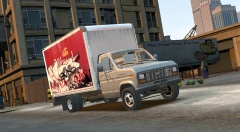
From the album: Liberty City
Model: http://www.gta4-mods.com/vehicles/1988-ford-e-350-cube-truck-f26823 Great Truck. Low file size (a little over 1mb) Very usefull to anyone with an 80s setting 4 L.C based Paintjobs includedI love it! It gives the game that "everything can happen and you better watch your a*s" feeling. For exemple: I was stoping a vehicle that ALPR flaged as stolen. I walked up to the drivers window and the guy was straight up shootong at me. I had no chance. Befor i could pull out my gun i was dead already. I really like that. Makes you play a lot more carefully (at least for me)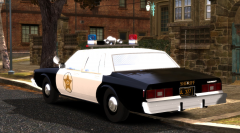 I see. I'm not the only one with that overbright Window Problem on the Impala :D




