
Nutleaf
Members
-
Joined
-
Last visited
Everything posted by Nutleaf
-
A few months ago I posted this topic with the same name and I would first off like to thank the people for there input the reason I am redoing this topic is sense then the community has grown and new players have joined and new things are being created every day however mods are updated everyday as well so this topic isn't just for me but for the new and the old players who want a realistic LSPDFR gaming experience!
-
I'll have to give it a try
-
 I will give it to you this callout pack does have some original callouts I've never seen before that's good the LSPDFR community needs more of that creativity just from these interesting callouts I will enjoy running code 3 too. I see a very bright and fun future for you!! But remember listen to what the people say and there will always be something you could improve in some way shape or form.
- 47 comments
- 11 reviews
-
-

- 1
-
-
Oh hell yeah man!
-
I feel like I see and post this way too often but here we go again here is what I've done to combat this crashing. 1. Give rage an exception and completely turned off my anti virus (I use AVG) 2. Ran GTA V normally then launched Rage 3. Reinstalled a clean copy of GTA V 4. Reinstalled rage and LSPDFR Everything is up to date when its LPDFR Related I have a legal copy of GTA V Please help me out I just wanted to enjoy my weekend playing LSPDFR so this is a pain in my ass. I ALSO INCLUDED MY RAGE LOG. RagePluginHook.log EDIT: I fixed it myself turned out I didn't completely turned off my anti virus and it believed that Rage was a virus.
-
Thank you @Derp.uty Reyve and @UnknownBastion for replying I wish more would contribute I met this for newer members and my personal education hopefully more will reply soon.Lets have a debate and together we can talk about what some of the community's favorite mods. It doesn't matter what mod it is and then later I will figure out what the most popular ones are with a online poll. Just for fun! Or just list some of your favorite.You should also have your game backed up prior, just in case Rockstar decides to update the game.Now as some of you know most of the time when you first download/ reinstall LSPDFR it sometimes doesn't work because of a anti-virus. I can run LSPDFR but I need to turn off my virus protector. I don't like that. I have like a thousand files that have exceptions regarding LSPDFR. I believe that there is another folder somewhere created from the lspdfr setup. If someone could please tell me what I need to create a exception for that would be great. Best, Wishes NutleafThank you!YES!!!!!!!!!!! THIS WORKS FOR ME. THANK YOU FOR THE PEOPLE WHO FIGURED THIS OUT!!! Could someone put this somewhere so if other new-er players could find this fix? @SamYeah, I'm having the very same issues these people are having.
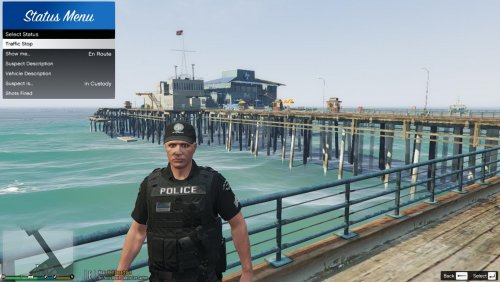 This is Great Plugin Idea But please Update it. We can't use it for new versions
- 64 comments
- 13 reviews
.thumb.jpg.6ccc85540b72064e6a9c121f3e3847bb.jpg) Holy shit dude last night I was just thinking the same thing someone needs to make it.I Don't know....(I still don't own any of this content.)Yeah thats BS
This is great man!
Holy shit dude last night I was just thinking the same thing someone needs to make it.I Don't know....(I still don't own any of this content.)Yeah thats BS
This is great man!

.thumb.jpg.6ccc85540b72064e6a9c121f3e3847bb.jpg)