Skip to content
View in the app

A better way to browse. Learn more.

LCPDFR.com

A full-screen app on your home screen with push notifications, badges and more.

To install this app on iOS and iPadOS
  1. Tap the Share icon in Safari
  2. Scroll the menu and tap Add to Home Screen.
  3. Tap Add in the top-right corner.
To install this app on Android
  1. Tap the 3-dot menu (⋮) in the top-right corner of the browser.
  2. Tap Add to Home screen or Install app.
  3. Confirm by tapping Install.
Due to overzealous filtering on Microsoft’s side, some emails to Outlook and Hotmail addresses may not be delivered. If you’re affected, please use a different email address or try again later.

Gary Connor

Members
  • Joined

  • Last visited

  1.    LAPDFR GET reacted to a file: Perfect Dispatch Tones
  2. Just stuck on the verification, and see the message like "U don't have permission to view the message history of verify-here"
  3.    Gary Connor reacted to a comment on a file: ExternalPoliceComputer
  4. Why I'm enter XAMPP webpage or "This page isn’t working" after I used the link??? The game is opened and I opened the cmd too, I am also installed Node.js
  5. Do I really have a Polish-German accent? It may because German is the language in which I have better pronunciation besides my mother tongue and English, that my pronunciation in other languages has been mixed up. Anyway I'm glad to hear you thumbs up for this project and thx for support
  6.    Gary Connor reacted to a comment on a file: XScanner
  7. Yeah, at first I was tried to wait more time in the car, i thought it need maybe 1-2 min to load sounds or some kinda problem, but after nearly half an hour I can only hear callouts radio
  8.    Gary Connor reacted to a comment on a file: XScanner
  9.    DooVan reacted to a comment on a file: XScanner
  10. Is this still play radio chatter in vehicle like before? I'm sure this plugin is enable and running, I can set volume ingame, but when I stay in my police car and I cannot hear any radio chatter just like before, idk why
  11. Oh It solved, I reinstalled the razer and luncher the game, when plugin was loaded and it appear, and the plugin is working now
  12. Ummm yes I was take a look here before but I didn't see anything in here, I'm sure I was installed the plugin correctly
  13. Anyone know why every police stations can't go down stair after installed new version? The door is locked, even I try to transport the suspects by myself over the cycle point that outside the station and me and my suspects just fell into under the ground
  14. Should I setting something or do something for it? The plugins was successfully loaded but after I turn on police lights in game and my device didn't work
  15.    FarStone reacted to a file: LAPD PoliceMegaphoneAudio
  16.    Gary Connor reacted to a post in a topic: Traffic Stop Cancelled Automatically
  17. I can't tell how long this problem has been bothering me. But obviously many times I stopped a problematic vehicle, especially the white dot vehicle marked on the minimap. Traffic stops are automatically canceled upon when the player exiting the vehicle. I got Traffic Policer installed, I'm sure that random problematic vehicle with white dot on minimap is connect with that plugin. And every time, when I perform the second traffic stop after the first traffic stop was automatically canceled, then the problem will not happen again. Is that a bug with Traffic Policer, or is a bug with other plugins/ scripts or LSPDFR itself ??? 🧐
  18. Images added to a gallery album owned by Gary Connor in GTA V Galleries
    All Of My GTA5 LSPDFR Images In Here. Daily Patrol, Callouts, Scenery, etc. THERE'S ONLY IMAGES, AND IF YOU WANT TO WATCH THE VIDEOS ↓ ↓ ↓
  19. Извините за текст и акцент, но, пожалуйста, поймите, что я использовал Google Translate, чтобы сделать это, и следите за произношением 😞
    • 1,148 downloads
    • Version 1.1
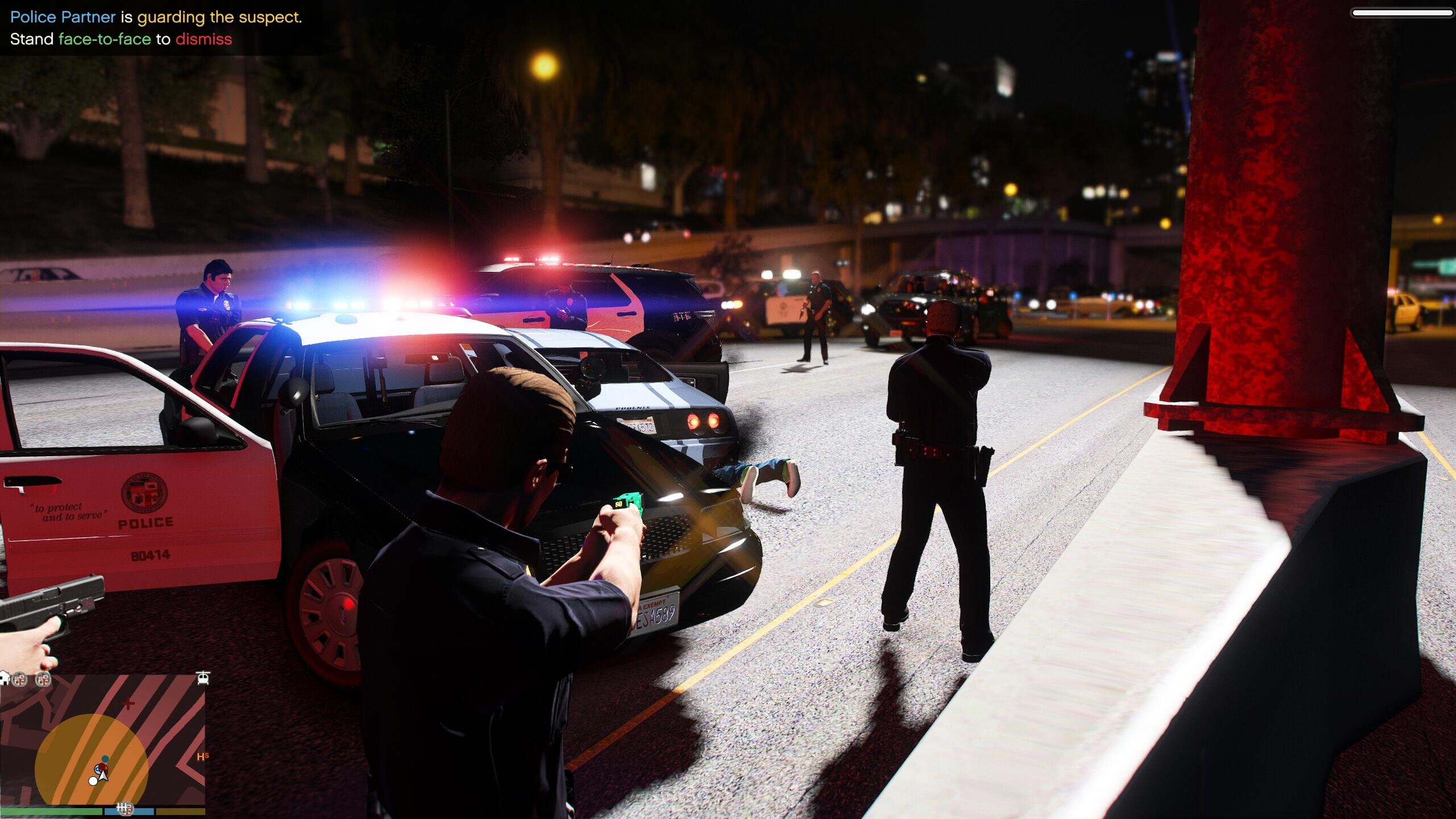
    Hello guys! I'm XW-19008. You playing LAPD? Always hearing the cops yelling LSPD text? Well, not only you, but the original cops have had enough of this. THEY WANT TO REST THE AUDIO NOW!!! Here what you will hear is not my own voice, nor anyone else's, but the original voice of the LSPD police officers!!! YEAH! THEY'RE GETTING TIRED OF LSPD - "THE FAKE/ NON-EXISTENT/ COLD BLOOD", SO THEY'RE JOINED LAPD NOW! IF YOU PLAYING LAPD IN YOUR GTA5 AND CONGRATULATIONS! IT'S THE CHANCE TO LET THEM TO BE THE REAL COP WITH THE REAL POLICE DEPARTMENT OF THE WORLD NOW!!! These audio only contain "CHASE_VEHICLE_MEGAPHONE", "STOP_ON_FOOT_MEGAPHONE", "STOP_VEHICLE_BOAT_MEGAPHONE", "STOP_VEHICLE_CAR_MEGAPHONE", "STOP_VEHICLE_CAR_WARNING_MEGAPHONE", "STOP_VEHICLE_GENERIC_MEGAPHONE", "STOP_VEHICLE_GENERIC_WARNING_MEGAPHONE". ▲But you need remember: In LSPDFR&YouTube my name is Gary Connor, in Twitter my name is Gary Connor★, and in 5MODS my name is XW-19008. Don't confuse my name, lol▲ =========================================================== 1.INTRODUCTION: I brought the LAPD megaphone audio to everyone (- audio in the car megaphone -) You can go here to download "Police Megaphone"script: https://www.lcpdfr.com/files/file/20204-policemegaphonevariety-additional-police-megaphone-yelp/ =========================================================== 2.INSTALLATION: (Use OpenIV): x64 → audio → sfx → S_FULL_SER.rpf ▲Replace:s_m_y_cop_01_white_full_01.awc▲ ▲Replace:s_m_y_cop_01_white_full_02.awc▲ 【Note: It is best not to change the name of my audio file and replace it with other audio files. In case you have done something that can't be reversed, you can only delete the Mods folder, I can't help you.】 =========================================================== 3.MORE: | YouTube Channel: THAT's GARY | Bilibili Channel: X-Gary-W | Discord: https://discord.gg/pevv6fG | Twitter: @THATsGARY_xw | Facebook: Gary Connor (Thats Gary) | Instagram: garyconnor_xw | Reddit: GaryConnor_xw | 5Mods: XW-19008 | Steam: THAT's GARY | Tencent QQ: 2406746773 | WeChat: THATsGARY ★About Police Megaphone Menu Script★ ★About v1.0 "Preview Video"★

Account

Navigation

Search

Search

Configure browser push notifications

Chrome (Android)
  1. Tap the lock icon next to the address bar.
  2. Tap Permissions → Notifications.
  3. Adjust your preference.
Chrome (Desktop)
  1. Click the padlock icon in the address bar.
  2. Select Site settings.
  3. Find Notifications and adjust your preference.