


TreadRed
Members
-
Joined
-
Last visited
Everything posted by TreadRed
-
Yes you can delete it
-
Do you have EUP? IF so You need LSPDFR Configs.
-
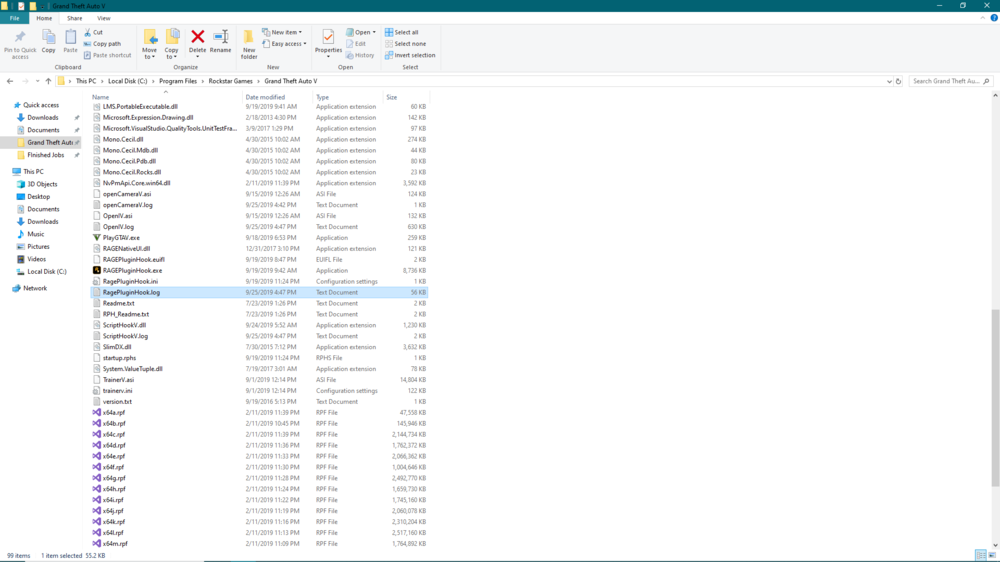
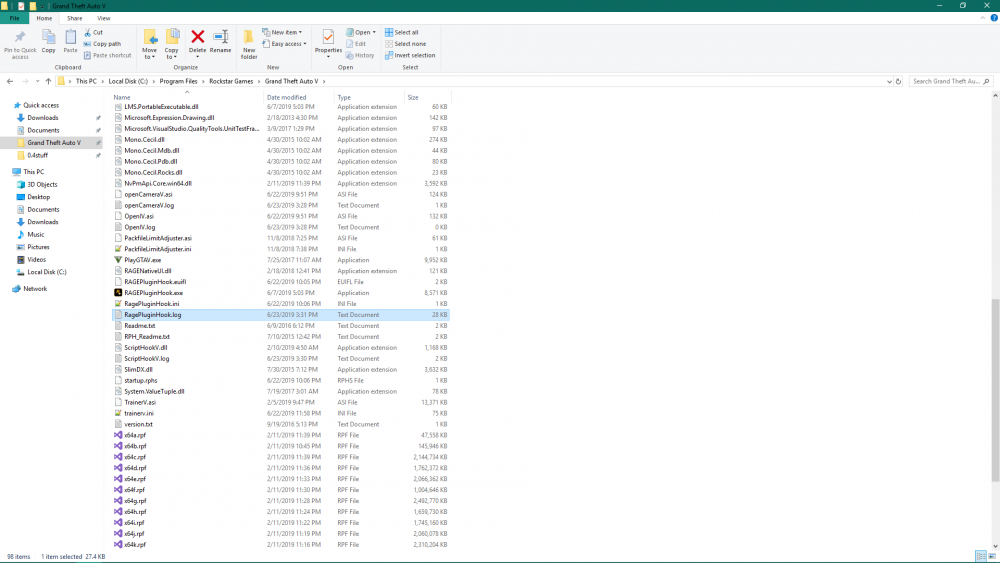
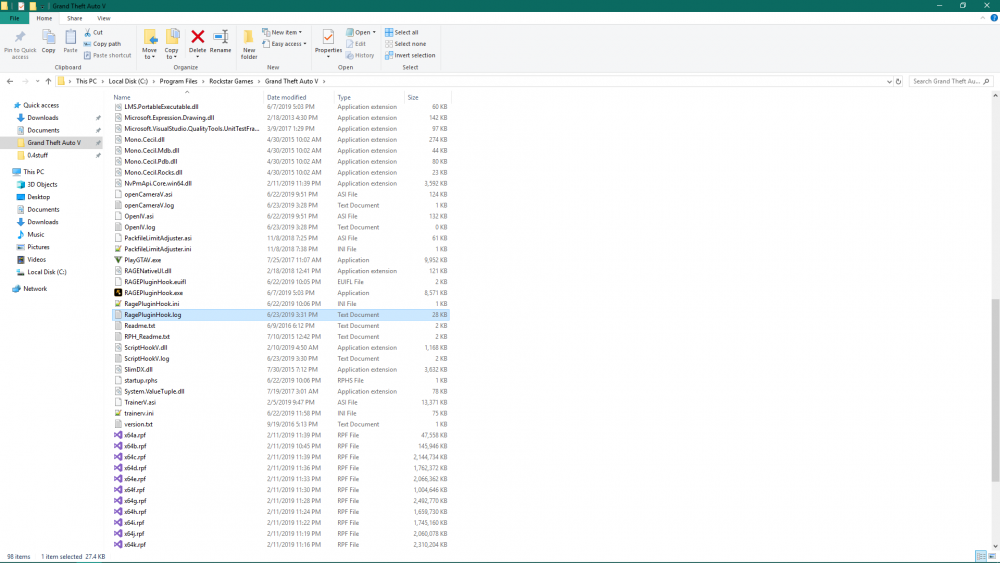
Please navigate to the ragepluginhook.log file and upload it here.
-
https://samodding.com/discord-server/
-
TreadRed0816 add me on discord Ill help u
-
you need to uncheck 'Disable DirectX Hook'
-
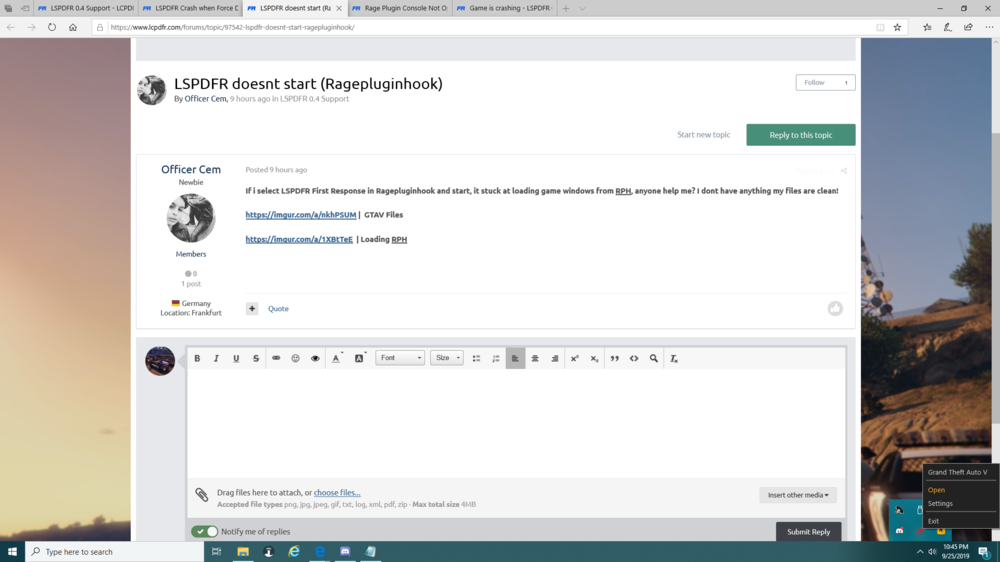
If you have already ran lspdfr once, then the launcher is running in the background, and Rage does not look for it there, you need to open the launcher(not gta5) if its running in the background, see bottom right of this screenshot, then start rage.
-
Looks like you edited a file and messed it up. whats the last thing you edited? Looks like maybe the police smart radio ini. The error is on line 49, you need to open the file in notepad++ and navigate to that line and find the error.
-
Yes IF you have those other agency files
-
Do you have agency.xml's in your custom folder? If so there could be duplicates and you only edited one. A lot of times, if you have eup, you will have an agencies_eup.xml, and also agency_bcso.xml. And the problem with this is blaine county is also inside that agencies_eup file.
-
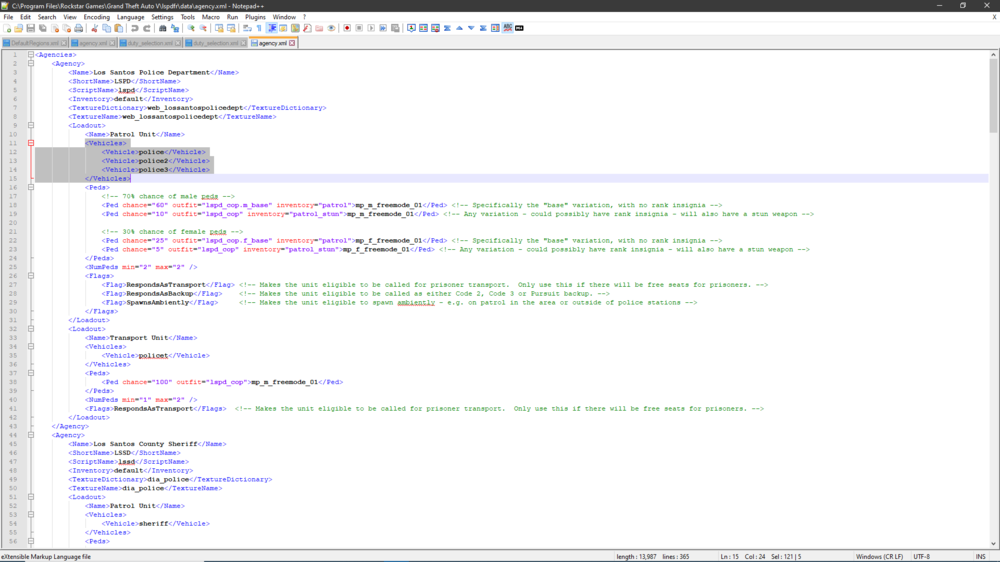
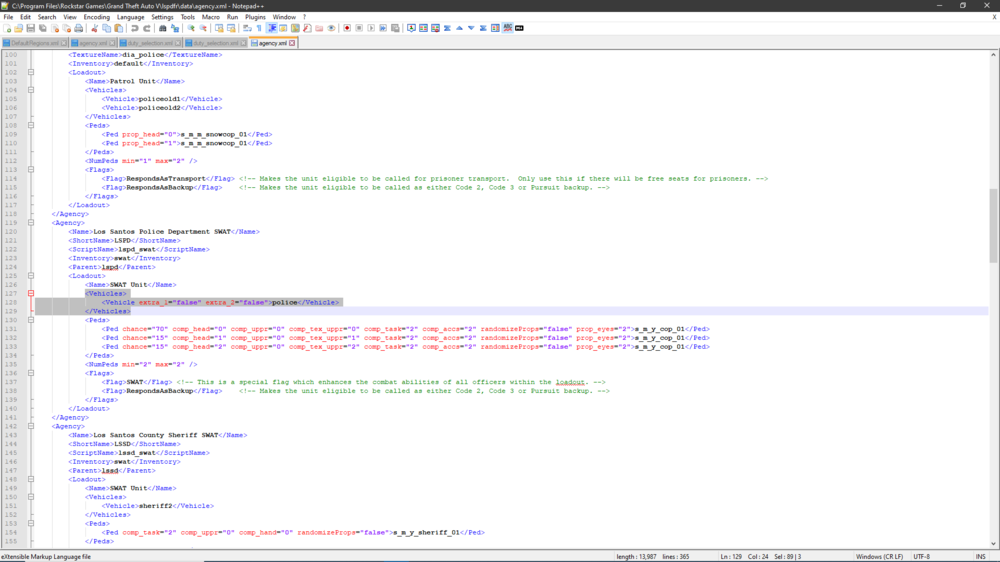
The Swat vehicles should be available, you wouldn't notice because that same vehicle is used for the parent agency If you share your agency and dutyselction file, I can maybe help you out by seeing if there is a mistake.
-
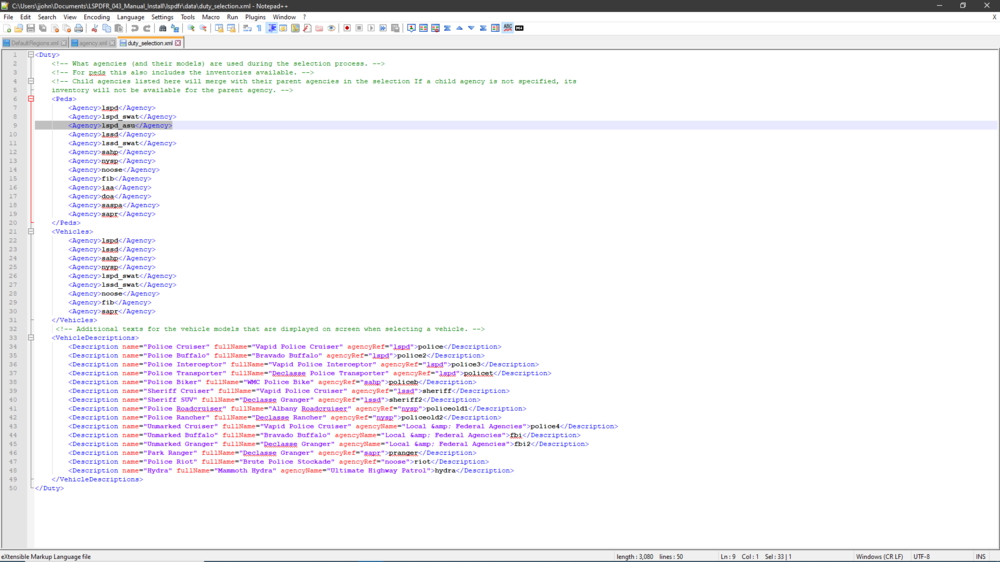
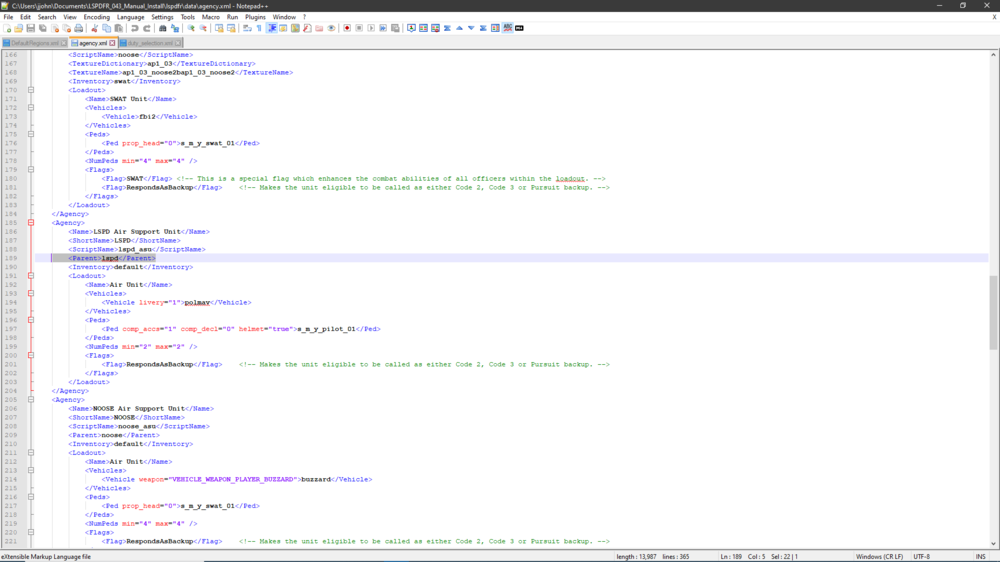
Really the only thing the Parent tag does is allow those 2 agencies(parent and child) to be combined and accessible through the duty selection menu(menu when going on duty at a station), as in the uniforms and vehicles menu. By using a lspdfr default parent and child agency as example, LSPD as example. LSPD Air Support has LSPD as its parent, allowing their outfits to be chosen in the menu under the same category(same category, as in the parents). Now in order to achieve this relation as you wish, you will have to add the agency name in the dutyselction.xml in lspdfr>data. Notice this note in the dutyselction file: <!-- Child agencies listed here will merge with their parent agencies in the selection; If a child agency is not specified, its inventory will not be available for the parent agency. --> See my screenshot below as example, lspd_asu is the child of LSPD, and in the duty selection file under the peds section lspd_asu is specified, meaning it will merge with LSPD outfits, so you shall see the option to choose a pilot outfit in the same menu that you choose the police outfit. If you was to add the child agency to the vehicles section, you would have the option to choose the specified helicopter of the childs agency(or whatever vehicle is specified).
-
Using Trainer V you can navigate to Models Spawning>Clothes Menu>Tattoos, Hair and T-shirt Overlays You press 5 to see the tattoo, D to remove it
-
 Transport units? You should add those to PoliceTransport section in the DefaultRegions file(at the bottom).
- 170 comments
- 11 reviews
-
Have you tried installing eup?
-
 If you are calling for backup using the UBU menu and not LSPDFR then yes, that is why. If you would like UBU peds to have EUP gear you can get the data files here.
- 263 comments
- 20 reviews
-
PeterUcallouts crashed the game. Is a great callout pack and they may or may not be aware of the issue. You can share the log with PeterU download.
-
I am definitely right, I can see the files loading in your log. Agency_eup xml is basically the same as all the separate agency files, but added all into one file, as for the ones I include with jurisdictions are separated, agency_lspd and agency_lspd for example. So you have duplicate agencies in your custom folder. That leads me to believe the 3 files I mentioned in lspdfr>data are not the correct ones that are needed for the Jurisdiction setup you chose. I do recommend using my agency files and not the lspdfr eup config ones as there could be discrepancies with the scriptnames, but im not sure.
-
It could be because you downloaded Jurisdictions+ wrong. You need to remove agency_eup and duty_selection_eup from lspdfr>data>custom. Also reinstall the files that come with Jurisidiction+ for lspdfr>data>regions, lspdfr>data>stations and lspdfr>data>backup using which ever map option you chose. Hopefully that helps out a lot. You also need to update traffic policer
-
Have you changed the timeout threshold to higher value in rage settings?
-
can you share the rage log file
-
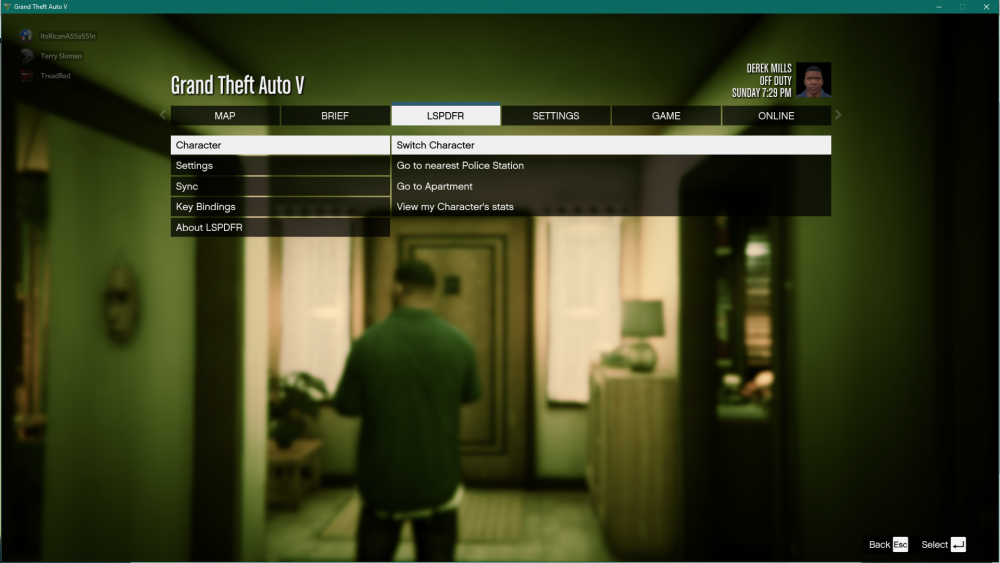
pause menu
-
can you upload the rage file
-
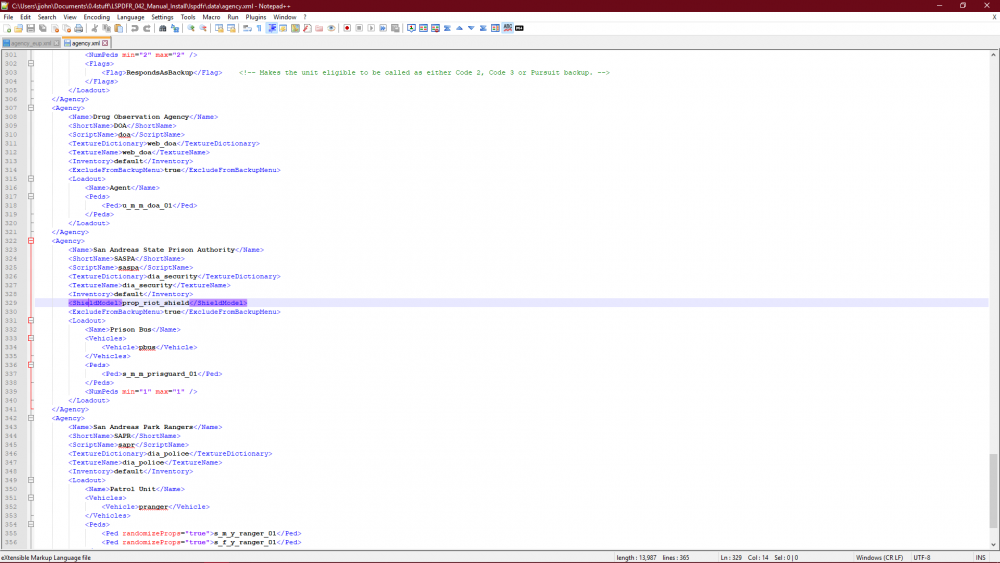
was you adding it in the right spot?
-
your welcome





