TreadRed
Members
-
Joined
-
Last visited
Everything posted by TreadRed
-
ok just a sec
-
Well since your crashing at loading screen now im sure its due to the gameconfig file you inserted, did you do it in a mods folder?
-
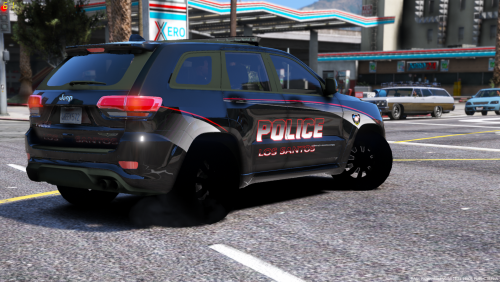
.thumb.png.10a84e5d9d49712ef5273ba7943209d5.png) Have lines throughout it, not sure why Can disregard this, its loading in with the 2nd livery which has the lines, livery 1 is all good. Looks great.
Have lines throughout it, not sure why Can disregard this, its loading in with the 2nd livery which has the lines, livery 1 is all good. Looks great.- 24 comments
- 1 review
-
If there is they probably aren't hanging out in the support area. If your trying to make a request you can do it here https://www.lcpdfr.com/forums/forum/891-suggestions-requests/
-
You need to start Rage, press the settings button when it pops up. Go to Game Settings or Advanced Settings, whichever one had Command Line switches. Click command line and put a check mark in Directx11 and forced windowed mode, save and launch, have fun.
-
Have you restarted your pc lately? may help with the loading. There is a antivirus blocking your download of Rage and probably LSPDFR too. GTA should not be having the issue with being blocked. 1.You need to uninstall lspdfr and delete the files you added in from the Rage download. (Have you added any mods or plugins yet? Your going to have to reinstall that stuff if you did. You need to have Gta running good before you add in lspdfr and rage, and have those running good before you start adding additional stuff.) 2.You can verify the gta files by restarting your pc first Please be aware this could delete any mods you have added if you did. 3.After doing that make sure gta launches well. 4.Disable any antivirus programs, including windows defender, and redownload rage and lspdfr, make sure they aren't being blocked also. hope this helps!
-
Ok can you go here and download rage, don't bother with unzipping the file, just right click it, go to properties, make sure you in the General Tab, and let me know if the file is being blocked. If its being blocked there will be a unblock option near the bottom, if not you will not anything about being blocked. http://ragepluginhook.net/Downloads.aspx
-
Is there a mods folder in GrandTheftAutoV? If so you need to open OpenIV and press copy update to mods folder. If not see if there is a log in GrandtheftAutoV>Logs and post it here
-
-
scripthook has been updated http://www.dev-c.com/gtav/scripthookv
-
Is your PostFX setting in gta5 pause menu>settings>graphics set to high?
-
radiancev has to be reinstalled after gta5 updates, file goes into mods>update>update.rpf>common>data>visualsettings.dat You have to reinstall it after gta has been updated, and after you copied the update to the mods folder, which OpenIV will prompt you to do after a gta5 update. If you reinstalled it, and then copied the update to the mods folder it was overwritten. RadianceV is working fine, just make sure when you open OpenIV that there isn't a warning, usually in green, asking you to copy the update to the mods folder, if not reinstall it.
-
Albo didn't put in a .meta for carcols. I have not downloaded a car that needed one. You can find the file at update>x64>dlcpacks>mpxam_604490>dlc.rpf>common>data its in all of the "mp" folders, so I don't know which one you need to post it into.
-
That's because the gta5 update overrode the files, all you need to do is reinstall it.
-
-
Scripthook is not currently updated to run on the latest version of gta, so els will not work unless you revert back to version 1604.0
-
-
Bummer, gta updated on the 5th I believe, so you will have to wait for scripthook to update. I think it only takes them a few days to adjust to gta's update. http://www.dev-c.com/gtav/scripthookv
-
Well scripthook is currently not supported for gta version 1604.1 If you made a backup like rage asked, you can revert back to 1604.0 and that may just solve your problem.
-
Post the link to the car you downloaded
-
-
Gta updated to version 1604.1, to revert start Rage, quickly press the settings button as soon as rage pops up. Click Game Setting-->Revert version. Revert back to 1604.0. After doing so follow these steps for the steam version.
-
No scripthook does not work for the update. Are you running steam version of gta?
-
ScripthookV is not updated for the latest version of gta, they are working on it now. Have you updated Gta to its latest version? If so, Rage asks if you would like to make a backup of the previous version when gta updates, did you make a backup? If you didn't, Scripthook is not required to play lspdfr, see below. If you did make a backup, I can help you with reverting back to it and blocking gta from updating until scripthook updates.
-
I have a 600$ dollar machine, cheap, with 0 issues. running all albo mods and stop the ped. Its either your pc, your failure to follow directions, or some kind of interference with another mod, antivirus, etc. But hey I get it, much easier to point a finger at someone else.. Its a experience, I tell ya, when you can download someones work that they put hours and hours into, for free, all to complain without offering some sort of solution or better alternative. How about going to college, learning to code and create your perfect mod with 80 fps?


.thumb.png.10a84e5d9d49712ef5273ba7943209d5.png)