




UnknownBastion
Community Team
-
Joined
-
Last visited
Everything posted by UnknownBastion
-
We won't support outdated game versions. Update it and then post in the right forum sections if you still need support.
-
I would suggest going to the LSPDFR Support Forums and posting a description of problem and your log so you can actually be helped.
-
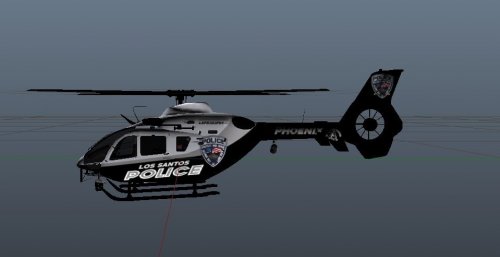 Is it for LSPD or for Phoenix? Because the body has Los Santos and the tail has Phoenix. 😉
 -
After doing this part, you need to re-install the latest version of RPH from either the manual LSPDFR download or from the RPH Discord. Then you need to restart your PC. For any further issues, please visit the appropriate forum section. Thanks! 🙂
-
Send your RPH Crash Log please. Its the txt file in the Main Directory called either RagePluginHook or RagePluginHook.log.
-
The RPH Discord has an updated version of PoliceSmartRadio in the Server Updates channel. You can check there. Link to RPH Discord found on the RPH Website.
-
There is a crash issue with BodyCam. Something to do with the format of the date, time, and year. I would suggest re-installing BodyCam.
-
I mean, if you are getting the Insufficient Permissions, you need to add the Main Directory to the exceptions list for your anti-virus. Then re-install the most recent RPH and restart PC to try again. For other solutions, please see this: https://bit.ly/2QTCgiy
-
No problem! 🙂
-
Go into your lspdfr.ini, do you have "Ambient.DisableEscapedSuspectEncounter" set to equal true?
-
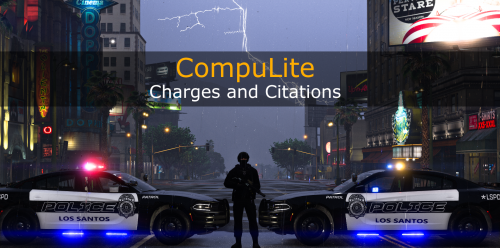 Perhaps fix a few spelling errors. Such as "Tittle" as shown in the third image (if not fixed already). Other than that, not bad. Looks a little clumped in some areas but its an overall nice first attempt. Good to see alternatives to the charges addon for STP as there weren't many out there to begin with.
 -
Yeah, unless you can either make or find one that caters to the vehicle resources, then you are left with the one by F7YO which allocates resources to a wide variety of things as opposed to focusing on just the vehicles.
-
I can see the merit in this, however, it doesnt have much to do with LSPDFR as it's an RPH Plugin. The only dependency it has is RPH. I could be off, but it might be because its current dependency is RPH 0.55 that may be causing issues. Also, I'm not sure what you mean when you say "those plugins". Are you having issues with other plugins?
-
Yes yes. That is correct. 😂
-
If it is an addon, you will need a custom gameconfig. Currently, the gameconfig by F7YO is still outdated so you may have to wait until it gets updated to use it.
-
Technically it is temporary as Alex Guirre said that he released a temp fix (hotfix) until he can put the permanent one on his Github. But this is purely semantics.
-
1. RPH is outdated since the current update. You will have to wait for it and LSPDFR to update. 2. Make sure to backup your update.rpf inside mods/Update before copying the one from the Update folder in the Main Directory and pasting it into mods/Update. That will update your mods folder to prevent the game from crashing. Then you will add back anything that you altered in the update.rpf from before.
-
Hello, You need to turn off Everyone Ignore Player and Never Wanted in your trainer. It is interfering with LSPDFR. Thanks!
-
This? But to my knowledge, those links don't work. Hope This Helps!
-
Things to try: 1. Load GTA 5 first. Then, once in-game, tab out and launch RPH. 2. Go into the CommandLine.txt in the Main Directory and remove everything and then add -windowed and save and exit the document. Then retry step 1. 3. Add GTA V to the exceptions list in your anti-virus. Then re-install RPH and restart PC. Then try again. 4. Disable any in-game overlay such as Discord, Steam, or GeForce Experience.
-
No problem!
-
Seems more like a glitch then, cause mine works perfectly fine. I'm sure when Cyan sees this, she can provide an answer.
-
Go to your profile page. Click on Edit Profile in the top right of the banner, and in there is Member Title. You change that.
-
And normal GTA V doesnt freeze?
-
If you mean in the Achievements section of your page, it will display the default name for it. Not what you change the rank to in settings.


