


grizzbear
Members
-
Joined
-
Last visited
Everything posted by grizzbear
-
Same. Happening to a lot of people. Might have to wait until another update or until we know what may be causing it.
-
Yup same haha. It's been a while. And no worries you're fine. It may be outdated mods and plugins too im not really sure. Im not going to play around and test things just yet though.
-
Did you just install the latest version of LSPDFR? If so it is a common issue happening now and we need to wait until a fix is released 🙂
-
Same thing is happening to me; and is happening to a large number of people. It's probably not on our side so I wouldn't worry about it yet 🙂
-
Go to: http://www.dev-c.com/gtav/scripthookv/ and look at the release date. It was released today 🙂
-
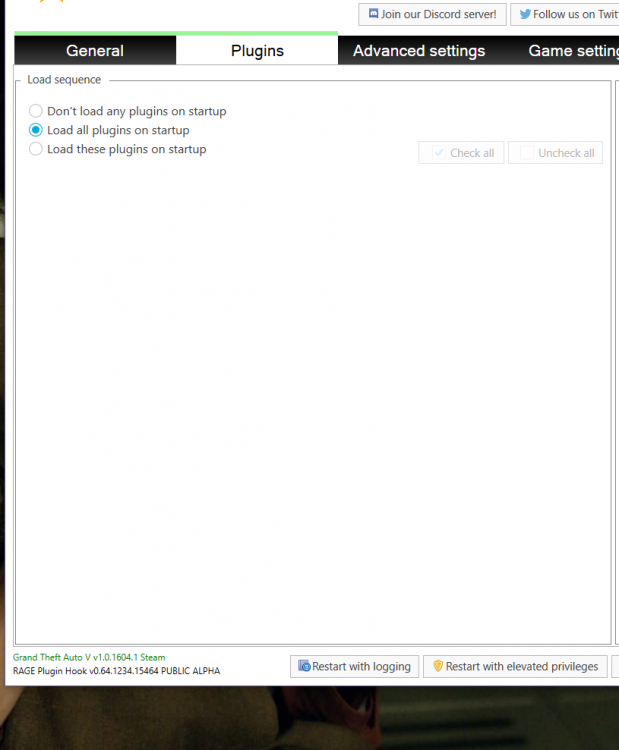
Got it! For anyone else that has this problem, move the two lspdfr files into the plugins folder directly, instead of the lspdfr folder inside of the plugins folder. It just seems that RPH doesn't show the plugins on startup (just lspdfr) but everything loads once you go on duty.
-
Hello, so I just reorganized and reinstalled everything for 0.4 a couple of days ago. After reinstalling everything I realized that almost none of my plugins were working in game (except for LSPDFR). Then, I realized that I forgot to create an LSPDFR folder in my plugins folder. So once I created the LSPDFR folder, I put everything that needs to go in, in. Once I started RPH I saw that it wasn't recognizing any of my plugins (as shown in the picture). I started the game anyway and now nothing will load and it just throws me into regular singleplayer. Does anyone know what I'm doing possibly doing wrong? Thank you! (I will attach images)
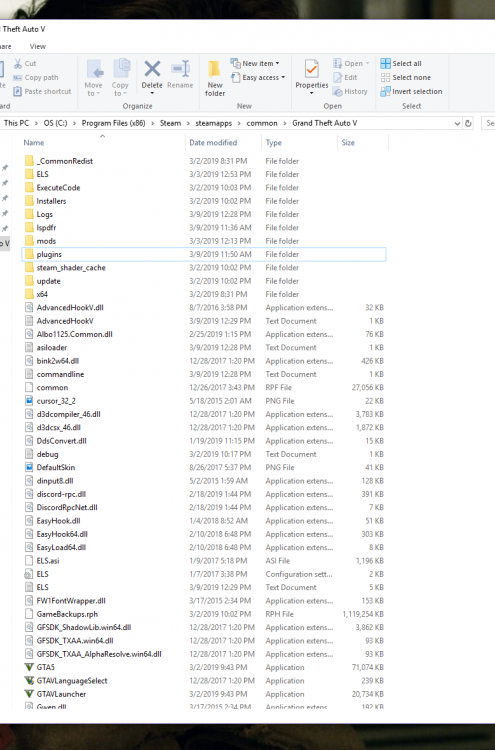

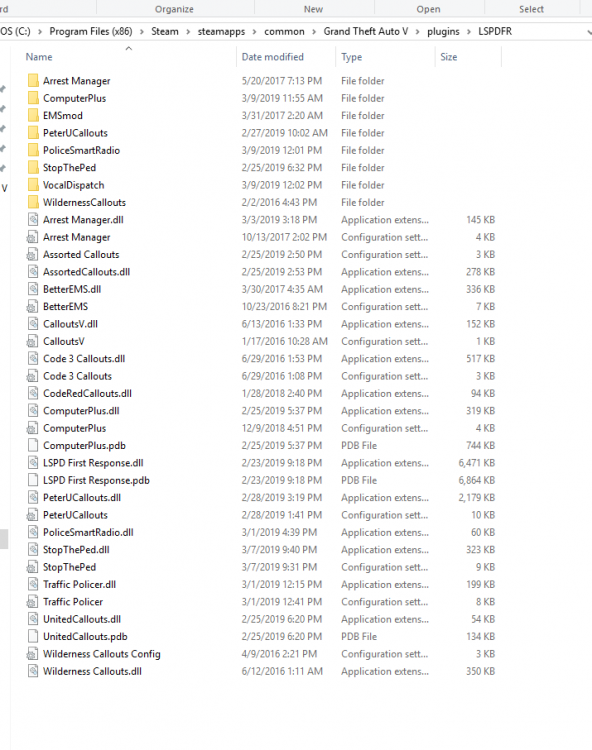
-
Hello, so I've been having problems loading into GTA V. The game crashes during loading after ragehook says "loading story mode". However, when I changed the name of my mods folder to "_mods" (without quotations), the game loaded. What exactly does the underscore do? I have my settings in forced windowed mode and have the GTA V folder set as an exception in Norton. I also noticed that my _mods folder is not purple anymore in OpenIV. Is it not recognizing it as the mods folder anymore? If anyone has any ideas of what may be happening here naming my mods folder _mods, I would appreciate it. Thank you 🙂 Ignore this post. Just learned that the underscore disables it.

-
Thats really weird. You can try to look it up on google but I wouldnt worry about it unless it happens again. Goodluck 🙂
-
Oh ok so everything's good now. That's really weird I never thought it could unistall itself... was anything else gone when you came back?
-
Do you have it on steam?
-
I'm having the exact same problem too. I started having this a couple weeks ago and now I'm seeing more and more people having it.
-
Restarting the computer worked for me. Solved.
-
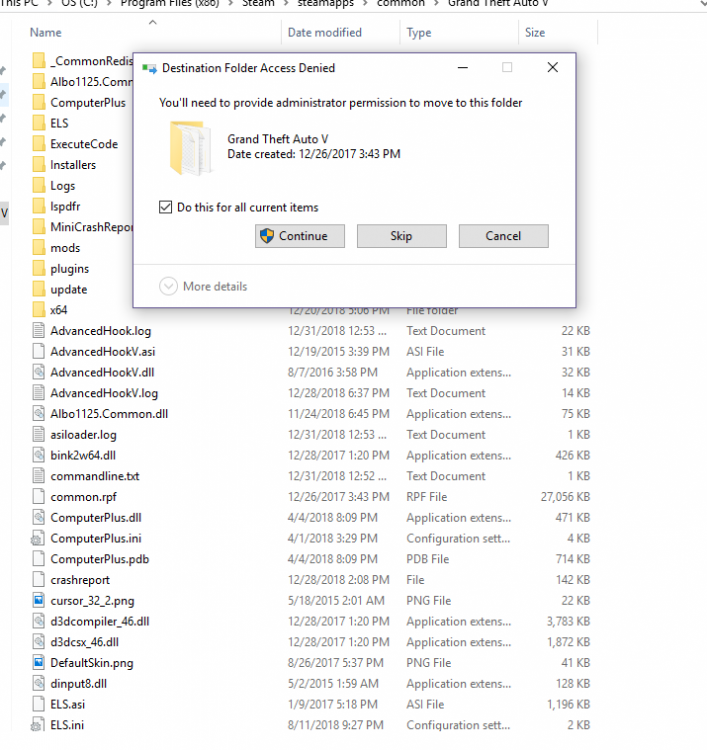
So I was going to install the new script hook before, and when I went to drag the two files into my GTA V directory, I got this error message (as seen below). I have never gotten this message before so I have no idea why it started now. Is it me or is there an error in the new script hook? I'd also like to add that I'm an administrator and it still is not letting me. Thank you.
-
-
Thank you so much for your help! It worked! Thank you it worked!
-
Oh so that didnt help me its just launching now ok LOL. Sure I will screenshot my directory. Its not fixed apparently. Because its working without scripthook 😕 it was cool to see it start tho
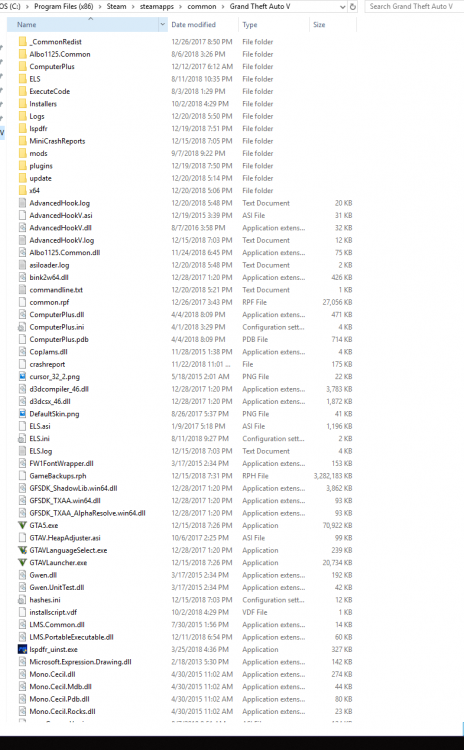
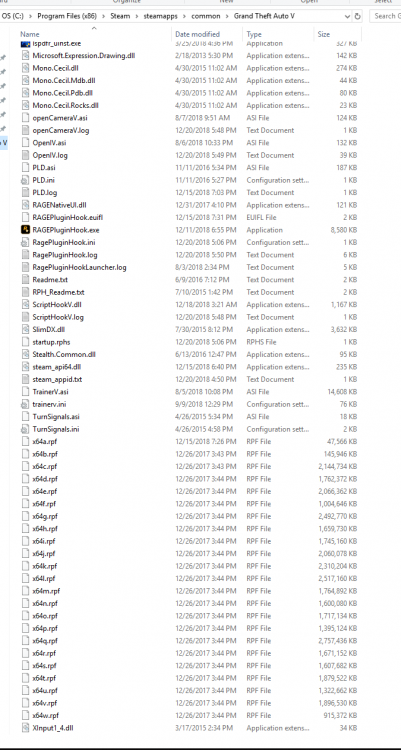
-
Oh my god it worked. Thank you. Now how do I get that back dont I need it? Just reinstall scripthook or leave it as is? deleting dinput worked for me.
-
I have dozens of times. Ill guess ill do it again.
-
Still stuck on "waiting for game to launch"
-
Ok got it
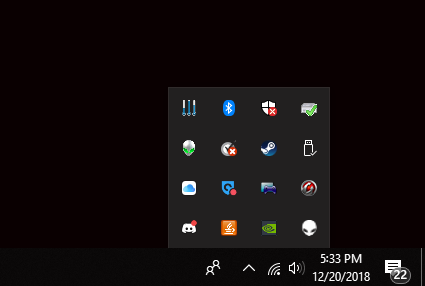
-
The window is open behind it and now Rage is stuck saying "Waiting for game launch"
-
The latest version is v1.0.1604.0 correct? Didnt work 😞
-
Hi, thank you for helping me. And yes, I do have the latest version; I reinstalled it like 5 times in the last hour 😞
-
Didnt work 😕 this couldnt be due to old and not updated mods and plugins could it? Id hate to reinstall GTA thatd be my very very last option. Is there anything I can use to make sure that everything in my folders are good? I feel like something might be missing or in the wrong place and be causing this problem.




