Creators: Due to background reprocessing of files, approvals and file security checks may be delayed. Thanks for your patience.
.png.d61024484253d26d8925488c5e9f5457.png)
NopeBye
Members
-
Joined
-
Last visited
Everything posted by NopeBye
-
Yea go into trainerv in game and go to options and go to the second page and it should be like the 3rd or 4th option.
-
-
Ive tried that with inventory_PWF but didnt work.
-
Messed up the title, Im putting it as inventory.xml in the custom folder but still isn't working for me.
-
I've tried naming the file different and putting it in the custom folder, not editing the name at all and none of them seem to overwrite the vanilla folder, any ideas on why this might be happening?
-
-
-
 Unfortunatly I dont know but I would suggest trying to contact and admin or one of the 0.4 Devs about it.
- 26 comments
- 4 reviews
-
Yea the cars work fine they're great Im just uploading the carvariation.meta lines needed to fix the issue with the lights not flashing properly on the secondary tone (shown in polecat's video seen at 16:56) so that people can easily just fix it and can enjoy you super detailed and beautiful models.
-
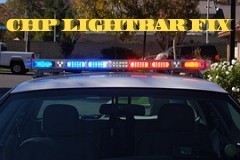 This file is for the people who download @Sentinel55's CHP cars and are havign the issue with the back blue light not flashing on the yelp tone. If you have any problems please comment and I will try to help you as much as I possibly can, don't expect me to respond straight away, I have a life too. DO NOT REUPLOAD Demo: Original cars:
- 20 comments
- 1 review
-
-

- 1
-
-
Alright, all my mod is, is a carvariations for the people who replace the cars it doesnt work with (like polecat and others) that makes it work with that vehicle.
-
@Sentinel55 Permission to upload a mod that you can copy paste the carvariations to fix the blue light not flashing on yelp.
-
-
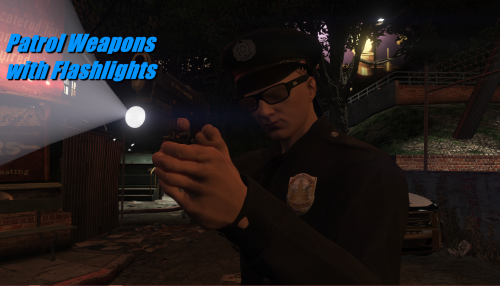
To turn the light on/off click "E" while aiming or if you have Persistent Weapon Flashlight just click "E" without aiming. If you want the flashlight to look like an LED install this LED Improvement mod and replace the textures in your graphics.ytd, you can also install the other things with that mod but thats up to you.
- 26 comments
- 4 reviews
-
 When in OIV you go into the vanilla update file and got to that directory, enable edit mode and click copy to mods folder. That'll put it in your mods folder. Try going to mods>update>update.rpf>common>data>levels>gta5>vehicle.meta and depending on the car you thats tipping change the handling for tahoe: <handlingId>FBI2</handlingId> and for the Explorer: <handlingId>BALLER2</handlingId> . If its for the Chargers use <handlingId>POLICE2</handlingId> .
- 131 comments
- 45 reviews
-
-
- 1
-
-
-
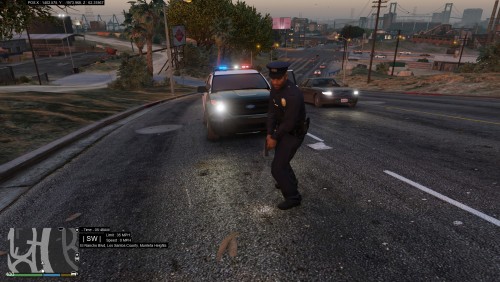 Glock mod?
 -
-
-
Thats a feature with 0.4, just go to where the fist logo is and select the flashlight while on duty.
- 26 comments
- 4 reviews
-
-
Yea I tested it my self and had tried to make it work in the custom folder but wouldn't, anyway enjoy.
- 26 comments
- 4 reviews
-
-
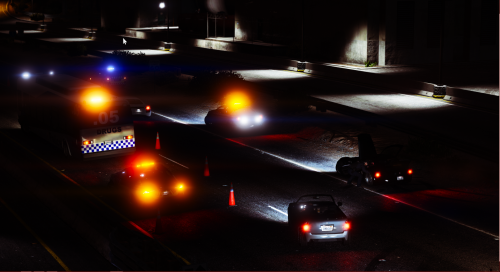 Use this: (Drag into your vehicles folder then drag vehicles.oac back into x64>audio>sfx>resident.rpf) Dead air.zip
- 29 comments
- 1 review
-
@rusmarselle @GTA Cop @Shineberg Updated it to the older version where it worked, working on making work in the custom folder but just use that for now.
- 26 comments
- 4 reviews
.thumb.png.9c912f879c47fcfec464fbb2d2d70ac8.png)