.png.d61024484253d26d8925488c5e9f5457.png)
NopeBye
Members
-
Joined
-
Last visited
Everything posted by NopeBye
-
 Says he wants CHP Taurus's, 14 Chargers, Caprices and A CVPI, kid clearly doesn't do research.
- 324 comments
- 53 reviews
-
-

- 4
-
-
 Pretty sure its just an ELS thing, doesnt seem to be anything with the LOD's, might be because the X,Y,Z for the lights might be off.
- 85 comments
- 36 reviews
-
 If you have multiple of Sentinel's CHP cars where it could be like one is a lightbar one and another is a slicktop, yes you would have to paste the carvariations thing for all the models e.g the slicktop could be police2, so you would put police2 in where it says to replace with model name and lets say you have the slicktop as police4 then you would put that after you pasted the police2 thing after the item thing like this: </Item> <Item> blah blah blah
- 20 comments
- 1 review
-
Yea, Ive noticed it too when you have to much texture loss, the lights start to shit themselves.
- 20 comments
- 1 review
-
-
- 1
-
-
Yes, copy paste this into mods>update>x64>dlcpacks>mpvalentines2>common>data>carvariations.meta or ModdingDLC by albo if you have it.
- 85 comments
- 36 reviews
-
For me, I have the CVPI in police4, sirensetting: 1 and lightsetting: 1 works for me. I have the slicktops adding on and have them also at 1 and 1. The best location for the carvariations these days is in mpvalentines2, see if that works maybe.
- 20 comments
- 1 review
-
 If anyone wants to learn how to put multiple sirens in and have them work with ELS, for example the manual tone in this pack, I made a topic not to long ago explaining it, then here you go.
- 54 comments
- 5 reviews
-
-
- 2
-
-
Heres a video on how to install sirens: And heres my video and topic on how to have multiple sirens with ELS:
- 324 comments
- 53 reviews
-
You also need particle settings, maybe shader settings and one other Im pretty sure.
- 324 comments
- 53 reviews
-
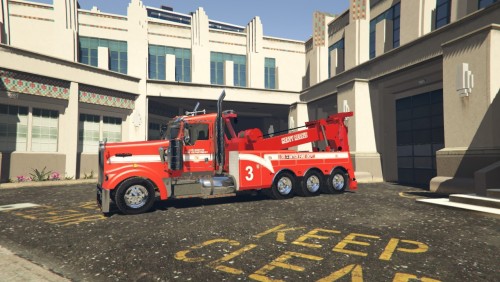 I made this exact same skin with the red lights to, didnt decide to realise it though due to it being pretty low quality, for a second I thought you some how got access to mine. Nice job anyways. Also the template is a pain in the ass for this thing so respect for also getting it to work.
 -
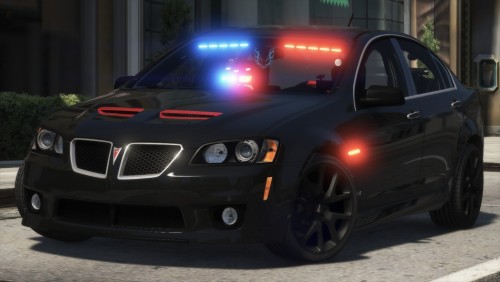 If you want a beast of a sound for this car use <audioNameHash>BTYPE2</audioNameHash>. Also nice work, being aussie I see this car as a Holden Commodore more than a Pontiac but still just as good.
- 64 comments
- 11 reviews
-
-
Should work on all models. If not try tweaking some of the numbers and see if that works.
- 20 comments
- 1 review
-
-
-
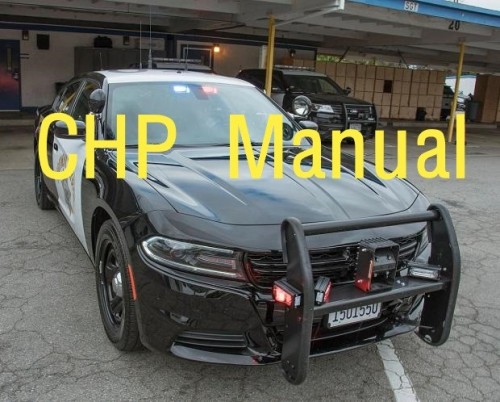 Made the Shorter tone ages ago but wasnt happy with how short it was. I finally found a long tone thanks to instagram. Enjoy these sirens and DO NOT REUPLOAD ANYWHERE. Demo Video:
- 6 comments
- 2 reviews
-
-
- 1
-
-
 For PD I use: With these textures: https://www.modification-universe.com/forums/files/file/155-los-santos-regional-police-service-wrps-based/ Sheriff:
- 12 comments
- 2 reviews
-
-
- 1
-
-
Im not sure myself as the normal 0x0d32's and other hashes work for me so you'll have to ask the guy who commented that.
- 12 comments
- 2 reviews
-
Weird, Ive been having this problem with some other people, I think someone was able to solve it in the comments on my other file, heres the link.
- 12 comments
- 2 reviews
-
-
- 1
-
-
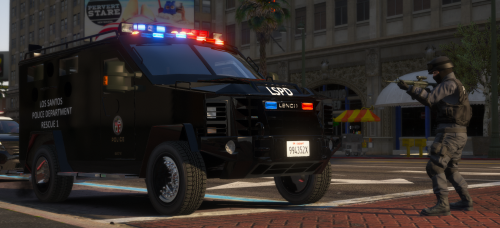 Yes they have a bearcat but looking at this pic and the one from the lip sync, there doesnt seem to be anything on it, just a black paint job.
 -
You replaced these textures in a mods folder right?
-
Looks like you have replaced some ytd's or something.
-
Try going into rage settings and putting the Plugin Timeout Threshold high, I have mine at about 60,000
-
I am looking into this, could you send a log?
-
.thumb.png.9c912f879c47fcfec464fbb2d2d70ac8.png)