




Makubex
Members
-
Joined
-
Last visited
Everything posted by Makubex
-
-
I've used a few but my most recent is 7 King 20, hence the name. Might move to a Tom or something else soon though.
-
Solid choice. Any particular one? I've yet to find an unmarked one that really caught my attention. I like Maurice's BCSO one for my marked set if I'm not use the CHP CVPI. Oh nice! A bit of added realism using cars you see every day.
-
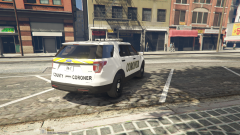
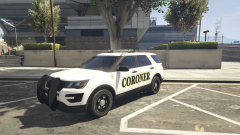
Just like the title says, what is your current or go-to setup for all your vehicles and what it your most used vehicle/slot? I figure this will give everyone the opportunity to learn what each player uses, why they use it and how they use it! My Roster: FBI: Unmarked Chevy Caprice FBI2: Prisoner Transport 2015 Chevy Tahoe Police: Arjent 2013 Dodge Charger Police 2: Arjent 2015 Chevy Tahoe Police 3: Arjent Chevy Caprice Police 4: Slicktop CHP Style 2015 Dodge Charger PoliceOld2: FPIU Coroner Unit Sheriff: CVPI Sheriff 2: FPIU Most Used: FBI - Unmarked Caprice. I tend to like Police 1 - Police 3 to be from the same pack, hence why mine are all Arjent. Not from the same packs but at least similar setups. Police 4 is always a State Patrol/Highway Marked Unit. I recently started using my FBI2 and PoliceOld2 slots for specialty vehicles. I've also recently discovered that I like vehicles with proper push bars - as in they have collision properties and don't fade into whatever they're pushing. Another reason I like the Caprice (both of them have that). What are yours?
-
-
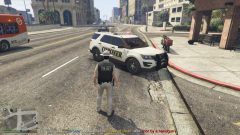
From the album: Makubex Livery WIPs
-
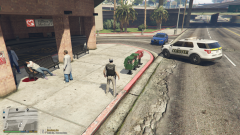
From the album: Makubex Livery WIPs
-
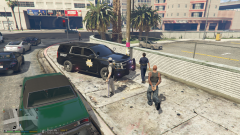
From the album: Makubex Livery WIPs
-
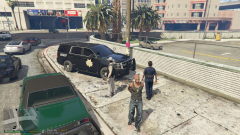
From the album: Makubex Livery WIPs
-
From the album: Makubex Livery WIPs
-
From the album: Makubex Livery WIPs
-
From the album: Makubex Livery WIPs
-
From the album: Makubex Livery WIPs
-
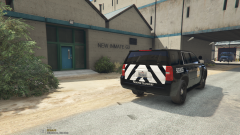
From the album: Makubex Livery WIPs
-
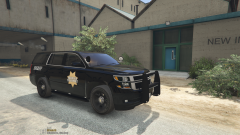
From the album: Makubex Livery WIPs
-
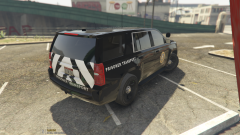
From the album: Makubex Livery WIPs
-
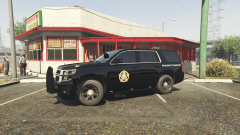
From the album: Makubex Livery WIPs
-
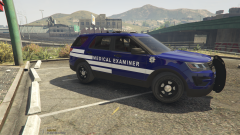
From the album: Makubex Livery WIPs
-
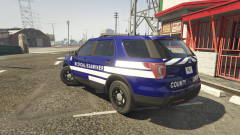
From the album: Makubex Livery WIPs
-
That's a really good one. Very easy to read between the lines with that. My favorite from that album is for sure Close to Heaven. Shame there's no video for it though.
-
What the fellas above said. If it's happening with every model, it's probably something in the handling meta, carvariations, or whatever else you use to make it work. Also make sure you're double checking that there aren't duplicates in. For instance, if one vehicle has four Police 4 files and another only has 3, that you're removing the fourth. That can cause problems too.
-
Amazing song. Love how they haven't changed at all. Here's my contribution.
-
-
 Absolutely outstanding! The computer is super lightweight and very easy to use. It's not as immersive as Computer+ but its much more stable. The Roadside Tests, FSTs, and Traffic Options are fantastic and everything is incredibly smooth. Keep up the good work, can't wait to see what else is in store!
- 1,005 comments
- 68 reviews
-
I'm having the same issue. Only thing I've found that I have tried yet (currently doing) is going through my installed vehicles and moving those that are high poly, as well as only having the cars I need (main units) installed. Hopefully that works because otherwise I think the only option is a complete reinstall.

.thumb.png.88abef5700c0586936b835aa02ad5f78.png)

