GTAIVCode3
Friends of LSPDFR
-
Joined
-
Last visited
Everything posted by GTAIVCode3
-
Stuff in general
-
Haha, nice work
-
 Very nice work
 -
Itsone of those things where it works good everyone and a while and for some people
-
-
-
Nice job
-
 that looms awesome
 -
-
Yeah i like the graphic text
-
you can change the background for the laptop
-
 Thats awesome
 -
yeah that could be it. Els and lcpdfr and not very stable with each other. If you are using els 6 I suggest you use els 5. It i a heck of a lot more stable with it.
-
Run as administrator? Are you using save game?
-
I do t know. There are to many in there
-
that is very true
-
lol, thanks for the heads up.
-
i might have to try that
-
I don't like it
-
Their is an option in simple native trainer. It is in options
-
There's two different projects who are not related to each other in any way. For Grand Theft Auto IV theres the LCPDFR: The Liberty City Police Department First Responders mod. For Grand Theft Auto San Andreas there's the SAPDFR: The San Andreas Police Department First Responders mod. SAPDFR is not in any way affiliated by LCPDFR.com. The developers of SAPDFR have attempted to copy and remodel LCPDFR .91 for San Andreas in may ways, and could in some aspects be taken as plagiarism. It is an exact copy of LCPDFR. It is very unstable and buggy. I can barley play it for more than a minute without crashing.
-
just clairifing but do you mean as in weather?
-
Yup, and i think some eat away your graphics card. I think
-
No poblem
-
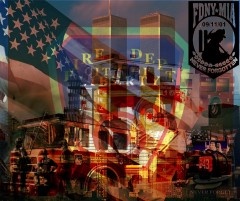 pretty badass pic