Skip to content
View in the app

A better way to browse. Learn more.

LCPDFR.com

A full-screen app on your home screen with push notifications, badges and more.

To install this app on iOS and iPadOS
  1. Tap the Share icon in Safari
  2. Scroll the menu and tap Add to Home Screen.
  3. Tap Add in the top-right corner.
To install this app on Android
  1. Tap the 3-dot menu (⋮) in the top-right corner of the browser.
  2. Tap Add to Home screen or Install app.
  3. Confirm by tapping Install.

GTAIVCode3

Friends of LSPDFR
  • Joined

  • Last visited

Everything posted by GTAIVCode3

  1. We have absolutely no clue
  2. I don't really see the point of it and how it could be really used.
  3. their are stuff that have to be fixed. When his team feel like it is ready, it will be released
  4. This is just through the roof. It's literally like it's own game. When your playing it, you really feel like your in the shoes of a real EMT. It's just flat out amazing.
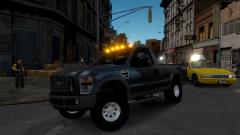
  5. GTAIVCode3 commented on LilQ's gallery image in GTA IV Galleries
  6. Are you trying to host it?
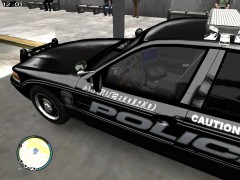
  7. GTAIVCode3 commented on officer_616's gallery image in GTA IV Galleries
  8. Love it. It's nice to see a car with an older whelen edge
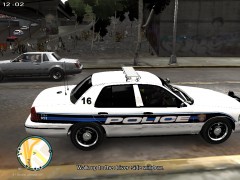
  9. GTAIVCode3 commented on Chippy's gallery image in GTA IV Galleries
  10. Maybe in the .ini he disabled the sound
  11. Here is a video of someone with a manual q. Sound a lot like just an extra wav added in
  12. GTAIVCode3 commented on Drcode3's gallery image in GTA IV Galleries
  13. What ever i'm in the mood for
  14. I think the worst story line was driver SF. It was total bullshit
  15. You can take a look through here '?do=embed' frameborder='0' data-embedContent>>
  16. These are just awesome moonshine.
  17. This is going to be awesome, can't wait!
  18. i think it might be a problem with your visual settings
  19. Actually it should be "If only the ambulance drivers in IV were smarter"

Account

Navigation

Search

Search

Configure browser push notifications

Chrome (Android)
  1. Tap the lock icon next to the address bar.
  2. Tap Permissions → Notifications.
  3. Adjust your preference.
Chrome (Desktop)
  1. Click the padlock icon in the address bar.
  2. Select Site settings.
  3. Find Notifications and adjust your preference.