



Officerporci
Members
-
Joined
-
Last visited
Everything posted by Officerporci
-
Already kown issue, nothing to report, my fault (i don't know how delete this topic)
-
yes
-
the holster/unholster anim makes disappear the pistol when re-holstered
-
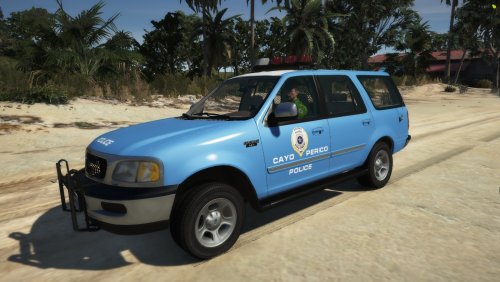 Beautiful😍
 -
-
-
-
-
-
.thumb.png.8198aadf28fdc62aa7147cb004c38a3b.png) Get ready to take off from LSIA with your charter jet, Cayo Perico is waiting for VIPs on it's hot beaches. Require EUP menu:
Get ready to take off from LSIA with your charter jet, Cayo Perico is waiting for VIPs on it's hot beaches. Require EUP menu: -
I totally agree
-
 Absolutely the better built callouts ever done
 -
 Car Trade callout crash, and when in general a pursuit is over, the arrested ped walk arround free to go and steal the car like nothing happens, isn't possible to grab him ..... RagePluginHook.log
- 635 comments
- 53 reviews
-
-
 Basically this plugin has been created for default backup menu (so with UB this couldn't work properly) , so you can just press back key
- 401 comments
- 24 reviews
-
hi, some knows if is there a way to delete the default policeb spawn in every police station?
-
.thumb.png.ff841cafa1514a07e96da98da12ecc78.png) every developer creates his callout with specific audio to play, so isn't sure that an added callout have the street audio , so more the callout position on the map is accurate , more probability of listen the street audio we have, the built-in callouts (hold up and Grand Theft Auto in progress) have not position problems, so them are able to be reported by the dispatch with the exact position on the map and the right street audio. And in case of requiring backup DURING PURSUIT u should be able to listen the streets audios without problems. If u can't listen streets audios it does not depend by me but depends by added callouts u have in plugins/LSPDFR folder. if you want you can send me a RPH log and lemme see what esactly is going on and i'll try to help you.
every developer creates his callout with specific audio to play, so isn't sure that an added callout have the street audio , so more the callout position on the map is accurate , more probability of listen the street audio we have, the built-in callouts (hold up and Grand Theft Auto in progress) have not position problems, so them are able to be reported by the dispatch with the exact position on the map and the right street audio. And in case of requiring backup DURING PURSUIT u should be able to listen the streets audios without problems. If u can't listen streets audios it does not depend by me but depends by added callouts u have in plugins/LSPDFR folder. if you want you can send me a RPH log and lemme see what esactly is going on and i'll try to help you. -
You can use it without RPE, i wrote " MANDATORY" for the game immersion, but the plugin works alone too. i' ve edited the description right now thanks to your post
- 401 comments
- 24 reviews
-
-

- 1
-
-
any body have ideas to take Lspdfr on Cayo Perico Island in future? like... Cayo Perico police?...only a suggestion....
-
unfortunately the voice that permits the properly immersive comunication between unit and dispatch is available by default (prebuilt by Rockstar) only for male officers, cause in female dialogs are not present phrases like that i'll try to find a solution to remove it for a next update
- 401 comments
- 24 reviews
-
-
-

- 3
-
-
in the next update it will be possible to select any voice u want by a simple trainer or any menu to change the voice to your character
- 401 comments
- 24 reviews
-
Hi , yes i have to add an option that allows to turn off the voice that i have pre-selected (cop white 01) , in order to permit the player to change it evry time. At the time the only voice possible in use is the predefined by me ( to permit the voice response), cause that dialog is available only (default by rockstar pre built audio) with that voice.
- 401 comments
- 24 reviews
-
-
if you are not good at doing the only thing you have to do please do not do it, make a better impression, we are no longer in a communist regime, muting me on your channels will not be of any use but will worsen your reputation, even if you are already incompetent braggart who don't know how to handle situations
-
 There is an issue, STP targetting(T) for set the ped on pursuit does not permit the radio updates and all other audio scanner to work, i think is STP's fault
- 386 comments
- 30 reviews


.thumb.png.8198aadf28fdc62aa7147cb004c38a3b.png)
.thumb.png.ff841cafa1514a07e96da98da12ecc78.png)
