
Officerporci
Members
-
Joined
-
Last visited
Everything posted by Officerporci
-
Add an option in lspdfr.ini to increase the flashlight range distance, don't give me answers like "try download Stop The Ped" thanks
-
the good, old and never died LCPDFR, those were good times....
-
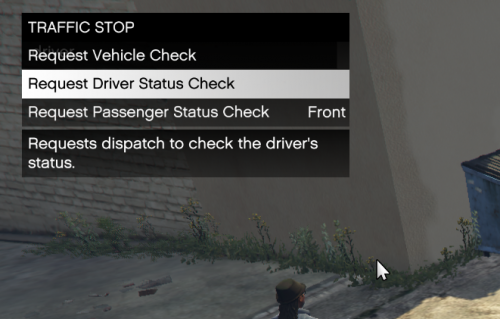 A genuine and gentle plugin that simply adds useful features without replacing LSPDFR's ones, improving the gameplay.
 -
Add a feature that permits to get a police partner from lspdfr's AI officers every where and at any time, something like the chaffeur spawn or a simple recruiting around the map or at every police station, to allow us to develop it
-
i encountered an LSPDFR crash when pressed G after the driver got out of the vehicle during a traffic stop [1/3/2022 10:04:31 AM.866] LSPD First Response: ============================== [1/3/2022 10:04:31 AM.866] LSPD First Response: UNHANDLED EXCEPTION DURING GAME FIBER TICK [1/3/2022 10:04:31 AM.866] LSPD First Response: ------------------------------ [1/3/2022 10:04:31 AM.866] LSPD First Response: Origin: Game fiber "EnhancedStops process". [1/3/2022 10:04:31 AM.866] LSPD First Response: ------------------------------ [1/3/2022 10:04:31 AM.866] LSPD First Response: Exception type: System.NullReferenceException [1/3/2022 10:04:31 AM.866] LSPD First Response: Exception message: Object reference not set to an instance of an object. [1/3/2022 10:04:31 AM.866] LSPD First Response: ------------------------------ [1/3/2022 10:04:31 AM.866] LSPD First Response: Inner exceptions: [1/3/2022 10:04:31 AM.866] LSPD First Response: ------------------------------ [1/3/2022 10:04:31 AM.866] LSPD First Response: Stack trace: [1/3/2022 10:04:31 AM.866] LSPD First Response: at EnhancedStops.StopProcess.Fiber() in E:\DevProjs\EnhancedStops\EnhancedStops\StopProcess.cs:line 152 [1/3/2022 10:04:31 AM.866] at Rage.GameFiber.Main() [1/3/2022 10:04:31 AM.866] LSPD First Response: ============================== [1/3/2022 10:04:31 AM.866] LSPD First Response: [1/3/2022 10:04:31 AM.869] LSPD First Response: [FATAL] Forced termination [1/3/2022 10:04:31 AM.870] LSPD First Response: [TRACE] Released 0 entities from DefaultContentManager [1/3/2022 10:04:33 AM.991] LSPD First Response: [INFO] LSPDFR has shut down this happened only one time, the second time i re tried no crash happened
-
thank you
-
-
Exactly, finally someone that understood, i hate STP cause it ruins the default Vanilla LSPDFR gameplay and i wish another plugin like yours to be developed to be used togheter with default LSPDFR, i hope you could full develop your lovely plugin that i'll use😍 instead of using that useless substitute. When your plugin will be stable and actively developed i'll write a five stars review.
-
Add the function "SetPlayerAction" to pre-set an action like "intimidate" (hands on holster intimidation). Something similar to SetPlayerWalkingStyle
-
-
 Well , regardless of my plugin you can simply choose to not select the male officer voice without pressing Alt+Y , and allowing the charachter use the default voice given by the game. Otherwise you could use any simple trainer menu to choose the voice u want 🙂
- 401 comments
- 24 reviews
-
-

- 1
-
-
i'd also like it , but unfortunately when gta v was made, the fucking Rockstar Games choosen that police's dialogues should be limited, for exemple the string of voice utilized to respond to dispatch is only male cause male's police officers dialogues are richer then female ones, they haven't implemented the females quotes so does not exist a quote like "copy that, moving right now" female version.
- 401 comments
- 24 reviews
-
i just took a look at it and i can' t figure out if the cop style is being interrupted, cause the cop style is reseted automatically after every animation, probably in some cases the cop style is turned to normal walk style but it's not due to my plugin, this happened to me even without my plugin installed Anyway try to be a little more specific, to avoid misunderstandings. And do you use STP?
- 401 comments
- 24 reviews
-
-
-
I don't know how but every time i start a callout on Cayo or north yankton it crash and nothing happens, so i can start a pursuit in theese two maps, pls help me
-
-
my mistake sorry, it works
-
solved
-
solved
-
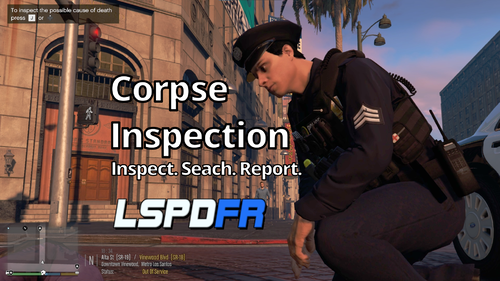 can u allow us to choose the radio animation to be played on the "call in" option? i mean this: Functions.GetPlayerRadioAction()
 -
-
 last update: There is something wrong with this line, cause the position isn't played by dispatch Functions.PlayScannerAudioUsingPosition("A_DRUG_DEAL_IN_PROGRESS IN_OR_ON_POSITION", callout spawn point); @sEbi3 21 7:19:22 PM.555] LSPD First Response: Creating DrugDeal from UnitedCallouts.Callouts.DrugDeal, UnitedCallouts, Version=1.5.7.7, Culture=neutral, PublicKeyToken=null [8/31/2021 7:19:22 PM.556] LSPD First Response: [TRACE] Callout created: #2 [8/31/2021 7:19:22 PM.589] LSPD First Response: [TRACE] navigated away later on after load [8/31/2021 7:19:25 PM.908] LSPD First Response: GetAudioFileForAction: No file found for: IN_OR_ON_POSITION [8/31/2021 7:19:25 PM.908] LSPD First Response: GetAudioFileForAction: No file found for: IN_OR_ON_POSITION [8/31/2021 7:19:25 PM.908] LSPD First Response: PlayAction: Failed to find IN_OR_ON_POSITION [8/31/2021 7:19:37 PM.599] LSPD First Response: [TRACE] Cleaning UI
- 635 comments
- 53 reviews
-
-
 Just perfect A complete, immersive and well done pack, rare to find it. Very great job!!! I hope there will be more works like this.
- 105 comments
- 13 reviews