




waynieoaks
Members
-
Joined
-
Last visited
Everything posted by waynieoaks
-
Hi OK the first thing that jumps out is this line here: Error while hiding ambient game blips: System.AccessViolationException: Attempted to read or write protected memory. This is often an indication that other memory is corrupt. Do you have a mods folder in the game folder at all? I have only ever seen this when there was something there causing an issue. What other plugins do you have or is it just LSPDFR right now?
-
Hi Are you getting in the game and getting on duty? As this log seems to suddenly stop half way through loading the game. Is it crashing before you can start the game?
-
Hi Can you attach your RagePluginHook.log file as that may help us see where it is getting stuck. It could be the speedradar.dll in the plugins folder so I would remove that and try again. Thenremove the others just leaving LSPDFR to see if it works, then add them back one by one. Looking at the plugins in the LSPDFR folder, there are some old ones there that will cause issues when you go on duty. For example: Computer+ (You have Compulite there as well which is the replacement) Interaction+ SpeedRadar (again you have SpeedRadarLite as well so they could conflict) -
-
Hi Can you post your RagePluginHook.log as this will hopefully help someone see what is going on. It is located in the GTA install folder with your RagePluginHook.exe file
-
Hi, can you provide your RagePluginHook.log as this may help point someone here to what the problem is. It is located in the folder where you have GTA installed and the RAGEPluginHook.exe file.
-
Hi - Thanks for the reply and for a normal issue that is exactly what I would try first. However, in this case that is not going to help me identify what I have got wrong either in the vehicle pack (because I put it together) or the xml (because I put it together). It'll just remove them and the problem. I need to try and identify the problem so I can fix it (hopefully). I was hoping there might be some way to find out where I have gone wrong as starting over it still will not work. At the moment I can play the game with no crashes if I disable Beaver Bush and all the vehicles work without issue so I think it is something in my custom xml but was hoping someone may be able to help me work out what.
-
Ah, OK. Thanks for the extra info. I would try removing ALPR+ and Interaction+ even just to test and see if it works. Both of these plugins are also rather old and not been updated in a while. It is possible interaction+ is trying to call Traffic Policer and not finding it. For ALPR+, there is ALPRlite written by Bejojio (the stop the ped guy) and I think Stop the ped replaced interaction plus if I recall.
-
.thumb.png.31a1a0f7456f4ec57f4c85ba155ee3b7.png) Hi - in what way was it broken before? If you have set snow on terrain set to true (or ticked in the menu) then when you do a "restore" it will put snow on the terrain.
Hi - in what way was it broken before? If you have set snow on terrain set to true (or ticked in the menu) then when you do a "restore" it will put snow on the terrain. -
Hi According to the log, the issue is being caused by the "Traffic Policer" mod. This mod is quite outdated now and know to cause issues. I would recommend removing this. Many thanks.
-
I would not want to move away from LSPDFR and like playing single player but sometimes (especially in these crazy times) a game with other real people would be nice sometimes... I keep looking at FiveM and FivePD but do not have time to fill out an application form, attend an interview and the mandatory training to actually play on one of the servers. I think Jeff and Buggs have their own server and if I had any friends, I'd look into setting up a friends server too... 🙂
-
Yes all good now, apologies and thank you 🙂
-
Just a random thought but do you have an gears.asi or dismemberment.asi installed in the game root? I use Manual Transmission which is a mod for using a gaming wheel and this keeps me 1st person while driving. Highly unlikely but just wanted to check if you were using that mod as that is the only time i have seen this.
-
Hi, not sure if I have done it wrong or something, but I have a script that is stuck waiting for moderation since Sunday. If it is just you all busy, that is OK it is not urgent but is it stuck because it was wrong in some way? RecovFR: https://www.lcpdfr.com/downloads/gta5mods/scripts/29921-recovfr-backing-up-and-restoring-on-the-fly/ Cheers.
-
So I know this is something I have done wrong but cannot for the life of me work out what. 1. I have put a bunch of custom vehicles together in a personal police pack (literally just to help speed up reinstalling game) which is a combination of replacements for stock and some extras. They all spawn without problems, have seen them ambiently with the AI as well as can choose them from the LSPDFR garage or spawn via a trainer. (seems OK). 2. I have set up custom jurisdictions for LSPDFR & Ultimate Backup using the Jurisdictions+ Map 3 as a starting point (added in the extra vehicles for the areas they would be in (e.g. BCSO or Port Authority, etc). Seems to be working also. However, sometimes when the game starts me at Beaver Bush (have not found any other stations with this problem (yet)) I will be thrown on the roof of the station (above the garage) as LSPDFR crashes because Rage.Vehicle is invalid. Looking in the log I think the vehicle is invalid as it is not there when lspdfr tries to do the LeaveVehicle task, causing the crash. I cannot work out for the life of me if and what vehicle it is that is faulty. I suspect pranger, BUT it spawns at start with no problems for me in Paleo Bay, just not seen it at Beaver Bush. The sheriff cars seem to be OK at the bush. Attached is the rage log, with the key crash here: [9/29/2020 7:31:51 PM.807] LSPD First Response: [TRACE] PoolWatcher: Found new ped and set them as cop: null [9/29/2020 7:31:52 PM.926] LSPD First Response: [9/29/2020 7:31:52 PM.926] LSPD First Response: ============================== [9/29/2020 7:31:52 PM.926] LSPD First Response: UNHANDLED EXCEPTION DURING GAME FIBER TICK [9/29/2020 7:31:52 PM.926] LSPD First Response: ------------------------------ [9/29/2020 7:31:52 PM.926] LSPD First Response: Origin: Game fiber "Plugin "LSPD First Response" main fiber". [9/29/2020 7:31:52 PM.926] LSPD First Response: ------------------------------ [9/29/2020 7:31:52 PM.926] LSPD First Response: Exception type: Rage.Exceptions.InvalidHandleableException [9/29/2020 7:31:52 PM.926] LSPD First Response: Exception message: Operation is not valid because the specified Rage.Vehicle is invalid. [9/29/2020 7:31:52 PM.926] LSPD First Response: ------------------------------ [9/29/2020 7:31:52 PM.926] LSPD First Response: Inner exceptions: [9/29/2020 7:31:52 PM.926] LSPD First Response: ------------------------------ [9/29/2020 7:31:52 PM.926] LSPD First Response: Stack trace: [9/29/2020 7:31:52 PM.926] LSPD First Response: at Rage.TaskInvoker.LeaveVehicle(LeaveVehicleFlags flags) [9/29/2020 7:31:52 PM.926] at EMgdHVjoqeuziUxqMSVKiCrWNiNjA.dIWSQjCqiHrenlhZzBMHnxouTUfp.lvvsVKkqpBsLNMPQtWLyWkivRkrx() [9/29/2020 7:31:52 PM.926] at EMgdHVjoqeuziUxqMSVKiCrWNiNjA.UafHZnnrUAgrIktAmLOktUpruNPIA(Action , Action , UInt32 , wTMFHZBbgVyEXPPirRPCCGARhrSDA , Action , Action , Action , Ped ) in E:\GTA V\LSPD First Response\LSPD First Response\Mod\Character\CharacterSwitchManager.cs:line 489 [9/29/2020 7:31:52 PM.926] at EMgdHVjoqeuziUxqMSVKiCrWNiNjA.WeCMtlyGFtirlFkSJSMTfQlnncvV(pJEeILiKztESJrMykSlRBPIAmmMtA , Vehicle , Boolean , Boolean , wTMFHZBbgVyEXPPirRPCCGARhrSDA ) in E:\GTA V\LSPD First Response\LSPD First Response\Mod\Character\CharacterSwitchManager.cs:line 378 [9/29/2020 7:31:52 PM.926] at EMgdHVjoqeuziUxqMSVKiCrWNiNjA.IraClOcJkjYCbfExpdYWGPfaLCzKb(pJEeILiKztESJrMykSlRBPIAmmMtA , EnlxOjAFFThaQipLrIzeIbFRlrvzA , wTMFHZBbgVyEXPPirRPCCGARhrSDA ) in E:\GTA V\LSPD First Response\LSPD First Response\Mod\Character\CharacterSwitchManager.cs:line 275 [9/29/2020 7:31:52 PM.927] at EMgdHVjoqeuziUxqMSVKiCrWNiNjA.XHflvPATLlhkVuyieVmwUvpdoRpH(pJEeILiKztESJrMykSlRBPIAmmMtA , SwitchMode , SpawnPoint , wTMFHZBbgVyEXPPirRPCCGARhrSDA ) in E:\GTA V\LSPD First Response\LSPD First Response\Mod\Character\CharacterSwitchManager.cs:line 132 [9/29/2020 7:31:52 PM.927] at EMgdHVjoqeuziUxqMSVKiCrWNiNjA.IgGVDbvslEFfjXAVZUtPIhtPtFwH(pJEeILiKztESJrMykSlRBPIAmmMtA , SwitchMode , SpawnPoint , wTMFHZBbgVyEXPPirRPCCGARhrSDA ) in E:\GTA V\LSPD First Response\LSPD First Response\Mod\Character\CharacterSwitchManager.cs:line 61 [9/29/2020 7:31:52 PM.927] at GAOQBqAMPHMuUexcsfnpgUafoBku.hBOmdZjcxajeChbFyYIKucvdarUC() in E:\GTA V\LSPD First Response\LSPD First Response\Mod\LSPDFR.cs:line 399 [9/29/2020 7:31:52 PM.927] at GAOQBqAMPHMuUexcsfnpgUafoBku.JDAOSaoCiDFBaIKrlwKcPgoyTbVr(Boolean ) in E:\GTA V\LSPD First Response\LSPD First Response\Mod\LSPDFR.cs:line 346 [9/29/2020 7:31:52 PM.927] at GAOQBqAMPHMuUexcsfnpgUafoBku.qUnIKYgTlMcyFOkNUZPUfOGNdoWc() in E:\GTA V\LSPD First Response\LSPD First Response\Mod\LSPDFR.cs:line 163 [9/29/2020 7:31:52 PM.927] at Rage.GameFiber.Main() [9/29/2020 7:31:52 PM.927] LSPD First Response: ============================== [9/29/2020 7:31:52 PM.927] LSPD First Response: [9/29/2020 7:31:52 PM.940] LSPD First Response: [FATAL] Forced termination [9/29/2020 7:31:52 PM.942] LSPD First Response: [TRACE] Released 0 entities from DefaultContentManager [9/29/2020 7:31:54 PM.299] LSPD First Response: [INFO] LSPDFR has shut down I could include all the custom XMLs if people want, but basically in stations.xml I have the same as the default for the bush: <Station> <Name>Beaver Bush Ranger Station</Name> <Agency>sapr_juri</Agency> <ScriptName>beaverRanger</ScriptName> <Position>379.31f, 792.06f, 190.41f</Position> <Heading>0</Heading> </Station> And the agency in question in the custom agency.xml: <Agency> <Name>San Andreas Park Rangers</Name> <ShortName>SAPR</ShortName> <ScriptName>sapr_juri</ScriptName> <Inventory>patrol_eup</Inventory> <TextureDictionary>dia_police</TextureDictionary> <TextureName>dia_police</TextureName> <Loadout> <Name>Patrol Unit</Name> <Vehicles> <Vehicle>pranger</Vehicle> </Vehicles> <Peds> <!-- 70% chance of male peds --> <Ped chance="15" outfit="sasp_class_a.m_base">mp_m_freemode_01</Ped> <!-- Class A outfit (Base) --> <Ped chance="5" outfit="sasp_class_a">mp_m_freemode_01</Ped> <!-- Class A outfit (Any variation) --> <Ped chance="20" outfit="sasp_class_b.m_base">mp_m_freemode_01</Ped> <!-- Class B outfit (Base) --> <Ped chance="5" outfit="sasp_class_b">mp_m_freemode_01</Ped> <!-- Class B outfit (Any variation) --> <Ped chance="20" outfit="sasp_class_c.m_base">mp_m_freemode_01</Ped> <!-- Class C outfit (Base) --> <Ped chance="5" outfit="sasp_class_c">mp_m_freemode_01</Ped> <!-- Class C outfit (Any variation) --> <!-- 30% chance of female peds --> <Ped chance="5" outfit="sasp_class_a.f_base">mp_f_freemode_01</Ped> <!-- Class A outfit (Base) --> <Ped chance="1" outfit="sasp_class_a">mp_f_freemode_01</Ped> <!-- Class A outfit (Any variation) --> <Ped chance="9" outfit="sasp_class_b.f_base">mp_f_freemode_01</Ped> <!-- Class B outfit (Base) --> <Ped chance="2" outfit="sasp_class_b">mp_f_freemode_01</Ped> <!-- Class B outfit (Any variation) --> <Ped chance="10" outfit="sasp_class_c.f_base">mp_f_freemode_01</Ped> <!-- Class C outfit (Base) --> <Ped chance="3" outfit="sasp_class_c">mp_f_freemode_01</Ped> <!-- Class C outfit (Any Variation) --> </Peds> <NumPeds min="1" max="2" /> <Flags> <Flag>RespondsAsBackup</Flag> <!-- Makes the unit eligible to be called as either Code 2, Code 3 or Pursuit backup. --> <Flag>SpawnsAmbiently</Flag> <!-- Makes the unit eligible to spawn ambiently - e.g. on patrol in the area or outside of police stations --> </Flags> </Loadout> </Agency> I cannot for the life of me work out where I have gone wrong, if it is in the vehicle pack or the custom XML and I have tried removing and adding back things till the cows come home to try and identify the cause. Anybody have any ideas as to how I can fix whatever I have done, short of just giving up on customising the jurisdictions/vehicles? I have temporarily removed all the stations apart from Beaver Bush literally just to keep the one spawn while I try to find the cause. I think, LSPDFR is trying to get me out of a vehicle - which for some reason did not spawn. It is getting late here tonight, so tomorrow I plan to replace pranger with the default (remove the custom one and change vehicles.meta back to original pranger) to see if problem goes away. Any help would be greatly appreciated and laughing and pointing likely deserved. Many thanks. RagePluginHook.log
-
Hi If you are using ELS, have you configured the ELS key bindings? T is the manual tone (which you would hold, like just to go through traffic lights) In the ELS install, there is a PDF file with the default key bindings set - I have changed mine though. Lights are J, K, and L 1 - 4 are the siren tomes with 5 as a scan mode and 6 the auxiliary horn.
-
Hi @alexguirre, I have noticed in 1.7.0 that the menus are larger than that of 1.6.3 when using an ultra widescreen 21:9 setup at 3440x1440. This is a particular problem with the full screen menus (e.g. used in compulite or Computer+) as it stretches off the screen completely and the mouse pointer is misaligned. https://github.com/alexguirre/RAGENativeUI/issues/98
-
 Nothing to be sorry about 🙂 Glad you found the problem. I obviously hadn't noticed as although I have the same plugins you listed I had been re-building my install the last month or two...
- 111 comments
- 21 reviews
-
-

- 1
-
-
- lspdfr plugin
- legacy
- lore
- non-lore
-
Tagged with:
-
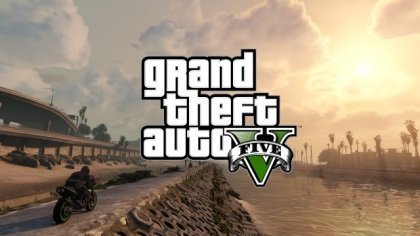 Hi, So this makes the game look amazing and I can see no noticeable FPS loss or stuttering as I have when trying to do all this myself. I do see one issue however, that is really odd and want to know is it just me? With this installed (even just this with nothing else in the mods folder) the trains are n longer moving. Remove it and they work again. Any ideas what could be wrong and is anybody else seeing this? [EDIT]: Found the issue: mods --> update --> update.rpf --> common --> data --> levels --> gta5 --> traintracks.xml appears to have speed and breakingDist set to 0 on all tracks. Many thanks.
 -
Frequently Asked Questions: What is the point of this? Can you include <x>? Can you also write <x>? If you could write a mod, any mod, what would it be?
-
July 2025: Currently I am NOT active in GTA/LSPDFR but as far as I am aware, this plugin still works as is. Unfortunately without a working game and no time to code anymore I can no longer support my developed plugins. All my code is available on GitHub if people want to steal / update the plugins themselves. Again, something I wrote that I wasn't going to "publish" - but maybe of use to somebody... This was conceived by the great LSPDFR streamer @gmantonz, who not only came up with the idea and requirements but helped test it actually worked 🙂 What is it? RecovFR is a backup and restore script to help you get back into the game after a crash. It backs up and restores a load of stuff at the push of a button. It works separately to LSPDFR so can be used independently. No seriously, what is it? OK - so you are driving around Blaine County, in your favourite car and your favourite suit when BAMB... your game crashes. You have to get the game back up and running, get dressed, get your car, get back to Blaine County to start over. Annoying - right? Now if you are live streaming, you also have an audience to entertain while you fix stuff - that is what this was written for - to get you back in the action quicker before people start leaving you to watch "Fall Guys". But it can be used by us normal folk too... For example I can get my game set up how I always want to start (date, time, weather, location, etc.) and when I start the game, press a button and there I go. Current features: Backup stored in xml file, so even after full game crash or exit, backup can be restored Backup the following states at the press of a button or automatically (if enabled): Current character location Current clothing and accessories Current weapons, components and ammo Wanted level Health and armor Player invincibility* Current vehicle (if in vehicle) Last vehicle and location (if on foot) Vehicle colors, livery and dirt level License Plate and style Vehicle health Vehicle invincibility* Current time in game Current weather conditions Freeze time and weather on restore* Set snow on terrain on restore* Restore last backup at press of button Ability to turn on/off features in .ini file or via in game menu *Restore options set in game Known issues: Currently does not restore the character model as I could not get this to work properly for custom (mp_f_freemode and mp_m_freemode) models unless you wanted to be invisible. There may be a performance hit (FPS loss / brief pause) during auto backup, but can be disabled if not required. Trainers will conflict and override - for example if you have fixed weather in trainer, this will fail to change it. Requirements: RageNativeUI (not included) Installation: Ensure you have RageNativeUI installed (1.6.3+) Copy the plugins folder into your "Grand Theft Auto V" install folder Edit the keybindings in the .ini to meet your requirements Version history: Code is free and open source under the GPL-3.0 license and available from GitHub: https://github.com/waynieoaks/RecovFR
-
Well, it appears I have missed a few comments - not sure what happened to notifications, anyhew... I can try and have a look when I get some time but you give me way too much credit on my coding ability. Have you checked the GitHub to see if others have been maintaining it at all? The only time I have seen this is when there was a key binding conflict - but it doesn't sound like that since the traffic stop stays with them driving away. Could be the code releasing the vehicle somehow. Can you DM me a list of your plugins, maybe how you have your .ini file set up and I will try to have a look - but nobody else has reported it? Is it every time, just sometimes?
- 111 comments
- 21 reviews
-
-
- 1
-
-
- lspdfr plugin
- legacy
- lore
- non-lore
-
Tagged with:
-
Kool - thank you - At least it isn't me doing something wrong - will keep that one synced up as well then 🙂
-
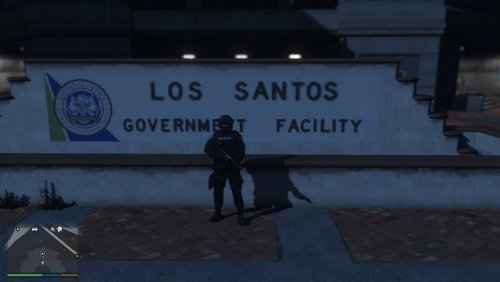 Hey @brunevaltom, I came here too looking for a port station. Not sure why it was removed, but found it in the v1 install files. I have changed the heading from 0 to 270 as I found when leaving I would get stuck by a wall. But other than that, it is as from @OfficerBennet Add the following into your stations.xml (lspdfr/data). or the custom one in the custom folder: <Station> <Name>Port of Los Santos Office</Name> <Agency>papd_juri</Agency> <ScriptName>papd</ScriptName> <Position>-330.3998f, -2778.9807f, 5.3273f</Position> <Heading>270</Heading> <DropOffPosition>-346.9423f, -2777.2542f, 5.0002f</DropOffPosition> <GarageSpawnPosition>-336.0368f, -2775.5417f, 5.0002f; 90f</GarageSpawnPosition> </Station> I also liked the Rangers Info hut on Route 1, from this file, again I changed the heading for going in and out but this is personal preference: <Station> <Name>Park Rangers Info</Name> <Agency>sapr_juri</Agency> <ScriptName>rangerInfo</ScriptName> <Position>-1490.4384f, 4981.4014f, 63.3548f</Position> <Heading>265</Heading> </Station> @OfficerBennet I hope you don't mind me sharing this - if you are still developing this I would love to see some of the other planned locations and features you mentioned. If I can help at all, DM me.
- 8 comments
- 1 review
-
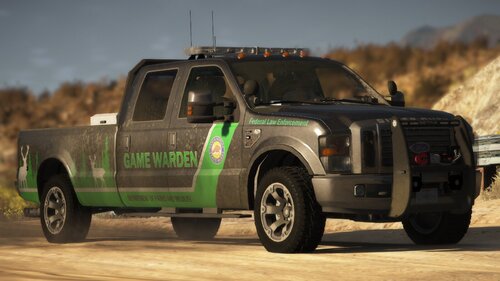 Hi @blackfirefly000, Not sure if you have tried the following, but these are some things to check for multi-livery 1. The livery is the ford_sign_01 so your other liveries need to be named ford_sign_02, ford_sign_03, etc. 2. 2008_f250_sign1 does not appear to be used so I deleted it without issue 3. Make sure you have the flag FLAG_HAS_LIVERY in the flags section of the vehicle in the vehicles.meta 4. If you are replacing (for example pranger) make sure you add the flag in the vehicles.meta for pranger located at mods --> update --> update.rpf --> common --> data --> levels --> GTA5 That should (if I recall correctly) do it for you.
 -
OK - so I am trying to be clever and it aint working... I had this crazy idea of putting all the replacement and add on vehicles I want to use into a personal dlc pack so I can control the vehicles, textures, handling etc and make a reinstall really quick. (copy, paste, a line in the dlclist). Plus, I wont forget what I did 6 months ago to fix issues. But I have noticed that the vehicles.meta does not always take priority over the original in game. for example. I tried to replace pranger and put the info in my vehicles.meta and the roof lightbar would spawn black. I checked my vehicles.meta had the diffusetint to 0x00FFFFFF but this did not resolve it. renaming the vehicle and the reference in my vehicles.meta to pranger2 resolved it. When I change the diffusetint in the original from 0xAA0A0A0A to 0x00FFFFFF, it works (but obviously was trying to avoid that and keep it separate for easy install). So the pack is working, the meta is correct but the original seems to override my extra one. Is there a way to stop that and make it use mine without having to use an addon vehicle rather than replacement? I have had other issues with other vehicles I abandoned which may just be down to this too. e.g. hand positions wrong in replacement, but OK as addon (FBI2), I decided to make the FBI2 replacement FIB3 because of this and I have replaced all references to FIB2 with FIB3 in the LSPDFR xmls, but still get the old granger as well as the new vehicle as an option in the garage. Is there a way to get rid of that as a vehicle from the selection? I thought removing it from the xmls in LSPDFR would have removed it. [EDIT]: Have tried the advice below but still not overriding: Many thanks in advance.

.thumb.png.31a1a0f7456f4ec57f4c85ba155ee3b7.png)

