


chadc78
Members
-
Joined
-
Last visited
Everything posted by chadc78
-
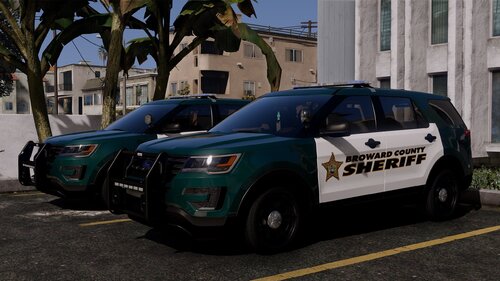 Lights themselves are bright there's just very little if any reflective lights IDK other than that vehicle themselves, light setup etc is kick ass
 -
Loving this pack, however I do have a minor gripe really nothing major but when lights are activated the vehicles in this pack don't have the same reflection as other packs, I'm using especially light from the front of the vehicles there is really not much reflection at all if any, would this be something on my end even if all others seem to be working properly
-
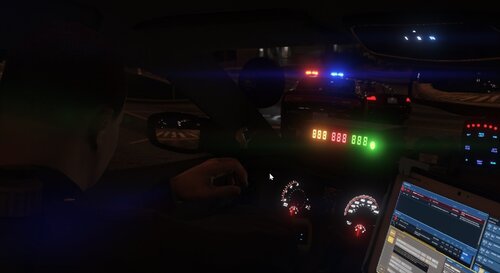 The mimic lights function not working I had to go back to v1.5.4 in order to have backup show up with no lights when mine was off
- 392 comments
- 30 reviews
-
-

- 1
-
-
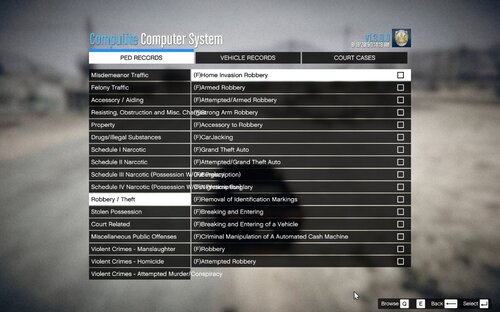 I'm not sure, that's an issue with Compulite or maybe your screen size/resolution maybe, seems like your Compulite screen when open is narrowed I'm not sure, that's an issue with Compulite or maybe your screen size/resolution maybe, seems like your Compulite screen when open is narrowed
- 202 comments
- 21 reviews
-
 I'm getting a crash when the online messages pop up from other player activities, I disabled them and my crash problem ended in the last version however with the latest version I also disabled them all, but they still pop up and the crash is back EDIT** getting a crash within 10 minutes of use attaching RPH log as well RagePluginHook.log
- 285 comments
- 32 reviews
-
-

- 1
-
-
Was wondering the same thing, or at least a list of files installed and path to them, or do we simply just install back up mods folder and will that replace whatever was installed?
- 285 comments
- 32 reviews
-
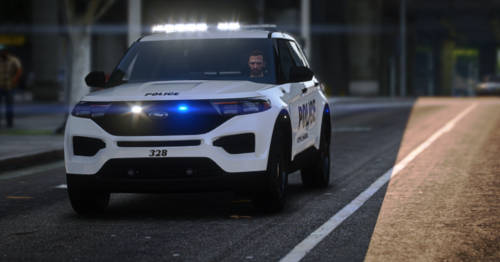 Nice to see a FPIU with this lighting that so many Dept. around the country is going to, it's also nice to see a veh that isn't overboard with too many lights, or 87 antennas mounted to it. This is a very nice vehicle but even if it wasn't I would have given the same rating because the Modder is 5 stars, He was very quick to respond and to correct or help fix any issues that was had when others would have simply ignored. Great work and I hope to see more like this
 -
The demo video is his car, so if he uploads the same files that he had installed at the time of the video then it should have the same style lighting as in the video. and as far as what im talking about is exactly that, the lights on the vehicle I installed doesnt match what he has and I used files he provided in the download. When I activate my lights at stage2 I have half of the rear steady burn Blue and half the front steady burn white, at stage 3 i have blue and white on the front but the pattern is mixed part blue and white each side at the same time instead of alternating blue and white as in the video and the rear is blue steady burn left and right no alternating, that is with the XML settings he provided if i use the ELS control to change the pattern i.e: U, I and O keys then the pattern changes and if i set primary (U Key) to 13 or 16 I get the alternating blue in the back but I get blue/white on passenger side half of lightbar and only white on driverside half. I have tried everything including changing the carvariations file, installed in the police2 slot and also as a addon and changing name and nothing works to get the light pattern as he has in the demo video. So my problem is Am I doing something wrong or is the demo video made with a totally different set of veh, meta and XML files than what is available in the download?
-
Downloaded and installed the latest version released 7hrs ago, installed into my Modding DLC, installed provided Carvariation, ELS XML and I'm still getting the funky light pattern that is nowhere near close to what's in the demo video you have uploaded, I then changed the carvariation and still no change, went thru all 140 patterns with ELS control and none matched the side to side pattern like you have, I'm no stranger to installing vehicles and mods I've installed hundreds over the years but I can't seem to figure out what is going wrong with this one. The only thing that may be an issue and ill check it now is I changed the name from police2 to SASP1 and installed as a add on which I have done time and time again with other vehicles and never had this issue.
-
Ok I've installed the veh and the included xml in the most recent update, but the light pattern is nothing like in the video I don't get alternating blue and white I get mostly white, from the back the left side pretty much alternates white to white, and as the comment above when I get out of the vehicle it pretty much lights up completely white from rear with only a small section blue. I've tried to fix this myself by editing the xml and even in openiv with no luck, which sucks as it looks so good in demo video however is unusable as is to me. I'm not sure what could be the problem as I'm using the XML file and setting provided with download I even changed light pattern 1 by 1 in game using els control trying to find pattern to match demo video and couldn't. What could the issue be?
-
Been waiting for someone to do the Blue and White light setup like this, only one gripe I have and its personal gripe adn minor is that the rear would be nice if it would be Blue/Blue instead of Blue/White. Alot of the departments in my area have gone to this Blue/White but they all have Blue/Blue on the rear and I believe its do to not having a blinding light for traffic approaching from the rear. Other than that the vehicle looks amazing I can't wait to try it out and I know this particular veh is department specific but it would be nice to see maybe a veh pack or different variations of this vehicle such as full wrap around and slick top. Thanks for the work you have put in to make this free add to the game.
-
-
This is great if you enjoy playing as LSPD only, but there is no option to be LSSD, BCSD or SHP
- 285 comments
- 32 reviews
-
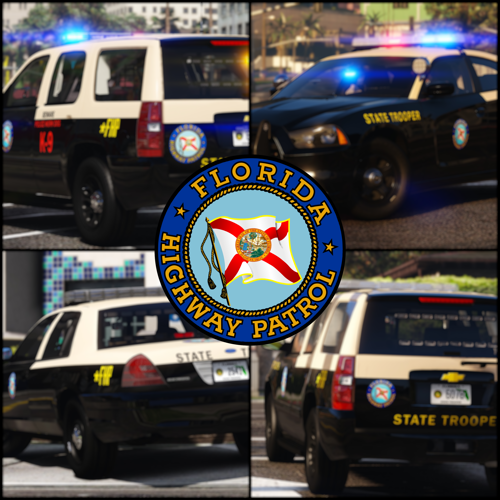 I really like this pack, vehicles are well done with the exception of the SUV's especially the FPIU's and it may be very well on my side but the FPIU's disappear at a very short distance away all you see is wheels, driver and lights etc floating in the air, does anyone else have this issue and if so did you fix it and how?
- 297 comments
- 21 reviews
-
-
- 1
-
-
You can edit them as you please for your personal use, the things that you mention "warrants, FTA or bench warrant, Fugitive from justice aren't charges those are charging documents. The game generates at random warrants for certain peds these warrants are generated from the charges.xml file randomly. When a ped has a warrant for let's say Burglary then you would arrest that ped and charge them with Burglary thats how its "REALISTICALLY" done. Warrant is simply a sworn affidavit signed by a complainant/officer and then by a judge if probable cause is found based on the sworn statement. I have served many warrants and made many arrests of persons with warrants, FTA's etc. and the only charge that applies is the charge in which the warrant or FTA applied, now on an FTA the defendant most likely would have his or her bond revoked once in custody but won't receive another charge on top of it. I will give you the same chance that I have given to others on this thread and that is to search criminal statutes for any state and give me the statute, misdemeanor or felony that adds a charge for warrant or capias.
- 202 comments
- 21 reviews
-
You can but I'm really not that concerned about it, if someone is so petty that they need to complain about grammar in a free add on for their game then they should just take all of their free time and create their own
- 202 comments
- 21 reviews
-
-

- 1
-
-
-
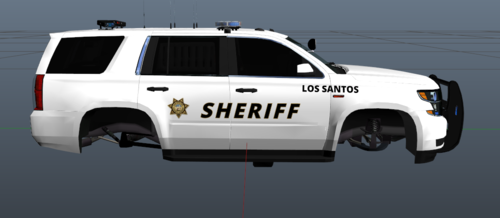 I dont. Most likely since the link isnt available then they have been removed by the dev
 -
I have started an update however I haven't had a lot of time to complete, at some time I will but it's mainly organizing there is some add Ons but not much since it already contains about everything you could possibly need.
- 202 comments
- 21 reviews
-
.thumb.png.2af710f88c9155386bf927046ebc6aa0.png) love the 20 slick FPIU other than some minor lighting issues mainly the way that the lights don't reflect forward on objects, building etc.. changed color of the lights over rear tag to red and amber to try and make it resemble WVSP lighting however rear doors lights and bumper lights are also attached to those, nothing to do with the model it is just a personal preference model itself the way it is other than environmental lighting would be 10/10.
love the 20 slick FPIU other than some minor lighting issues mainly the way that the lights don't reflect forward on objects, building etc.. changed color of the lights over rear tag to red and amber to try and make it resemble WVSP lighting however rear doors lights and bumper lights are also attached to those, nothing to do with the model it is just a personal preference model itself the way it is other than environmental lighting would be 10/10. -
I'm using the 20 FPIU slicktop from this pack and other then some lighting issues it is one of my favorites as far as the vehicle base goes.
-
-
-
 Every Callout that comes up I accept it and it clears as if it went code 4 or it was declined etc
- 201 comments
- 18 reviews
-
- rph
- lspdfr callout
- legacy
- rph
-
Tagged with:
-
.thumb.png.2af710f88c9155386bf927046ebc6aa0.png)

