




GrandTheftPD
Members
-
Joined
-
Last visited
Everything posted by GrandTheftPD
-
.thumb.jpg.182dedb1a55dea252c1853d35d4d1e3c.jpg) Proper spacing in between the lines is crucial in the wardrobe file so it could just be that your missing a space somewhere or something. Did you have outfits saved already when you tried adding the copied wardrobe lines? The wardrobe lines should start on the top line of the file with one empty line in between each saved outfit.
Proper spacing in between the lines is crucial in the wardrobe file so it could just be that your missing a space somewhere or something. Did you have outfits saved already when you tried adding the copied wardrobe lines? The wardrobe lines should start on the top line of the file with one empty line in between each saved outfit.- 256 comments
- 29 reviews
-
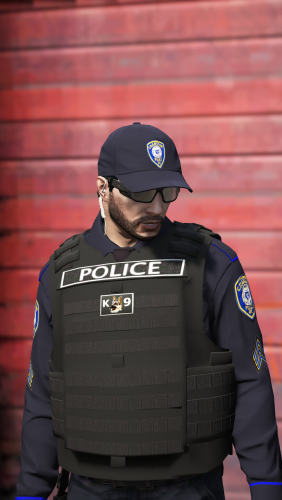 Yeah don't sweat it bud i just didnt want the link up there causing confusion and it's technically against the guidelines or something so the mods removed it. Not worried about you trying to steal anything at all I know you were just trying to help out and I appreciate it. I do think the preset packs are a good idea though. I've been waiting for the new update and hopefully the eup update soon after then I plan on doing a total overhaul of this pack. I can always use the help and people to test things for me and all that so definitely don't be a stranger feel free to shoot me a pm or a message on discord or something.
- 158 comments
- 21 reviews
-
-

- 1
-
-
No worries i downloaded it and saw how you had it set up it's not a bad idea and maybe i could look into doing some sort of quick install with predetermined sets of skins down the road to help speed up the install. I did it the way I did so people could pick and choose which skins/departments/patches they wanted to use for which model because I have so many skins you cant use them all at once. Maybe giving people the option to choose from some preset packs of skins with a simple install as well wouldn't be a bad idea Like I said I definitely appreciate the help i get a lot of support messages for this install because it can be confusing for newer modders. Just don't want people following the link thinking its a quick install of the pack when they'd be cheating themselves out of so many of the textures available. Not to mention the confusion to the support messages when people are asking for help but don't have the actual pack downloaded and don't have all the files.
- 158 comments
- 21 reviews
-
-
- 1
-
-
-
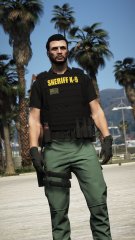
From the album: Custom Textures / Works In Progress
Messing around with a pasco style k9 uniform for a pack© GrandTheftPD
-
It is impossible to have every skin installed at the same time because there is only a certain number of ytds for each model. Which is why I set up the files / install the way I did instead of having a quick drag and drop install. I greatly appreciate you trying to help him trouble shoot the install but please walk him through replacing the skins on team viewer or something. Please do not post an external link to a download like that. Anybody can click that link now thinking they will get a quick install version of my pack and in reality they will be getting an extremely incomplete version of my pack. Again I really do appreciate the support and could certainly use the help keeping up with the support messages on this pack so thank you and please don't take this comment the wrong way. I just don't want more confusion and support messages and people getting an incomplete version of my pack because they followed your link looking for an easy install.
- 158 comments
- 21 reviews
-
-
- 1
-
-
Hey man just saw your comments if you still need help let me know its really simple just sounds confusing lol.
- 158 comments
- 21 reviews
-
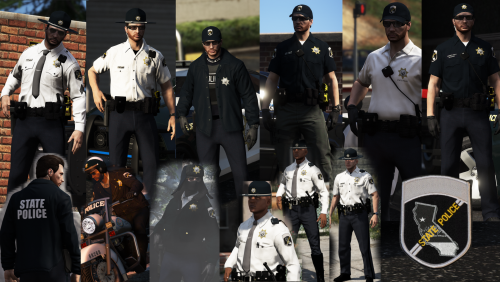 I'm pretty positive it's something on your end but I don't know what. An update wouldn't cause that though. Did you extract the download after you downloaded it? I just downloaded it myself and it all works fine even opened all the readmes to make sure.
- 67 comments
- 5 reviews
-
You need to select the outfits through the wardrobe section of the EUP Menu not the section for the law and order pack. Sounds like this may be what's causing your issue. As long as you installed the wardrobe.ini that I included in the pack you should be able to select wardrobe from the EUP Menu and then the preset outfits will be listed inside there.
- 256 comments
- 29 reviews
-
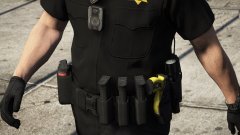 Just personal use in my game right now the original belt belongs to CodeyWynne. This is the link to the original if you don't already have it. He has separate files on his page for the mic and bodycam that go with it and alternate textures for the belt itslef as well.
 -
Agreed! The small things make all the difference for me.
-
-
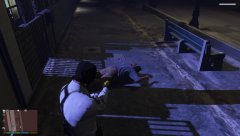
From the album: Just Doing My Job
Foot Pursuit suspect tracked by air support. Being held while waiting for backup.© GrandTheftPD
-
From the album: Custom Textures / Works In Progress
Reskinned the mag holster. Added Glock floor plates to the mags and to the mag in the holstered sidearm. Original EUP belt and Textures by CodeyWynne.© GrandTheftPD
-
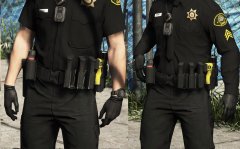
From the album: Custom Textures / Works In Progress
Touched up the mag holster a bit beacause it was too shiny for me (personal preference). Matched it to the belt texture to dull it down and added Glock floor plates to the mags. Original EUP Belt and Textures by CodeyWynne.© GrandTheftPD
-
It's not very hard basically just go to the install locations then drag and drop. I put step by step install instructions in each folder of the download for the different pieces of the pack. If you can't figure them out you can PM me and I'll try to help you.
- 256 comments
- 29 reviews
-
-
Ohhh that one yeah thats a different one I was using for a while before that new one with the axon 3 and motorola mic came out. When I get home from work later I'll find that other one and drop the link for you.
- 256 comments
- 29 reviews
-
-
- 1
-
-
-
I plan on trying to add some female eup options to all my packs when I can because I've had a lot of requests for them. I don't use the female EUP myself so I tend to overlook it. As far as the vanilla sheriff ped I will see what I can do but I should be able to reskin it. I've had the LE Revamped 2 ped in my game for so long now because I prefer the over the shoulder mic so I will have to dig through my game files to find the vanilla sheriff ped.
- 256 comments
- 29 reviews
-
I've never heard of that happening before are you sure your in the right location? Maybe you can PM me a screenshot of where you are in openiv or something and I'll try to figure it out. The Models > cdimages path occurs all over the place in openiv though I'm not sure why it wouldn't be there. Have you checked the locations for both male and female sheriff ped? They go in 2 different locations both with a cdimage folder. Are you saying there is no cdimage folder at either location? I remade all the patches to reflect their real life counter parts including separate patches for the K9 Units. Still Lore Friendly. Finally got around to organizing all the files I will be updating the download soon. 😉 👍
- 256 comments
- 29 reviews
-
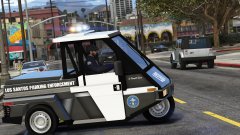 Nice thanks! It looks like there is a different vehicle model with that one too. Now I'm not sure which one I actually have installed LOL
 -
I believe this is the vehicle it works well with the airtug slot/handling line. I haven't been able to track down the livery unfortunately. I don't have the files saved anymore like I thought I did. It is a fun little vehicle though and a nice change of pace from all the fpius cvpis and tahoes all the time. I even set one up as a special backup unit in ultimate backup lol
-
Ive had them in my game so long ive honestly forgotten myself lol. Im pretty sure I still have the files stashed somewhere on my pc ill try to find it and drop a link for you.
-
From the album: Just Doing My Job
Parking Enforcement spotting an illegally parked Jeep© GrandTheftPD

.thumb.jpg.182dedb1a55dea252c1853d35d4d1e3c.jpg)
