Officer LarseN
Members
-
Joined
-
Last visited
Everything posted by Officer LarseN
-
-
-
Hey i was just wondering what car you are using and what graphics mods are you using? more interested in what makes your night so dark
- 21 comments
- 3 reviews
-
-
 @Phaxol Can you maybe give a link to scripthookvdotnet2? i seem to have trouble finding the right one :J
- 1,005 comments
- 68 reviews
-
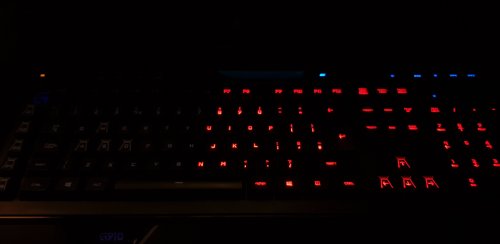 Still going for the razer support? or is this a piece of work thats have been stopped?
 -
-
-
i found out earlier today that it was ELS that was causing my crash, cuz whenever i take it out of my folder my game launches.
-
where your game crashes right before it puts you ingame? And no, not as far as ive been told.
-
Hello. i have asked for help here before, and i found the solution to that, now i just have anoter question. Why does my game crash with ScriptHookV active? Whenever i take it out of my GTA folder it launches. I just think its weird that its suddenly dosnt work, it worked like 3-4 days ago before i added my cars into my game. And obv. its not the cars thats causing the crash cuz i have 1 had my mods folder renamed to _mods, AND i have also hade the car totally removed from the game and it still crashed. RagePluginHook_09082018_111717.log
-
yup
-
I have found the source of my issue. It was scripthook, but i still cant launch my game with it activated
-
i found the problem, it was caused by scripthook for some wierd reason
-
it is. Trust me, i have both manually updated it (where i have taken the update.rpf from the directory) and via OIV i have 2 directorys, one for modded and one is unmodded, and yes it does get me into online whenever i launch that
-
i have now tried to rename my plugins folder to _plugins and it still crashed i have tried to verify it, like 6 times or so and btw not like you know this but i thought i'd let you know, i have the retail version
-
its NOT in the mods folder as i have said, i have had it renamed to _mods and it still crashed
-
Kinda. If i have my plugins activated, it will freeze after loading them and then say gta exited unexpectedly (the crash it always comes up with) if i dont have my plugins activated it will crash after the population game world (or what ever it says). So basically it crashes right before i get into the game wether or not i have the plugins acitaved
-
i already have done that
-
Oi. I have now had this issue for a little bit of time. Its nothing in my mods folder (As i have had it renamed to _mods and it still crashed, did the same with scripts and it did the same). Can someone please help me? If you want video and or pic just ask me, i will provide. I can also provide a crashlog if needed
-
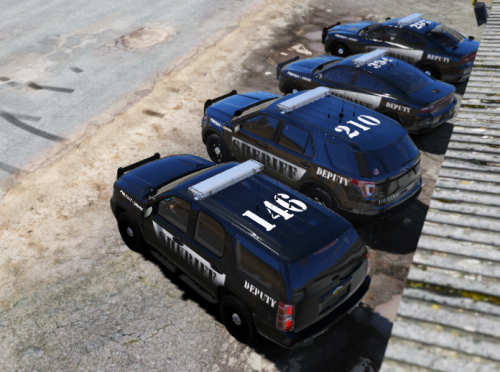 Noice
Noice -
Can you maybe make a skin for the cvpi?
-
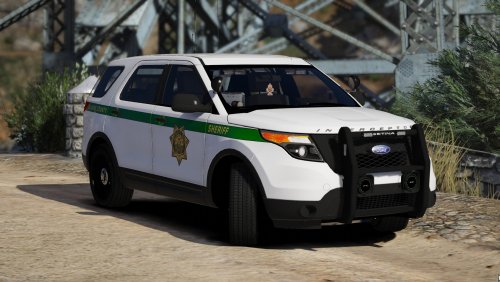 Am i the only one who is soaking wet? Also can you add an 16 fpiu and an 16 charger? i know its prob not in the real life dep. but i would really like those
- 60 comments
- 23 reviews
-
-

- 1
-
-
@Giordano might be...... 😩 dont wanna do a whole new mods folder do you think that WOV (world of variety) can have anything to do with it?
-
1st i have done like a million installs of NVR 2nd wtf is nve? do you mean NVR? @Giordano sorry, forgot to tag you Okay, the pause menu lag has nothing to do with the NVR