


Pengi
Members
-
Joined
Everything posted by Pengi
-
Seems as if you didn't remove the steadyburn bug on the '11 charger. Or get rid of the civi "sand" color interior.
- 48 comments
- 22 reviews
-
For me its the new 2013's. I absolutely love the Taurus and Explorer. The charger is also pretty sweet for a more sportly police look and the caprice is pretty different from all other cop cars and it looks super slick. Would love to be in any of those while out on the job!
-
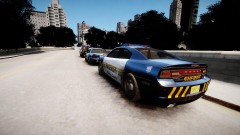
MODEL OVERVIEW - NAME: 2013 Dodge Charger "Liberty City Police" - VERSION: 1.0 - LIGHTBAR: Code 3 x2100 - OTHER EQUIPMENT: N/A - EXTRA PARTS: NONE - MULTIPLE LIVERIES: YES, 2x - OPTIMIZED FOR: POLICE, POLICE2, NOOSE, FBI, (EFLC ONLY: POLICE3, POLICE4) - MOD STATUS: OPEN Video: http://www.youtube.com/watch?v=n2Xa8_6pfyQ http://www.youtube.com/watch?v=bFQmJydWCok ELS: Extra 1 and 2=Red 3 and 4=Blue 5 and 6=White 7-9=Amber Recommended Patterns: WRNL= H-06 PRML= E-47 SECL= E-03 Handling: 1882.0 0.345 85 0.0 0.0 -0.23 0.0 4 0.2 1.0 260 0.55 0.55 0.7 33.0 1.75 1.0 11.0 0.11 0.47 2.5 1.8 1.8 0.1 -0.08 0.0 0.5 2.0 1.0 2.2 2.5 0.0 25000 400010 0 0 Due to a very busy real life(yes I know I cannot believe it either) I will most likely not be revisiting this model release. Enjoy! Thoughts in the comments Dodge Charger PPV "Liberty Police" made by Beckugan1 to be released onto LCPDMods, GTA-Modding-Chest and LCPDFR only. Credits are as follows: -Dodge Charger 2013 Original Model Civilian 2011 Dodge Charger R/T from SimRaceWay converted to IV by Dhruv Edited Extensively by Tim98 and Modified to a police package edition by aznairsoftdude. Dodge Charger Mopar Wheels by Evermotion 3d. -Code3 x2100 Originally Code 3 RX2700 by Matthias Converted to IV by WarDog Modified to X2100 by aznairsoftdude - SoundOff Intersectors made by Tim98. - Rambar by Evermotion, Converted to IV by Tim98. - Police equipment by Tim98 with parts used by unknown modder and RidgeRunner - Skin by Gurb - Skin By SharpCommand -Screenshots by AznAirsoftDude, Grant Matos, SharpCommand, and Beckugan1(me) -HUGE thanks to my testers! Wouldn't have this done without you guys!
- 17 comments
- 25 reviews
-
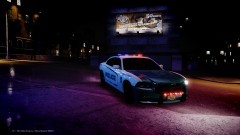 Mah ENB! :D Video: http://www.youtube.com/watch?v=n2Xa8_6pfyQ&feature=youtu.be
 -
From the album: Pengi's Models and Stuff
Released later tonight! Will be released first now on lcpdmods and will soon be onlcpdfr as well as gtamoddingchest. Will release on lcpdmods about 12 hours before any other site. -
![[REL] Florida Highway Patrol CVPI "Older Style"](//s3-gallery.int-cdn.lcpdfrusercontent.com/gallery/album_1914/sml_gallery_3938_1914_453908.jpg) Why release something when it is "not very authentic"? Why not hold onto it for a longer time and make it accurate?
Why release something when it is "not very authentic"? Why not hold onto it for a longer time and make it accurate? -
My 2013 charger I am planning on releasing in the coming days should have what you're looking for. Go to about 18 minutes: http://www.youtube.com/watch?v=JJkSpYYT5FQ Special thanks to Sharp for the video :D My 2013 charger I am planning on releasing in the coming days should have what you're looking for. Go to about 18 minutes: http://www.youtube.com/watch?v=JJkSpYYT5FQ Special thanks to Sharp for the video :D
-
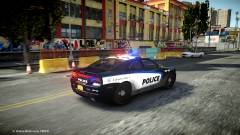
From the album: Pengi's Models and Stuff
To be released hopefully tomorrow evening if not later this week! Will be pre-released on lcpdmods. Other sites will also receive the file at a later date(including lcpdfr) -
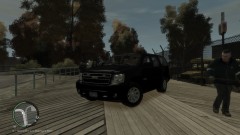
Still needs some work to become a proper PPV. I would use some pictures of real tahoes for reference.
- 8 comments
- 13 reviews
-
-

- 1
-
-
Thanks for your many contributions man! Good luck with whatever you come across in your future endeavours!
-
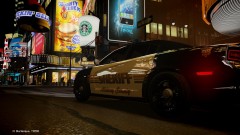
From the album: Pengi's Models and Stuff
Sheriff Deputies in their slick new cruisers stop for a coffee break! -
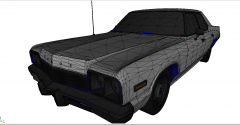
From the album: Pengi's Models and Stuff
Dodge Monaco conversion is going well! Now I am moving the dummies. Hopefully in game pics by tonight! -
 Nothing wrong. lol its just my ENB glitching out. I am working on getting a better picture enb up as we speak!
 -
From the album: Pengi's Models and Stuff
Getting ready for a hard day of work. Pack to be released soon. Sites for download still undecided. -
He means that it looks like the skin is a bit overcrowded/scattered. There is a lot of stuff and different colors. It doesnt seem to have a definitive theme
- 10 comments
- 13 reviews
-
-
Seems very basic(lines are basic, basic font etc) but it does look pretty good. I like it a lot. Maybe make the lines curve instead and change the font? Or even change the font and put a gradient in and leave everything else as is? Good work man!
- 9 comments
- 17 reviews
-
Have you ever thought of using their fleet designs as a theme? Like Amtrak based Liberty County Skins or something?(Of course not including their department name in anything) Or do you think that would still be something they would not like? With regards to it, it makes a lot of sense in terms of public relations. While I may not think Spiers shooting people is related to the actions of the department he is using in game I am sure that there are those out there that may.
-
-
Exactly what I was thinking. If you are going to take an unlocked older model at least use unlocked parts that suit the vehicle or take initiative and make some older era lighting equipment. Putting new age equipment on a classic vehicle is just a really bad idea.
- 21 comments
- 15 reviews
-
Also as an FYI, TrafficLoad and other traffic modifying scripts have a tendency to make the mp game less stable as well as can spawn cars you cannot see. So if you are playing with a group it is best if you make sure none of them have it.
-
The inner edge is sticking out of the sides of the car(glass and car itself) on both the front and back. Also, the lights are fairly easy to see. Good work though. Next time tripple check your work before releasing :D 3/5
- 4 comments
- 8 reviews
-
If you do not understand Nickie then you guys really need to hit the zmod books sort a speak. You have two options: use Photoshop(or a similar software) and edit the emerglight files into one OR rename one set of emerglight files to like emerglights2 or yellow or whatever you want. Upon importing open the mat editor and find the emerglights texture layer. Delete the layers and reassign it to emerlights2 or whatever you chose to name the material.
-
So if I am seeing this right, you threw a "skin" onto the cvpi and released it as a model? Why not just release the skin? Because I do not see any lights on this thing...at all.
- 12 comments
- 20 reviews
-
 +1
+1
![[REL] Florida Highway Patrol CVPI "Older Style"](http://s3-gallery.int-cdn.lcpdfrusercontent.com/gallery/album_1914/sml_gallery_3938_1914_453908.jpg)
