


Bouwen
Members
-
Joined
-
Last visited
Everything posted by Bouwen
-
-
-
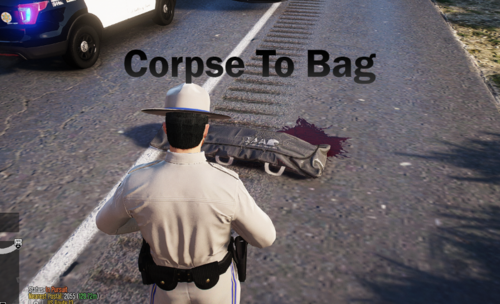 I have installed it according to the documentation. It's not necessarily difficult to install. I have activated all plugins in RPH. When I start RPH and the “Corpse To Bag” plugin loads, the message about the crash appears. I have also checked that I have the latest version of RPH.
- 26 comments
- 2 reviews
-
I can't get it to work. I always get the message “ Corpse To Bag.dll has crashed ” I start RPH with all plugins. Also the manual loading of plugins after I am in story mode does not work.
- 26 comments
- 2 reviews
-
-

- 1
-
-
-
 I would like to set up my Stream Deck for Callout Interface. Is there a way to find out the shortcuts for "Available", "En Route", "On Scene" and "Busy"? Many thanks in advance
- 452 comments
- 50 reviews
-
 Great...that's exactly what I was missing. But I have a question. Are the searchlights just for visual purposes or do they actually work? I'm wondering if I've done something wrong. When I turn on the light, the searchlights stay dark.
- 255 comments
- 75 reviews
-
-
-
OK, dann passt das mit der Meta für Standard Autos. Die Autos selber habe ich alle in meinen Modding Ordner. Und die Meta für diese Autos befindet sich auch im Modding Ordner. Muss halt berücksichtigen, das wenn ich die Standard Autos wechsle, diese dann in der entsprechenden Meta zu ändern.
-
Hast du mein EDIT3 gelesen? Nur wenn ich die default Meta bearbeite, funktioniert es. Hatte zuvor die Meta in meinen Modding Ordner bearbeitet, was nicht funktionierte. Da gehts nur mit den gemoddeten Autos wie etwa police 5 etc.
-
Would you also tell us where you found it? If someone uses the search function on the same topic, he will not find an answer. THX
-
Wird Script Hook V denn überhaupt in naher Zukunft erneuert? Habe bis heute keinerlei Aktivitäten seitens Alexander Blade gesehen. @Puschi999, kannst du bitte hier mal reinschauen, danke.
-
Danke, werde ich versuchen. Das Blaulicht funktioniert bei dem o.g. Fahrzeug, nur das halt die Fenster Schwarz sind. Bei einem anderen Fahrzeug gehen die Lichter gar nicht, trotz des Eintrages in der vehicle.meta bleiben die Blaulichter schwarz. Diese Probleme habe ich meist nur im Slot4. Irgendwie habe ich da die befürchtung, das dieser Slot für Marked Fahrzeuge nicht kompatibel ist. EDIT: Hat leider nicht funktioniert. Wenn ich per Trainer Windows Tint auf z.b. Green stelle und dann wieder zurück auf None ist alles OK. Habe aber feststellen müssen, das dass Blaulicht auch schwarz ist. Wenn ich dies aber einschalte leuchtet es. Aber warum lädt er das nicht von Anfang an....? EDIT2: Ebenso wie bei dem Eintrag <audioNameHash>POLICE</audioNameHash>, da kann ich eintragen was ich will....der Sound verändert sich rein gar nicht. Hier der Pfad meiner Meta Datei: mods/update/x64/dlcpacks/MODDING/dlc.rpf/common/data/levels/gta5 EDIT3: I could slap myself I think I did something wrong...All standard vehicles like police1, police2 .... are changed in MODS>UPDATE>UPDATE.RPF>COMMON>DATA>LEVELS>GTA5 ??? And all modded vehicles such as police5, police6 .... e.g. in mods/update/x64/dlcpacks/MODDING/dlc.rpf/common/data/levels/gta5 ???
-
I have the 2016 FPIU ELS 0.2 from Policesco in Police4 slot. Except the windshield all windows are black. In the supplied vehicle.meta i have this entry: <diffuseTint value="0x00FFFFFF" /> When I use a trainer and set windows tint on "stock", everything is OK. Is there a possibility to change this in the vehicle.meta? THX
-
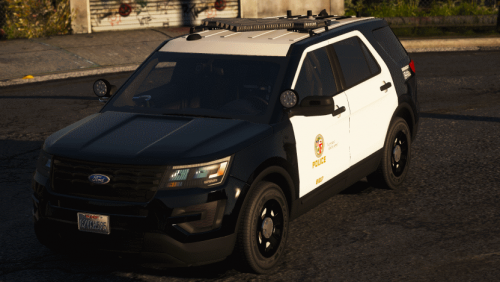 Any update? It still does not work. And yes.... i installed the vehicle.meta =)
- 42 comments
- 6 reviews
-
Yes, I did that EDIT: SOLVED, I have edited the wrong vehicles.meta
-
Is there a Firetruck where you can use multiple Liveries? I loaded this one Klick and changed the vehicles.meta but they are not loaded. It works wonderfully at the ambulances but not at the Firetruck. It would be nice if someone could help me...THX
-
Hey, I would like to know how to spawn a Ped from a mod. I want to play these myself I had tried it with the simple Native Trainer. But as soon as I go on duty and press the user buttons for the lspdfr mods then cars are spawning, exploding or i'm under attack .... I had tried EUP but unfortunately my game often crashes. Is there a simpler way? Thanks
-
Wow, that´s gread.....THX
-
Hey, is there a way where you can specify in which area which vehicle drives like in the backup.xml? For example: When I call an EMS / Firetruck in Blaine County then I would like to see the EMS / Firetruck, with the respective skin. Thanks
-
-
-
Hello, works the version 1.2.0.0 with Police Smart Radio? I see there a folder for Automatic Roadblocks, but it does´t work.
-
 Perfect... but it don´t work with Automatic_Roadblocks_v1.2.0.0 for me. Any help? THX
- 1,196 comments
- 127 reviews



