Josh99120
Members
-
Joined
-
Last visited
Everything posted by Josh99120
-
 Already a little late to the party, but I guess another five stars wouldn't hurt 😉. Absolutely a masterpiece of highest standard. It's just beyond words. Try it out yourself!
- 71 comments
- 16 reviews
-
-

- 2
-
-
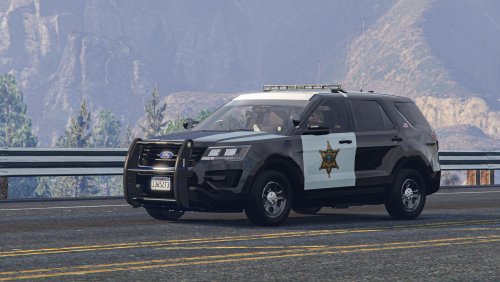
Splendid work! Just curious, would you consider adding the iconic steady burn red for the California setup?
- 71 comments
- 16 reviews
-
-
- 2
-
-
 I simply stacked a few copies of the taillight texture to make it more opaque.
 -
Yeah, kind of. I used Photoshop and overlapped three same layers of the "light1" texture for one to decrease transparency and it works perfectly now. Thanks for the reply anyway.
-
Oh, yes, thanks for your response. I just figured it out a few days ago. Sorry that I forgot to edit my comment here😣. It's just a texture problem. It seems that th tailight texture was too transparent for me. It's now adjusted and the lights are looking awesome! Again, thanks for the reply and this vic is really a masterpiece👍👍👍
-
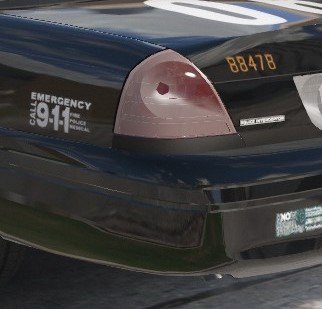
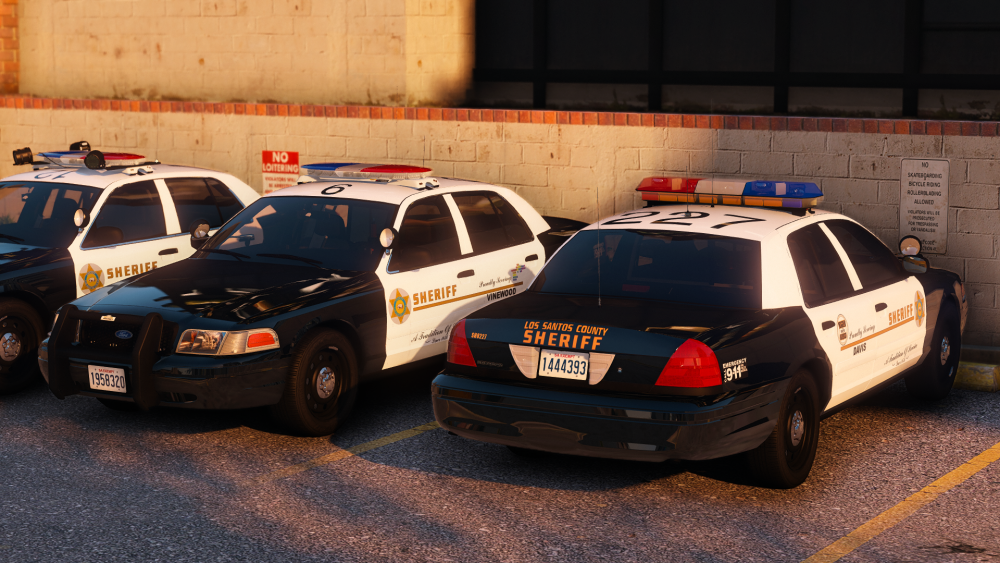
I'm really new to Zmodeler3, and please forgive me if this is a dumb question😅. The problem is that I am currently using OfficerUnderwood's DEV CVPI, which is really a masterpiece. I was able to fix some small issues, such as the middle brake light not lighting up, but the problem of over-transparent tail light lamp shades remains unsolved. Especially when the tail lights are facing the sunlight, the lamp shades become almost completely transparent, which is shown in the screenshots. I've seen other CVPIs released on LSPDFR.com which also use this base model, and their tail lights are much more appropriate. I've tried adjusting the parameters of transparency in Material Properties, along with other attempts, but nothing seemed to help. I would really appreciate it if anyone can point out what parameters to adjust for me. Thanks in advance! So I finally found the solution, which is simply texturing issues. My Bad.😓
-
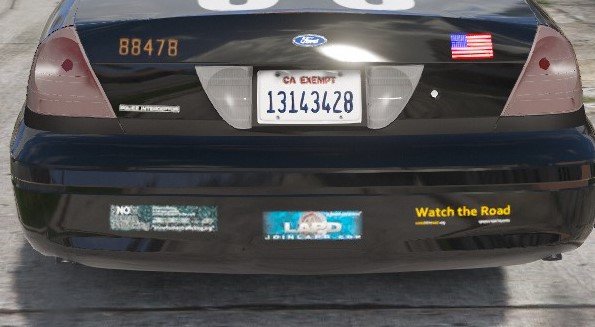
Marvelous work! Just wondering if there is any way to decrease the transparency of the lampshades on the taillights? Currently they seem excessively transparent, especially when facing the sunlight. I mean is there any possibility to make the taillights look more realistic like this one? Any help is greatly appreciated!
-
-
 Really love the pack! Btw, is it possible to implement the pair of steady burn to the Arjent? It seems that all the leds are set to be flashing at stage 3 at the moment.
- 49 comments
- 24 reviews
-
-
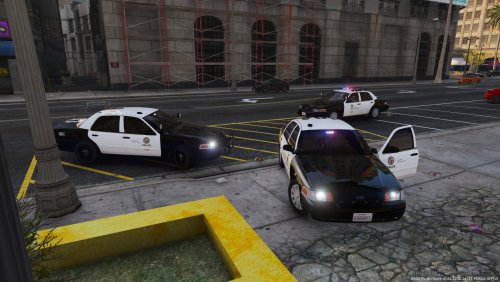 So glad to see the update where most of the flaws have been eliminated, and I really appreciate your taking my previous advice into account. Yet I'm afraid that the taillight model is still not accurate. I believe the taillight for the 06-11 models does not have the blinking red strip at the bottom for the turning indicators. Instead, they alter the brightness of the entire taillight bulb for indication, like the one below (many thanks to Izick's perfect model). Actually, I think those strips do exist, but they only glitter when Stage 3 of the siren is turned on, from what I saw from Youtube. I'm not sure, just a suggestion. Also, from the screenshots, it is rather obvious that the transparency of the "lampshade" (Or "glass cover"? IDK what it's called Sorry for my bad English) on the taillights are too high in comparison with latter model, especially when the rear is exposed to direct sunlight (it is almost completely transparent, and the problem also exists for the reverse lights, just less obvious). I guess the latter one is more realistic. I think it is a problem of the base model, but I know little about modeling and I'm not sure whether this can be fixed. Maybe do your best? BTW, the frame on the rear license plate is REALLY weird, and I would suggest removing it since I have never seen an unmarked unit with the frame installed and this pack aims for accuracy, I suppose. Looking forward to the next update with working dials, as you've mentioned. I can't wait for the fantastic first-person view . I guess I will rate this pack 5/5 for the next update, and I think I'm gonna leave only one word in my review--"Flawless" . Keep it up, dude. I'm also looking forward to your LASD vic. It's so nice to have dedicated modelers like you, Izick, Scuderio, and many others in the community. Now I come to visit the website everyday.
- 28 comments
- 8 reviews
-
The texture with nothing at all is the unmarked livery, and you may need to edit the vehicle.meta file if you had edited the original one before to get multiple colors. Also, make sure that you have "FLAG_HAS_LIVERY" in your flag line so that the game uses the unmarked livery. This problem should not exist if you have not edited the .meta file before. Hope you can solve the problem
- 28 comments
- 8 reviews
-
-
- 1
-
-
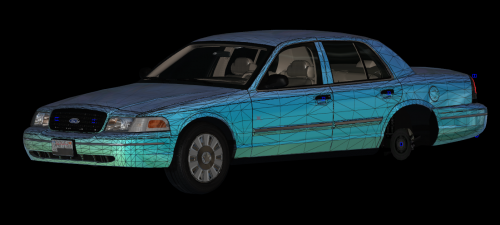
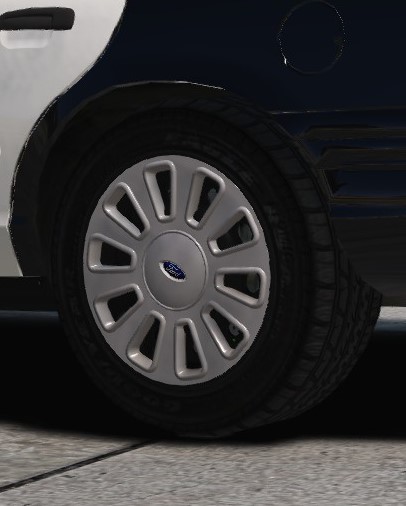
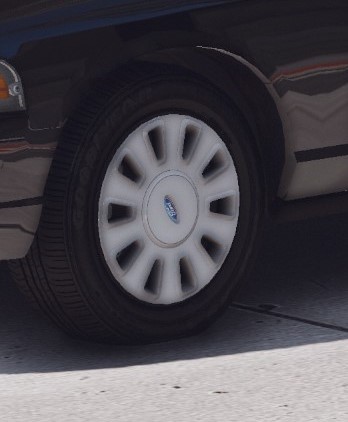
Suddenly realized that what I said may be misleading. What I meant was it seems from the screenshot that you are using the hubcap model like this And what I was trying to say is that maybe the "holes", if they are called like that, are a little bit too big (in comparison with the one below) I'm not sure if I was understood correctly, and just want to make sure
-
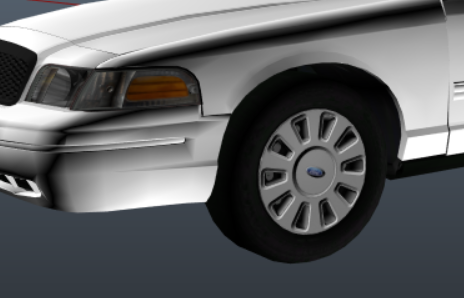
Maybe consider this kind of hubcap model? Because the one in your screenshot seems to be the older model and looks less realistic. Just my opinion. The entire model looks really nice. Keep up the good work, and I'm looking forward towards the release. BTW, although I'm not a fan for CHP, my CHP fleet has already been updated.
-
 I've just installed it as an add-on vehicle, and the dials worked flawlessly. There maybe some overriding issues with my police3 slot, but anyway, I can accept it as an add-on. Btw, it's really a nice model. And thank you for all your responses @Desmond98
- 563 comments
- 116 reviews
-
-
- 1
-
-
I have the meta file for other slots installed, so I edited the lines for police3. So you mean I should try a simple replacement?
- 563 comments
- 116 reviews
-
Yep, but still not working. And I'm really confused since it should be working theoratically.
- 563 comments
- 116 reviews
-
Yep,I've installed exactly in police3 slot, but still no luck. The main problem is the line <dashboardtype> and parent child line in the txdrelation part correct? I believe they should be feroci. But the hands still don't show up...
- 563 comments
- 116 reviews
-
-
-
Is there any configuration file that I need to install for the ELS version? The gauges aren't working properly at the moment. I mean there are no pointers on the dashboard for the ELS version. My apology if I've missed anything.
- 563 comments
- 116 reviews
-
 Glad that you are starting again! Your models are of the highest quality ever. Good luck, Izick! As for motivation, I believe the 5-star ratings of your models are the most encouraging. Modding is entertaining. Do not put burden on yourself. Mod whenever you want.
 -
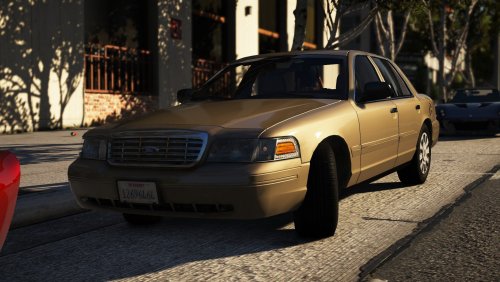
A nice slicktop pack, only few points away from flawless. The gauges aren't working properly. For the 06-11 model, you have applied the 98-99 taillight model. The version of the front seat head cushions is also incorrect. Since you put both chrome grills and honeycomb grills as extras, vehicles may spawn without any one of them. And, I don't think LAPD installs dashcam in unmarked vehicles, nor do the vehicles have frames for the rear license plates. Maybe set the dashcam as an extra? Only my opinion. Also, when the vehicle gets dirty outside, the glass of the gauges also turns from transparent to grey, blocking the view from looking at the dials, which is rather unrealistic. Finally, there is a steady burn red corona at the position of the front Ford badge when looking from the distance, which is pretty weird. Despite these points, this is still a brilliant pack, and I can definitely see the efforts you have put in it. Keep it up, and I'm looking forward to an update.
- 28 comments
- 8 reviews