barney6895
Members
-
Joined
-
Last visited
Everything posted by barney6895
-
-
 Which path did you find the proper carvariation file? cant seem to find it. All you have to do is change the lines under the particular car and its all set to work?
- 72 comments
- 12 reviews
-
Hello everyone! I want to download a classic cvpi pack and they have rotary light bars. How do I change the file paths necessary to make them work? I tried googling and searched the forums but could not find a guide. any help would be great! thanks!
-
 wow incredible. Been on here and playing LSPDFR for years and THIS PACK is by far the BEST EVER created! You deserve a standing ovation on this one man. Also, are the ALPRS on the vehicles able to toggle on and off either in the menu in the garage or through a trainer? again, F'n EPIC pack!
- 71 comments
- 17 reviews
-
-

- 1
-
-
I MEAN THIS IS EPIC! Played for a bit so far I noticed when reeling in a ped from the water witht he life raft and you have to hit "g" to put them in your boat it crashes the game for me. I was in a third party boat not one from the menu so this may be an issue? Also, how do you stop the suspects fleeing on boats? I just slammed into the jet ski and he fell off, hence the above. I was curious about if they are in boats too, what do you do? Thanks!Ahhh i don't think so. I just got a new mouse this week too I dropped mine on the floor. But im not even clicking, it just fires when I press keyboard keys while trying to arrest suspects with weapons drawn on them.Has anyone ever had issues where if you draw your weapon on a ped it starts firing randomly at them? Sometimes when I draw my weapon and use the E key to stop the ped my guy starts firing rapidly until the magazine is empty. This is annoying and cant seem to figure out why this happens. Im on my gaming laptop and using the built in keyboard. I checked the controls and the only button to fire is my mouse key.lots of great info! im gonna tackle this over the weekend! thanks so much!Hello everyone, Looking for assistance with jurisdictions. I want to download this, but need assistance with how to make the cars spawn for each dept properly and how to add more slots for different units. Im willing to pay for someones time and you can call me or text or whatever. Im pretty good at all this, but this one seems a bit complicated after isntalling. Any help would be much appreciated! Thanks!Having issues after being a way for a while. I updated to the latest versions and im running smooth. However, when I interact with peds I don't get the Arrest Mannager menus anymore. I get the basic q for frisk and e for arrest or hold even though I have arrest manager installed. Does the new version of LSPDFR override this or something? Also, back up never hangs around anymore nor can I get back up for traffic stops. Can someone recommend how to fix this? I miss ultimate backup!!!! Do the old files work?this worked perfectly! really appreciate it! Thanks!awesome! Just changed this, what does this setting actually do? And I assume this will make the cars stop being so wild and crazy when I try to pull them over from my vehicle? Thanks!question for everyone. ever since the 4.o and up update when I go to make a traffic stop the car I want to pull over goes wild and crashes all over. Never is it a clean stop anymore, I toggle the siren for pulling over and before I can engage the follow me button to pull over far enough they drive like a wild person into everything. Any ideas on how to fix this?
 same here! requesting back up and a couple others says and shows he requests it and hear sirens but no one shows up! Idk what to do?
- 587 comments
- 106 reviews
With all the new agencies is it possible to add more units to the agencies now? I know theres the agency eup and agency file in the folders. I am just unclear if we can have a few units for each department now. For example before there was only sheriff1 and sheriff2 slots. Can I add 3 and 4 now?Hey guys, I have been using LED cars only and want to try rotors now. I read before theres extra steps to get them working. I googled and checked, but couldn't find it. I asked on RPH discord too without results. Can anyone help break down the process for this? Thanks!LSPDFR+ Is NOT working for me, everything else is good. I have to HOLD B down for ultimate back up otherwise both back up menus overlap each other. Running smooth otherwise!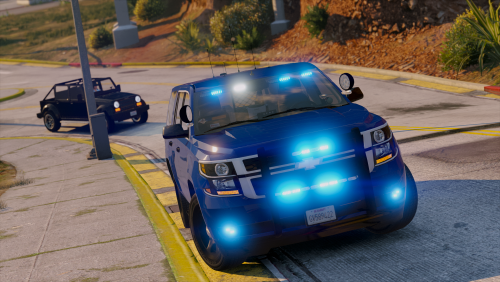 do these come in just blue without using the trainer? or do they change colors too upon selection or spawning with the trainer?
- 26 comments
- 13 reviews
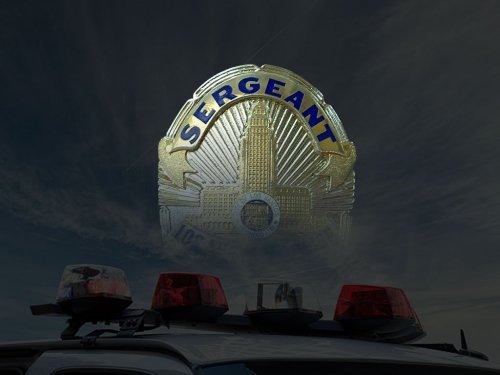 I have all the dependencies installed per the list and they are in the gta v root folder and in the plugins in folder. Ive double checked. It shows sergeant commands added when I go on duty and when I press C nothing happens. I also tried to hit insert like suggested and nothing happens. Truly confused.... please help!
- 101 comments
- 18 reviews
I have installed all the necessary requirements and still cant get this to work. Please help!- 101 comments
- 18 reviews
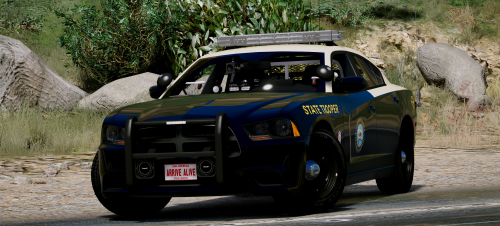 These are amazing! Any way to get the ALPR system off the back trunk of the Charger? I see I can deselect it in OPENIV. Never had an issue before like this. I love the mod, but i never liked the systems on the back trunks. Thanks for any insight!
- 21 comments
- 28 reviews