
Skip to content
View in the app

A better way to browse. Learn more.

LCPDFR.com

A full-screen app on your home screen with push notifications, badges and more.

To install this app on iOS and iPadOS
  1. Tap the Share icon in Safari
  2. Scroll the menu and tap Add to Home Screen.
  3. Tap Add in the top-right corner.
To install this app on Android
  1. Tap the 3-dot menu (⋮) in the top-right corner of the browser.
  2. Tap Add to Home screen or Install app.
  3. Confirm by tapping Install.

[ELS] SAHP 2018 Dodge Charger 1.1.1

(4 reviews)

5 Screenshots


e368e0ff4f85edd6cae9181633a33a0c.png


if you want to talk or get me to make you a custom model join this I just put together because why not:

https://discord.gg/aeQPR5z


If you use this in a video please credit it properly 


READ THIS:

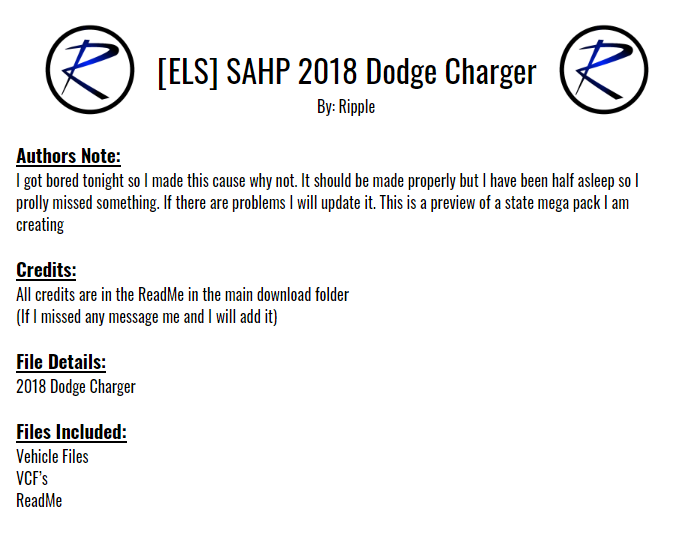
I made this in one night cause I had nothing else to do so I figured release it cause I have nothing better to do with my life. This is also going to be what the vehicles will look like in the SAHP pack I am making as well


Disclaimer:
DO NOT distribute this content without my permission! This includes liveries, models or the screenshots. 


DO NOT use the vehicles in a clan or group without my express permission. THIS APPLIES TO FIVEM TOO.. Just ask me.
Please do not upload this file or a part of it to any other website without permission from me
I accept no responsibility for any damage caused to your PC, game, or anything else. 


DO NOT rip, dismantle or change the vehicle in any way (except for texture files). Vehicles are LOCKED for a reason. 

What's New in Version 1.1.1

Released

Fixed headlights

User Feedback

Recommended Comments

XLR

Members

Nice vehicle! The graphics looks awesome! Good job!


(edited)

@Ripple  to be honest this is my favorite model out right now, i love the TA along with the red and blue in the back window. i have one question, can you make the ALPR set to a extra? and maybe the wrap around bars? 

Edited by TheCanadianDream

Ripple

Members Author

41 minutes ago, TheCanadianDream said:

@Ripple  to be honest this is my favorite model out right now, i love the TA along with the red and blue in the back window. i have one question, can you make the ALPR set to a extra? and maybe the wrap around bars? 

HMMMMMMMMMMMMMMMMMMMMMMMMMMMMM

barney6895

Members

are the alpr systems on the rear removable in the menu or trainer? 

Ripple

Members Author

No

DrZeus

Members

Hi I just installed it but it's loading a different charger . It looks similar to your lspd  pack. Did you misplace the files or something?

image.thumb.png.c988b3b56b82cf58cdfd3e782e6859bf.png

Ripple

Members Author

(edited)

Thats the right charger lol, looks exactly like the one in the screenshot 

8 minutes ago, DrZeus said:

Hi I just installed it but it's loading a different charger . It looks similar to your lspd  pack. Did you misplace the files or something?

image.thumb.png.c988b3b56b82cf58cdfd3e782e6859bf.png


Edited by Ripple

DrZeus

Members

I am confused bro. The one in the screenshot had highway patrol liveries and it had a black and white paint scheme but this one is fully black . Did i do something wrong?

Ripple

Members Author

Idk what you did but I downloaded it and it is perfectly fine be sure that there is no hi ytd, only the one that comes with the pack 

DrZeus

Members

1 minute ago, Ripple said:

Idk what you did but I downloaded it and it is perfectly fine be sure that there is no hi ytd, only the one that comes with the pack 

Dude I fixed it was overwritten by texture files from an old package . Stupid me!!

SnoozePC

Members

(edited)

Great car, except I noticed at night time that the left front headlight when ELS is stage 3 is actually flipped, so instead of flashing horizontal it flashes vertical. The right front headlight works fine (goes horizontal when flashing)

Edited by SnoozePC

camper1988

Members

(edited)


Es mi primer auto cargado. Soy nuevo en la comunidad. Hago una consulta y copio todos los archivos como dice en el bloque de notas. Cómo lo cargo en el juego. muchas gracias hacer un muy buen trabajo a todos

Edited by camper1988

Create an account or sign in to comment

Account

Navigation

Search

Search

Configure browser push notifications

Chrome (Android)
  1. Tap the lock icon next to the address bar.
  2. Tap Permissions → Notifications.
  3. Adjust your preference.
Chrome (Desktop)
  1. Click the padlock icon in the address bar.
  2. Select Site settings.
  3. Find Notifications and adjust your preference.














