manu450
Members
-
Joined
-
Last visited
Everything posted by manu450
-
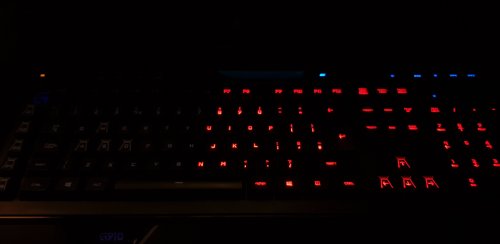 Yes, I didn't download it when I change my keyboard. Hope this won't put an overload on my game and cause crashes tho... because I like this, I'll keep testing it...i know having lots of rageplugin app tends to make the game unstable.
 -
never mind i did not have the software install, feel stupid now. it works now.
-
I have a 64 bit, I’m thinking maybe because you test it on . 62 not on .57 witch for me it’s a must because I have way better game performance with version .1180 and ragehook .57
-
i follow all the instruction an it won't work for some reason, anything in the keyboard need to be change?
-
I’m just wondering if this would work with rageplugin . 57 ? Coz I got that exact keyboard.
-
 You mention that this version work with Rageplugin version .62 is that mean earlier version like .57 won’t work with the newest update? An answer to that would be appreciated. I want to upgrade, but I don’t want to upgrade to latest version of GtaV or rageplugin coz of big performance issue with other mods.
- 338 comments
- 46 reviews
-
 Also if you use EUP menu you can unload it in game after you are setup with your character. That help a lot coz it is a big file itself. Go to console type in unloadplugin(space) and select EUP menu. Note that your plugin and your plugin LSPDFR must be in a different folder. If not, create a LSPDFR folder and put the file that require to be put in the plugin/lspdfr folder in there proper place, if not you will have crash issue. If you know all of that disregard my comment.
- 1,743 comments
- 172 reviews
-
 I'm just aaaeh aaaaaaaaeah speachless, there is no words....it's so pretty, so sooooo pretty!
- 76 comments
- 55 reviews
-
CTD while searching a name on Cplus any idea what could of cause this? he is my log in the last part. this happen a few times during the same procedures. Normal traffic stop searching for passenger ID manually in Cplus.. thanks! RagePluginHook.log
- 1,743 comments
- 172 reviews
-
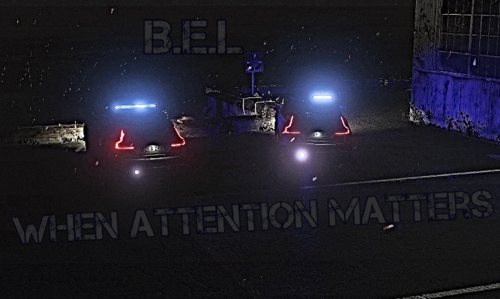 Lexin, don’t mind those people you doing a good job....can’t wait to see the next update. I’m using your mod right now and I find it better than another popular one I was using. I don’t know for me change the car emissive multiplier to 3.00 change my brake light just a little brighter and I love it the way it is. I don’t plan on changing this mod soon. So good job and keep going!
- 68 comments
- 9 reviews
-
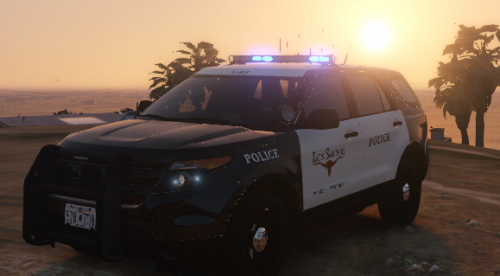 Great mod, one of my favorite pack, I have to give you only 3 star because the els xml file are not included, witch lead to red and blue reflection on walls at night.
- 7 comments
- 1 review
-
Yes pls attach the xml file for all the véhicule applicable, because els wall reflection will still be red and blue.
- 7 comments
- 1 review
-
One of the best mod in lspdfr, love the new recent additions, the laptop on foot and new recent tweak to make it a realible tool in lspdfr. Thank you to all the one that put work in this mod and make it a really enjoyable experience. Thanks.
- 1,743 comments
- 172 reviews
-
Did you change anything in your computer plus XML files ? Try to reinstall everything with C plus and see if it’s still happening... I’ll try that first. Even the Peds image from the CPlus site.
- 1,743 comments
- 172 reviews
-
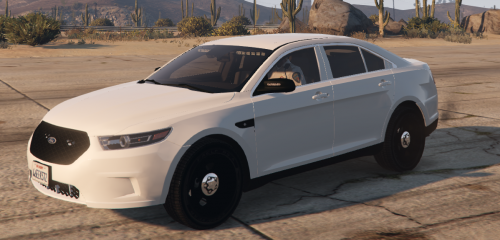 What a nice car, my favorite FPIS so far, too bad there’s no prisoner window. But I know...it’s suppose to be a detective car, not a patrol witch is why I have to give you that rating. A push bar option, the window and some nice ALPR in the back. Would be the best unmarked FPIS out there. Reply, it would be well worth your time coz this could be a very very nice FPIS, it is ATM don’t get me wrong, but the competition is kinda hard here loll. The lighting pattern is right on, remind me of the famous bugs123 slicktop CVPI
- 11 comments
- 10 reviews
-
-
-
you mouse setting in game...in game go to setting-keyboard/mouse - mouse Input method <RAW Input> if it's there than its something else, was your mouse ok before the last Cplus update?
- 1,743 comments
- 172 reviews
-
is your mouse setting set to raw in your setting in game? did you make sure all the file were install in gtav-plugin-lspdfr? make sure you didn't put a double folder in your Cplus folder.
- 1,743 comments
- 172 reviews
-
i really like the new addition to wall reflection, the light looks a lot smoother and also more as a clear bright like in real life, also i went in the visual setting and edit the car emissive multiplier to 3.00 witch makes my taillight just perfect for my liking coz it was too dim for me. I suggest people to do the same if you want you taillight a bit more bright.
- 68 comments
- 9 reviews
-
I can’t put my finger on why some people don’t have issue with the new release and for me the version 1.3.6.3 was very very stable no crashes, no DTC, no mod crashing etc... with the version 1.3.6.4 I’m getting all of that and worst, freeze and DTC almost at each time I try to open a véhicule or ped info. If people are having no issue with everything running on pls let me know how you have install it or what special thing you are doing, i had to put the old version back in coz i was having really bad experience, now nothing it works fine again no crashes etc......too bad I love the new feature in 1.3.6.4 but I can’t use it. 🙁
- 1,743 comments
- 172 reviews
-
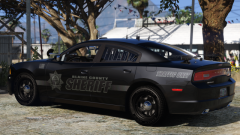
 Was looking for a long time for a nice slicktop ELS dodge charger, absolutely blown away this is a beautiful beautiful car ...in that black sandy shore texture and the chrome cap and black rim...man my favorite car in the game now, and i downloaded lots of great car... this one stays in..no ,matter what comes out.
- 65 comments
- 36 reviews
-
Hi EVeryone, i did some test with a few setting xml online, i just want to let you know that i had crashes due coz of those setting xml to optimize my graphic in game and went back to the original and no crashes so far, so my test are showing that people that have probably upgrade there graphic setting to almost max will more likely have issue with C+, I had clear the way crashes, lspdfr etc..while being on those graphic modifications, You guys should probably test on the subject as well. Went back to default setting and no crash with C+ since update 1.3.6.3, i'm only a noob at this loll but i was told to share this with you guys that might still have crashing issue with C+ i'm just letting you know what i have found.
- 1,743 comments
- 172 reviews
-
-

- 1
-
-
I just want to say that I had such a great experience with computer plus tonight, I experience no crash at all and play for a very long time 4 hours with no crash, just 1 time clear the way crash, when I open up a ped information, i really love the new addition with stop the ped compatibility, I tested all kind of situation possible, lots of call outs too and it handle pretty well, both stop the ped and computer plus Thank you for this update. 👍
- 1,743 comments
- 172 reviews
-
I like to see that I'm not the only one having problem and its nice to see that you guy still working on the computer plus witch I love so much, from my personal experience I was having crashes due to me updating and having double folders inside the computer plus folder, took care of that and was pretty stable until I was getting some crashes" ped is invalid error" disable the random history report and I was able to play a whole 4 hour straight, doing traffic stop for the most part. I notice I was not crashing a lot on traffic stops, but was crashing randomly on call outs and after car chases for the most part, Peter u call out if you code 4 on a call out and got a suspect in the véhicule if I was trying to pull his personal information then I would get the ped is invalid error and lspdfr would crash. I really love computer plus and hope you guys will make this mod a crash free experience. On on another note about your last update about stop the ped compatibility, is it that when a ped is stop from stop the ped it will automatically show on my computer? If it's that.... whoop that amazing ! 👍
- 1,743 comments
- 172 reviews