
CoLT 55
Members
-
Joined
-
Last visited
Everything posted by CoLT 55
-
I had the same problem a week ago and I tried the tip you already suggested but it didn´t work. I tried it again a day later and it worked again so i think there is nothing you can do about this exept the OpenIV one.
-
If you only have those two folders in your GTA directory you should install the rest of gta and lspdfr. and there should no folder named "updates" only "update", and on the other hand why would you want your plugins folder moved into your mods folder ?
-
Just go to his own page and download it from there. https://bejoijo256.wixsite.com/bejoijo
-
-
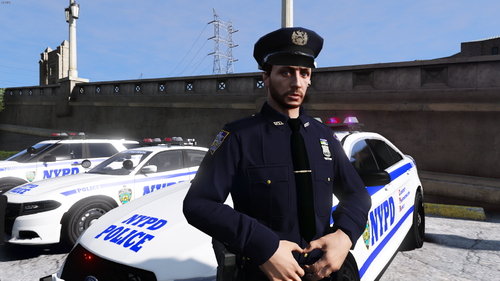 No i probably won´t make an oiv file. But with a little bit of training you should become faster in installing eup uniforms😉
- 133 comments
- 7 reviews
-
if you go into your eup menu ingame you have a section called wardrobe this is where all the outfits should be you can just go on for example NYPD Captain and create a new outfit name it lieutenant and you simply go to parachute and with your numpad you should be able to switch through the badges. The whole reason for me not to change it is because it would be a giant wardrobe if make a outfit just for every badge and that is the good thing about eup i´m just giving you a tip and everyone is able to change it theirself. every outfit you ssave in game will automatically be in your wardrobe.ini. I update the wardrobe if their is a new model but you just have the change the variation. If you installed the K9 and the ESU uniform than you just have to swich through the variations because ESU is on 2nd place and K9 is on the first Hope this helps
- 133 comments
- 7 reviews
-
You could simply go into eup and press two buttons to change the badge since they are all at the same place If you want to have the female version for the uniforms you simply go to the exact same folder but instead "_male_ " or "_mp_m_" it is now "female" and "_mp_f_". And for the badges I will take a look at this
- 133 comments
- 7 reviews
-
-

- 1
-
-
Yes I will but before i do this tell me every badge you want before i update this pack 25 times😉
- 133 comments
- 7 reviews
-
-
Probably not. But if you want a good NYPD pack and you don't want to use EUP I recommend the on @HanXuemade
- 133 comments
- 7 reviews
-
-
To his discord Removed Discord link.
-
-
-
You could download the one from Walter, but i think it´s els only. You can get it on his discord https://discord.gg/A4szDDb
-
-
are you asking for GTA IV or V?
-
Everything you install for EUP is an addon so only for you but if install the file posted by rgminton you can change what uniform or clothes your backup is wearing. The AI Uniform is not being replaced by this, means if you load in the game and get stars the standard police should appear. If you use ultimate backup this won´t work
-
You can still get the pack from the authors discord Walter´s Workshop https://discord.gg/UH9vaEb
-