




CoLT 55
Members
-
Joined
-
Last visited
Everything posted by CoLT 55
-
-
-
-
-
-
 DOJ Uniform Pack EUP 8.1 • This File currently includes: - Badge -> CIA -> FBI -> DEA -> ATF -> US-Marshals - Cap (FBI/DEA/USMS/ATF) - Vest [Small/Big] (FBI/DEA/USMS/ATF) - Windbreaker (FBI/DEA/USMS/ATF) • Suggestion are welcome! • Required to make it work:
- 30 comments
- 2 reviews
-
-

- 8
-
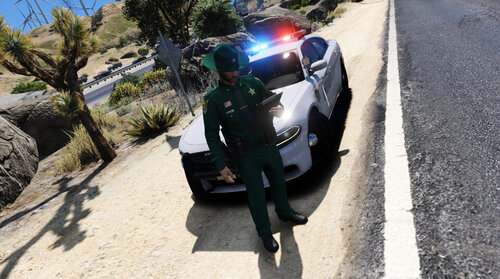 Right now I´m not planning on making any Florida Departments. In some time there will be a DOJ Pack and after that I´ll propably stay with State Police and HP.
No problem😉
Yes!
Right now I´m not planning on making any Florida Departments. In some time there will be a DOJ Pack and after that I´ll propably stay with State Police and HP.
No problem😉
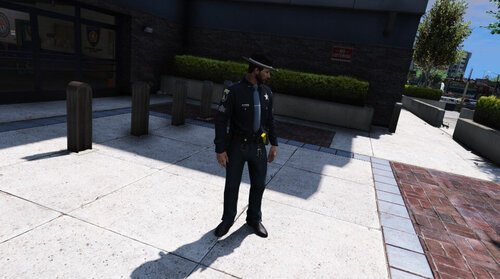
Yes! CHP Uniform Pack for EUP 8.1 • This File currently includes: • Required to make it work:
- 16 comments
- 1 review
-
-
- 5
-
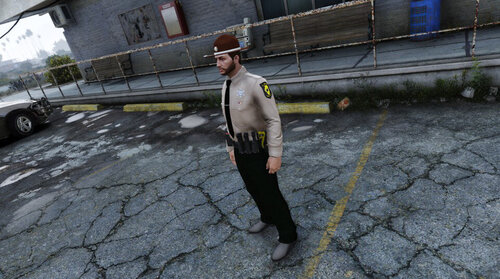
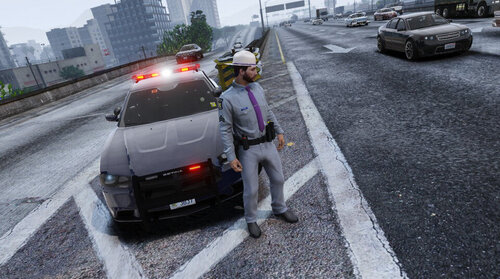
 ISP Uniform Pack for EUP 8.1 • This File currently includes: - Class A Uniform - Class B Uniform - Class C Uniform - K9 Uniform - ISP Polo Shirt - ISP Windbreaker - ISP Pants - ISP Badge - ISP Hat/Cap - Small Vest (ISP) - Traffic Vest • Required to make it work:
- 4 comments
- 1 review
-
-
- 1
-
 I´ll think about it
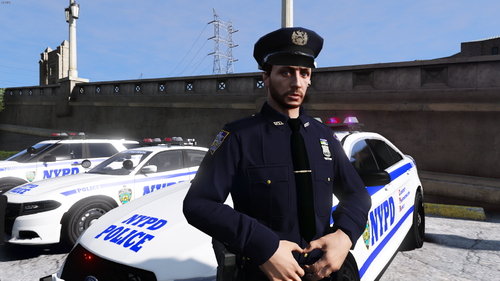 The uniform it self goes in the folder above but instade of m or male it is now f or female
- 133 comments
- 7 reviews
Oh yeah i forgot it. I will add it in the next updateIt should be under mods\update\x64\dlcpacks\eup\dlc.rpf\x64\ it changed again to the dlcpacks😉



Account
Navigation
Search
Configure browser push notifications
Chrome (Android)
- Tap the lock icon next to the address bar.
- Tap Permissions → Notifications.
- Adjust your preference.
Chrome (Desktop)
- Click the padlock icon in the address bar.
- Select Site settings.
- Find Notifications and adjust your preference.
Safari (iOS 16.4+)
- Ensure the site is installed via Add to Home Screen.
- Open Settings App → Notifications.
- Find your app name and adjust your preference.
Safari (macOS)
- Go to Safari → Preferences.
- Click the Websites tab.
- Select Notifications in the sidebar.
- Find this website and adjust your preference.
Edge (Android)
- Tap the lock icon next to the address bar.
- Tap Permissions.
- Find Notifications and adjust your preference.
Edge (Desktop)
- Click the padlock icon in the address bar.
- Click Permissions for this site.
- Find Notifications and adjust your preference.
Firefox (Android)
- Go to Settings → Site permissions.
- Tap Notifications.
- Find this site in the list and adjust your preference.
Firefox (Desktop)
- Open Firefox Settings.
- Search for Notifications.
- Find this site in the list and adjust your preference.