


rabbit1988
Members
-
Joined
-
Last visited
Everything posted by rabbit1988
-
Please make sure you have the newest RageNativeUi in your GTA folder
-
No need to say sorry. We all have real lifes and that should be Number 1 😉 You said you can´t go ingame but your log said you was playing? Also you didn´t install SearchWarrant properly. You missed the darkmyre.api. Please go to the site where you donwloaded Search Warrant and search there for the api.
-
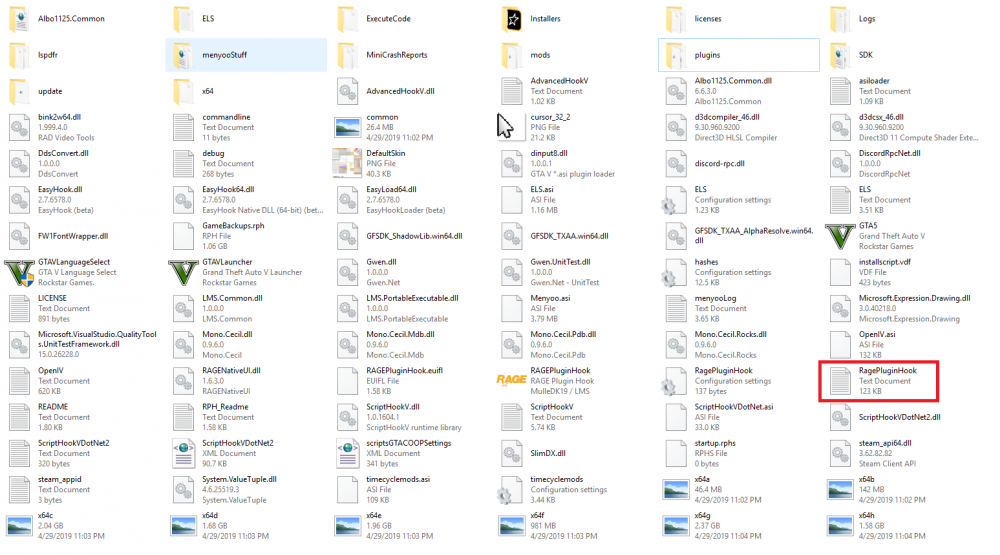
Please post your RPH-Log
-
Please attach this file 🙂
-
Please post a picture of your GTA 5 folder.
-
LSPDFR sometimes has AmbientChrashes. It´s a bug. That happen to you. Now we need to find out if this was a problem with the car or the known bug. If you can spawn the car ingame, than you can´t do nothing. When it happens, just reload LSPDFR and still play.
-
Please try to spwan the police3 ingame.
-
It´s just a simply menu. Not as cool as Computer+. But stable. You need to press the same key you used at traffic stop for interact with the driver, while you sit in a police car. Also you need to enabled the computer in the ii.file
-
Do you have addon-cars? Well I didn´t know if overclocking will help you. Especially because your RAM isn´t that good too. And if you don´t know what you do, you shouldn´t do it. What´s your settings ingame? Try to go down with them to see it it helps. Also you could set these in your LSPDFR.ini too AmbientSpawn.DisableRandomUnits = true PoliceStation.DisableAmbientSpawn = true
-
There are invalid weapons. Either you add/change some weapons and things are broke now or you changed/edit some xml-files .
-
Looks good. On the Game settings tab is an option named Force Windowed Mode. Please enable this. Then try again.
-
Well I would recommand you to install GTA on SSD. Your PC-specs are not so bad but with mods GTA needs more power as without. Also there are mor files to load, so maybe the SSD would help a lot.
-
Just for a test. Please remove the Ultimate Backup.dll, the Ultimate Backup.ini and the folder Ultimate Backup to somewhere outside GTA. Then start again and see if it works. When not replacing the files and post your log again.
-
Your log is incomplete. Please start the game, go on duty and play a few minutes. Then post the log again. Where is the game installed? SSD or HDD?
-
OJCallouts, CalloutsV and BasicCallouts are out of date 🙂
-
Please attach your RPH-log
-
Delete Cutsom Backup and set your PluginTimeoutThreshold in RPH-settings to 60000. Also your last screenshot and your log don´t fit to the other screenshots.
-
Please delete the entry " -scofflineonly" in the commandline.txt in your GTA folder
-
Please attach your whole log. Only a part of it wouldn´t help
-
Set PluginTimeoutThreshold to 60000
-
Do you renamed your modfolder? When yes and it don´t works, please postz the RPH-Log inside your GTA-folder, not inside logs-folder.
-
Do you already tried turned off your antivirus?
-
Well than my only idea is to reinstall LSPDFR and RPH
-
Please post a screenshot of your RPH advanced settings tab
-
LSPDFR don´t have his own log. It´s a RPH Plugin, so everything is logged in the RPH-Log. Please post a screenshot of your RPH-Settings (Tab General and advanced settings)
