



PenOkOh
Members
-
Joined
-
Last visited
Everything posted by PenOkOh
-
There are tons of videos on how to install LSPDFR 0.4, as long as you follow one of those it will most likely work
-
Unfortunately a lot of people are having issues right now, my best guess would still be that something isn't where it's suppose to be. At least judging from your post..
-
Without Arrest Manager? There is a prisoner transport in vanilla LSPDFR. You can also get the plugin Stop the Ped for suspect handling!
-
What if you removed Arrest Manager and then tried again? If that's not it you can just move them back again. Worth a shot I think
-
Latest trace before a crash is Arrest Manager, did your issues start after you installed Arrest Manager?
-
I can always try right, but as far as messing with the game files, that's out of my comfort zone. Hope you get it sorted though, actually now that I'm thinking about it. Vehicles.meta file can probably be used to increase speed and performance but don't quote me on that 🙂
-
Well, you can grab a car you want, modify it and then save it with a trainer. Then everytime you need that specific car you just load it with a trainer. Otherwise I don't know how to fix your issue sadly...
-
No, delete them from the plugins folder. Is everything with Wilderness Callouts deleted from your plugins folder?
-
All I know is that I have Windows 10 English home and for me it works right!
-
Hm, well I don't know then. Sucks to see people unable to play LSPDFR...
-
I agree with you, having a longer time to catch up is in fact a great idea. Seeing how GTA V is set in a social media age, where almost everyone have a phone. It's sure to say that some people will spot the person who ran from you and either report to 911 or post it on social media sites. Giving you an idea to catch up. Edit: Even in real life if the police loose sight of you they will put out a BOLO on you, so other officer's can find you even if there's been days a part!
-
You can change the engine modifications before going on duty, alternatively you can download some car packs and replace them with if you want that! If that isn't to your liking, installing a trainer and changing your engine modification through that can also be achieved 🙂
-
By the looks of it Wilderness Callouts is the reason behind it, it has yet to be updated to 0.4 of LSPDFR. Try to delete all WC files and see if it works. Some plugins work for other and some don't!
-
Give it shot to change you OS language to English, worse case scenario is that you have to restart your computer twice to change back to Turkish and German! There are other cases on here where people with a different language are experiencing the same issue...
-
Have you deleted all of the remnants of Wilderness Callouts? If you aren't sure which files it is, download Wilderness Callouts again to compare which files need to be deleted!
-
Woah, those lspdfr files aren't suppose to be in the Plugins folder. At least mine aren't so I'm pretty sure that's the problem. Try moving the entire folder right there called lspdfr into your main directory and see if that does anything!
-
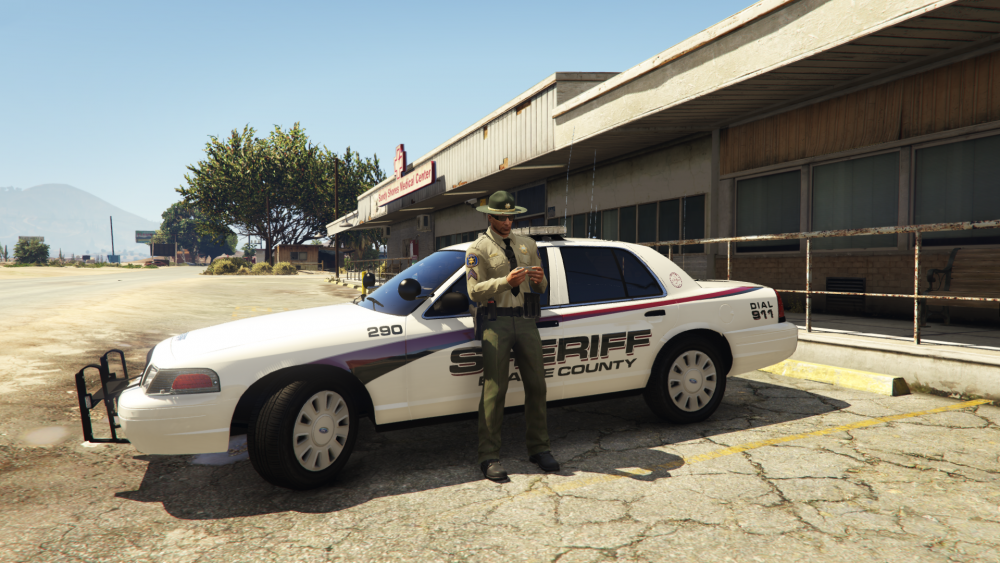
My daughter told me to download this game called Angry Birds, now the Sheriff is busting me for always being on my phone. Good thing for the bad guys in Blaine County I suppose...
-
Smart people think alike 😉
-
Not to sound like a douche right now, but make a text document and type in a detailed list of each plugin and their respective key. If you have a second monitor you can just throw that up there and quickly find the key binding until you're got it stamped down in your memory. I do this now even after hundreds of hours playing LSPDFR 🙂 This is how I have mine at the moment, I have plugins but just to show you what I mean;
-
Can you please type out the file path to the location (Patchday) where you installed it to?
-
Graphics settings within the game mate!
-
How did you replace these vehicles? Through the default update folder, or did you make a mods folder containing the update folder first? Also do you have Open IV and did you press 'Edit Mode' before you replaced them?
-
What Pazzi said is very much true, but you shouldn't have access to Gta Online at all. I'm pretty sure Rage will block any access to online. Don't test it though, but I'm pretty sure that's the case mate!
-
What do you mean by "I cannot bind a new key for LSPDFR"? If you wanna change keybindings for default LSPDFR keys you have to go to the folder where RagePluginHook is located at. Double click the lspdfr folder and then open keys.ini, simply change any key you want. Unfortunately I can't say anything about your crash issues without a crash log, that can also be found in the folder where RagePluginHook is located at. It will be called RagePluginHook.ini.
-
If you don't like to use 'B' to report criminal activity with you can change keybindings for default LSPDFR keys by going to Grand Theft Auto V \ lspdfr > keys.ini. Reason why I didn't put a full file path is because you could have the game through Steam or Rockstar and you might've picked another drive to install it to! If you have any more question about 0.4's many feature's I'm down to help, any time mate!


