



PenOkOh
Members
-
Joined
-
Last visited
Everything posted by PenOkOh
-
I've not been in the community long enough to know most content creators, modders and scripters. But there are some things that could've been worked on, and something I would've loved to see would've been; A standing and working LSPDFR version, for example 0.3.1, where this update was aimed to pull a specific version of a script/plugin and implement that version into LSPDFR 0.3.1 and make them compatible. This would then remove the unwanted crashes mid game, or after a couple of minutes playing or when ever a certain callout was made. I know this is and would be hard to do but it would also be lovely to see LSPDFR work together with scripts/plugins. Taking some of them and making them a part of LSPDFR, that way some stuff work with no issues at all. The main issue most people face is with RageHook or scripts/plugins, so to make those a part of default LSPDFR would be smarter and easier for a lot of people. Now I'm just flying off with all of my wishes, but I'd love to just play LSPDFR with no crashes and compatible keys to press. You know, like LSPDFR and scripts/plugins was an actually game! As for your departure, I am sad to see you leave. I hope there's a possibility of you coming back when GTA VI comes out and the next PDFR is made :) Cheers t0y
-
 I've seen a couple of YouTubers using this in their LSPDFR videos and their PLD seems to be at the same level as the map, but when you install this, the whole location mod is closer to the monitor bezel. Does anyone know how to fix this minor thing so it at least looks like it's meant to be there? :)
- 220 comments
- 55 reviews
-
No worries at all, what ever I can do to help!
-
I actually have a very detailed Google Spreadsheet where I house all my information to every single mod I am currently using for several games, among them are of course LSPDFR. If you wanna check it out you more than free to do so, it holds links to them, as well as information and more. It's super confusing staying up to date with them all, either way, I hope you find something you like! Spreadsheet: https://docs.google.com/spreadsheets/d/e/2PACX-1vQl1iKw_T4RyDxTLqUGAfi91Ieen83CGQf1EBVeyhLIoxdHdIlpBXkvYmpNZ_iKo4ldfpqIhCw3WYdx/pubhtml#
-
Aye, that would be lovely, I find it quite hard to make a character thought the modifcation menu in EUP. And I often find myself wanting to use a base model from within the game, not the ones you can pick from within the LSPD. But I can't cause I don't know how, either way, it'd be sweet if someone actually made a way to replace them
-
Hm, would be nice to use the EUP outfits for a random base game character :) Well thanks anyways!
-
Oh it was that easy then, does these outfit work with any model from the base game, for example a Ballas gang member? Edit: Cheers!
-
Hello guys and gals! Is there any realistic looking police pack/uniform I can use with LSPDFR to play as Trevor or another base game character? I currently have EUP but it only pulls MP models and I really wanna use a model from within the game, perhaps a Merryweather guard or like I said, Trevor. Does anyone know how I'm able to do this, I've googled and didn't find anything at all... Appreciate any replies
-
-
From the album: LSPDFR - "Unmarked" Officer
-
From the album: LSPDFR - "Unmarked" Officer
-
From the album: LSPDFR - "Unmarked" Officer
-
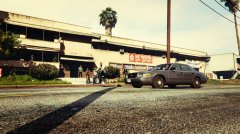
From the album: LSPDFR - "Unmarked" Officer
-
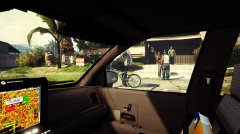
From the album: LSPDFR - "Unmarked" Officer
-
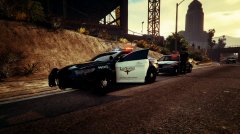
From the album: LSPDFR - "Unmarked" Officer
-
-
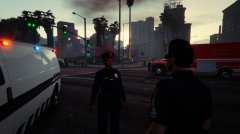
From the album: LSPDFR - Marked Officer
-
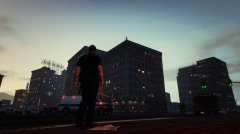
From the album: LSPDFR - Marked Officer
-
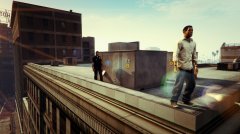
From the album: LSPDFR - Marked Officer
-
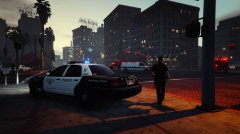
From the album: LSPDFR - Marked Officer
-
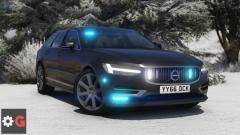 Thank you for the reply, will be looking forward for this car to be released. I really do love Volvo cars but most of them are Sweden based when you search for them
 -
Can't wait to get this update, would love to frisk people properly you know. Although I'm a bit worried about key bindings and other scripts and plugins
-
Oh wow hello, how do you get this car? I would love to ride in this
-
 This one is really just a must for anyone who wanna get deeper into LSPDFR at all, I mean you need it :D Great work!
- 2,662 comments
- 234 reviews
-


