


HCDPS
Members
-
Joined
-
Last visited
Everything posted by HCDPS
-
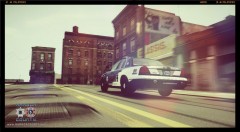
From the album: HCDPS
HCSO Patrol Deputies are responsible for patrolling the county, responding to routine calls for service, emergency responses, traffic enforcement, and maintaining a positive police presence throughout the county. Thanks to Retired Deputy Sherman for the screenshots. -
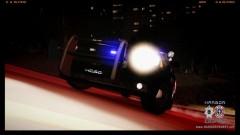
From the album: HCDPS
HCSO Patrol Deputies are responsible for patrolling the county, responding to routine calls for service, emergency responses, traffic enforcement, and maintaining a positive police presence throughout the county. Thanks to Retired Deputy Sherman for the screenshots. -
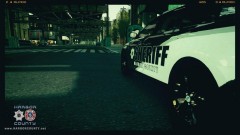
From the album: HCDPS
HCSO Patrol Deputies are responsible for patrolling the county, responding to routine calls for service, emergency responses, traffic enforcement, and maintaining a positive police presence throughout the county. Thanks to Retired Deputy Sherman for the screenshots. -
Harris County is always a great agency to ride with. I did several ride alongs while I was in the process of applying for a Reserve Deputy position with them. Great agency, great group of Deputies.
-
Actually, he was right. There are 3 confirmed dead now, the third passed away at the hospital. As an airline pilot, I've been following this accident very closely.
-
As we approach the July 4th holiday and the summer driving season, please remember to drive sober, or get pulled over. Safety starts with the decisions we make, so designate a driver, wear your seat belts, and enjoy your July 4th and summer holidays! Remember, they'll see you before you see them...
-
The Season 2 premiere of 10-23 has been posted! Enjoy a look at the new fleet and a discussion about the new HCSO Livery, chosen by the members of the community. On the next episode, ride along with the Deputies of the Harbor County Sheriff's Office on the streets of Liberty City!
-
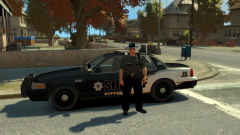 The ped model was created by Policeman456 and is available here on LCPDFR.
 -
From the album: HCDPS
Harbor County Patrol Deputies keep the streets safe for residents in Liberty City and in the unincorporated areas outside the city. -
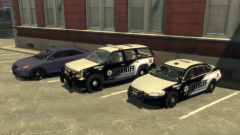
From the album: HCDPS
The Harbor County Sheriff's Office High Intensity Traffic Team specializes in traffic related incidents and enforcement, ranging from accident reconstruction, to being certified as DUI specialists and Drug Recognition Experts. Expect to see HIT Team Deputies conducting DUI Checkpoints over the Fourth of July Holiday. Remember to stay safe, and designate a driver! -
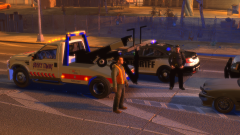
From the album: HCDPS
Deputies with the High Intensity Traffic Team responded to an early morning traffic accident on the east bound Plumber's Skyway at Rand Avenue. HIT Team Accident Investigators report that a drunk driver lost control of his vehicle, forcing another car into the center median. The drunk driver survived with minor injuries, but the driver of the vehicle that was struck and forced into the median was transported by Harbor County Paramedics and is currently being treating in Critical Condition at Westdyke Memorial Hospital. The HCSO wants to remind everyone, especially as we approach the Fourth of July Holiday next month, that Harbor County has a zero tolerance policy for drinking and driving as well as underage drinking. HIT Team Deputies will be out later this month conducting sobriety checkpoints and aggressively enforcing the zero tolerance policies, so designate a driver! Drink, Drive, Go to Jail! -
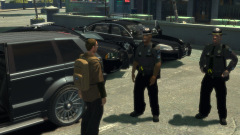
From the album: HCDPS
The Harbor County Sheriff's Office has responded to an increased number of armed robbery calls in the last several weeks. One of the armed robberies was at Fanny Crab's Restaurant on Beaverhead Avenue in Alderney, where a suspect approached a patron leaving the restaurant as he attempted to enter his vehicle. The suspect is described as a white male wearing dark clothing, a ski mask, and armed with a hand gun. Fortunately no one has been hurt yet, and in the incident at Fanny Crab's the suspect only wanted cash and the victims wallet. The HCSO reminds all residents of Liberty City to be cautious and aware of your surroundings, as don't forget when you park, LOCK your car, HIDE your valuables, and TAKE your keys! -
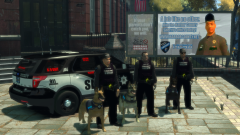
From the album: HCDPS
The Harbor County Sheriff's Office is proud to welcome 3 new canine Deputies to the streets! Sergeant Shkreli and Canine "Kaiser", Training Deputy Winkle and Canine "Duke", and Training Deputy Jackson and Canine "Ares". These 3 canines assist HCSO Deputies searching for narcotics, tracking suspects, and defending Deputies in the performance of their duties. -
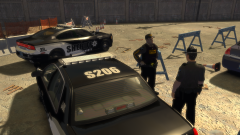
From the album: HCDPS
Harbor County Sheriff's Office Patrol Deputies stand guard at the scene of a possible homicide this morning. -
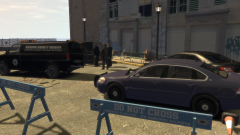
From the album: HCDPS
Harbor County Sheriff's Office Detectives responded to the scene of a possible homicide in the early morning hours on Tuesday, May 28th. The victim's name has not yet been released to the public, as Criminal Investigations Division personnel and Crime Scene Technicians are still working on the case. The body was found in a dumpster by the old casino on Beaverhead Rd in Alderney. -
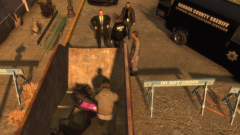
From the album: HCDPS
Crime Scene Technicians assist the CID Detectives in gathering evidence and securing the scene. -
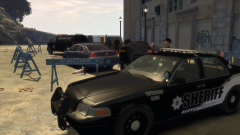
From the album: HCDPS
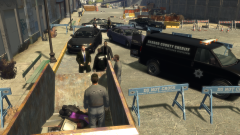
Harbor County Patrol Deputies stand watch at the scene of a possible homicde while Detectives from the Criminal Investigations Division begin their work. -
From the album: HCDPS
Harbor County Sheriff's Office Detectives responded to the scene of a possible homicide in the early morning hours on Tuesday, May 28th. The victim's name has not yet been released to the public, as Criminal Investigations Division personnel and Crime Scene Technicians are still working on the case. The body was found in a dumpster by the old casino on Beaverhead Rd in Alderney. -
A new special episode has been posted! We hope you enjoy this special presentation of a short film called, "The Chase." This episode is a special farewell to our community's original vehicle fleet and livery, so enjoy this exciting episode!
-
Today is May 15th, National Peace Officers Memorial Day. As much as we all love and enjoy role playing as police officers in GTA, please take a moment today and remember the men and women in the real world that put their lives on the line every day to serve and protect their community. Today especially, please take a moment to remember those brave souls lost in the line of duty.
-
It's been a much longer wait than we had planned, but a new episode of our 10-23 series is now available! More episodes will be out this month and the next, so be sure to subscribe if you haven't already so you don't miss anything.
-
-
I believe this is the actual car used in the video.
-
The "null" is your problem. It should point to a prop file, such as M_Y_Cop_p
-
I'm the same way. If you expect to see your car get damaged on patrol, you're doing it wrong lol. Poice cars in the real world should not be damaged in the normal course of duty, including pursuits or while executing PIT maneuvers. I don't lose control of my car in GTA to the point of hitting other veicles, driving on the sidewalk, hitting street poles, etc, so the god mode issue has no effect on me. Perks of being a hyper realistic player I suppose, though I can understand why some people consider it to be a "bug."


