
LtBronco
Members
-
Joined
-
Last visited
Everything posted by LtBronco
-
-
 This hasen't been updated since the taser function was added to cop holster. Hopefully soon...
- 124 comments
- 37 reviews
-
-
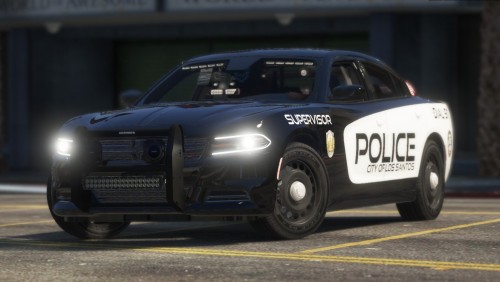 Great car. The only thing I see weird, is there is no glass showing up on the doors or for the windshield and back window (at least for me). Otherwise great car.
- 24 comments
- 2 reviews
-
 The Tahoe in the picture is different than the one in the download link. Is there a updated version somewhere else or something?
- 65 comments
- 34 reviews
-
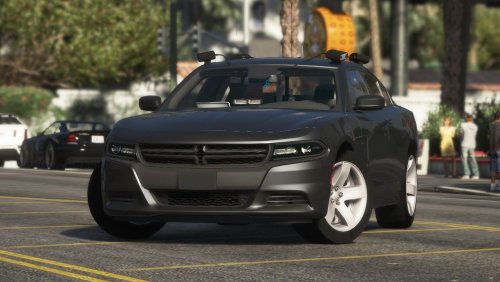 I love this car! I love that you took the time to include a .meta file. It makes the sound and handling perfect. The only thing I would change are the wheels. The tires look bald, but other then that this car is awesome!
- 38 comments
- 14 reviews
-
I've been using the same LSPD textures for almost a year. I change was needed, but I never thought it would be this good. This texture looks amazing. I'm glad to see you're adding so many different cars. Keep up the good work!
- 65 comments
- 34 reviews
-
-

- 1
-
-
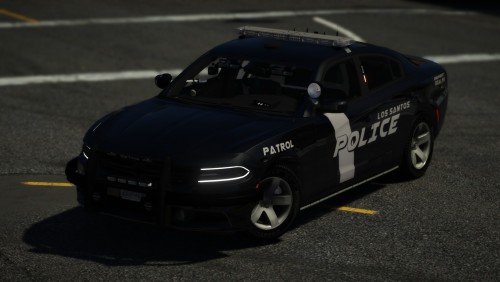 The spotlight on the slick top lights up behind the car and on the car with the light bar, the spot light is always on for me after I get in...
- 26 comments
- 7 reviews
-
 I can't begin to tell you how excited I am to see Wilderness Callouts make a comeback. Awesome!
- 305 comments
- 66 reviews
-
![[W.I.P] Lifted Jeep Wrangler POV Lights](//s3-gallery.int-cdn.lcpdfrusercontent.com/monthly_2017_09/small.jeeppov.jpg.2c951172938391fe01fcd2e3129179ae.jpg) I would love to see those halo lights make a comeback 🤤
I would love to see those halo lights make a comeback 🤤 -
Both "hi" and "bye" have never worked for me either...
-
-
 You'll probably need the LSPDFR EUP Configurations to make the other cops look like cops again. That got things working for me.
- 2,349 comments
- 238 reviews
-
I had that problem. I replaced the "presetoutfits" file with the one that came with L&O 8.0. My ped looks fine now, but all the other NPC cops are all in green jackets. I tried reinstalling 4 times. Can't figure it out.
- 2,349 comments
- 238 reviews
-
-
- 1
-
-
-
-
 Oh, my bad. I clicked both by accident. 🤦♂️ I had that problem too though. The keybinding change did work.
- 3,646 comments
- 306 reviews
-
I don't see what a traffic stop menu has to do with it. You don't even get a chance to get stopped before the car you're pulling over freaks out and drives off into a wall, off a cliff etc...
- 3,646 comments
- 306 reviews
-
I have that problem too. I tried changing the keybindings already. It still does it. Not all the time, but sometimes. The mimic will work fine until you try to stop it. Then it freaks out.
- 3,646 comments
- 306 reviews
-
 I don't think I realized just how much of a necessity Police SmartRadio was until I didn't have it for a few days. It really ties all the parts of the game together and makes it perfect. Great work!
- 1,196 comments
- 127 reviews
-
Even then, it wasn't part of Police SmartRadio. Albo's tow was included in Arrest Manager. 😚
- 1,196 comments
- 127 reviews
-
-
-
-
No, it's not needed. Press G for the Stop the Ped menu and B for Ultimate Backup. You'll have to change or disable the keybinding for the vanilla backup menu though. (GTA V -> LSPDFR ->Keys) Otherwise that and the Ultimate Backup Menu will come up at the same time...


![[W.I.P] Lifted Jeep Wrangler POV Lights](http://s3-gallery.int-cdn.lcpdfrusercontent.com/monthly_2017_09/small.jeeppov.jpg.2c951172938391fe01fcd2e3129179ae.jpg)