


Him1250
Members
-
Joined
Everything posted by Him1250
-
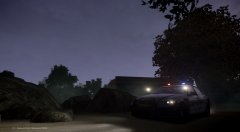 That would be mine. I don't even use the model anymore.
 -
What I've done is, I have my two GTA directories in my steam folder. My modded directory is named "Grand Theft Auto V" and whenever I want to go play online I rename my SP directory to "Grand Theft Auto V SP" and my MP directory which is titled "Grand Theft Auto V MP" to "Grand Theft Auto V" I then launch via the regular 5.exe and I've had no problems.
-
Okay, if that is the case. You need to open it in ZM2, save it as a .z3d and merge it in Zmodeler3.
-
Are you modding for GTA IV or GTA V?
-
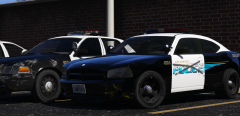 I love your stories.
 -
You can have multiple plugins in your game. I personally have 4. They are Agency Callouts, Assorted Callouts, Code 3 Callouts and Wilderness Callouts. They all offer something different and are pretty in-depth, hence why I chose them.
-
Hmmm, I dunno then.
-
Are the DLC packs on the dlclist.xml in (I think) Update.rpf, common?
-
Links are above and Yes, I have zmodeler. However, I do NOT give support. That's what the forums are for.
-
Zmodeler3 is a pay-per-month software. There's several tutorials on YouTube and on the Zmodeler forums.
-
-
 As Lundy said, probably not the best place to ask since he got banned. I guess it's gone for good at this very moment.
- 93 comments
- 36 reviews
-
This is the unfortunate truth. I believe World War III will start sometime in the next few years. As the OP said, I congratulate the UK on giving the EU the big ol' middle finger.
-
-
-
Where are you installing it?
-
Merge it as a .z3d and assign the textures. Boom, done.
-
No but when you add it in Patchday9, it overrides all the other files making the modded cars spawn in GTA V.
-
L0's are what spawn in when you're close to the car (getting out of it, driving) and L1's are what you see when you're far away from the car. In my 4 years of making cars, I've never had that issue for IV. I've had different L1's but not this. As I said, I would suggest redoing the car.
-
I have never seen this problem before. I would suggest restarting on the car.
-
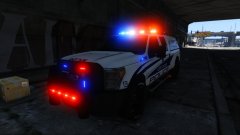 That..looks amazing!
 -
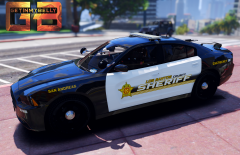 Maybe :) That pack is still a WIP though
 -
You should totally send me this as I'm from New Mexico.
-
Based on Dona Ana County SO in New Mexico right?
-
If you're talking about the carvarations.metas, you need to go to mpluxe2 and mpchristmas2, from there you need to go into common>data




