pcGAMEZguy
Members
-
Joined
-
Last visited
Everything posted by pcGAMEZguy
-
 ELS may be the problem. Go into your ELS.ini and look for ELSTrafCtrlOn and set to false. Maybe this will help you.
- 1,178 comments
- 137 reviews
-
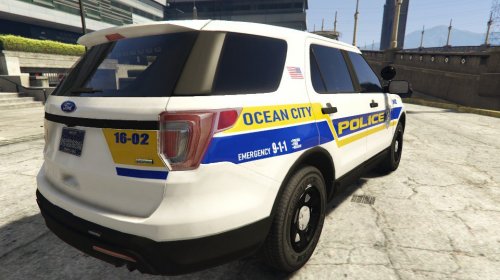 This is a texture for Ocean City Police Department in New Jersey. Its my first attempt at a texture for a vehicle. (Try to be nice lol) It was a good experience and i definitely would do things a little different next time. Im trying to incorporate my local police so hopefully ill be doing more (hopefully a better job). The model that i used is in the link below by Thehurk. I hope somebody can use the texture.
 -
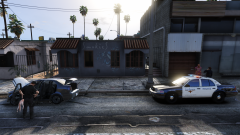 Looks Great NoNameSet cant wait to try it!!
 -
-
-
 Anyone able to get the controller bindings to work, DpadRight works for dragging but the "B" button for K9 Commands do not work. Just wondering if its because its outdated.
- 542 comments
- 98 reviews
-
-
-
-
In your RPH settings do you have Directx 11 Checked as well as windowed mode? Not sure if this will help but may want to try.
- 1,178 comments
- 137 reviews
-
I think he asked what did you change the resolution to.
-
Wow!
-
lol thats funny
-
Go to the Trainer ini in the directory of GTA 5 See Attached Then change the setting to zero i have circled in the ini. See Attached Save ini then your done
- 1,178 comments
- 137 reviews
-
-

- 2
-
-
-
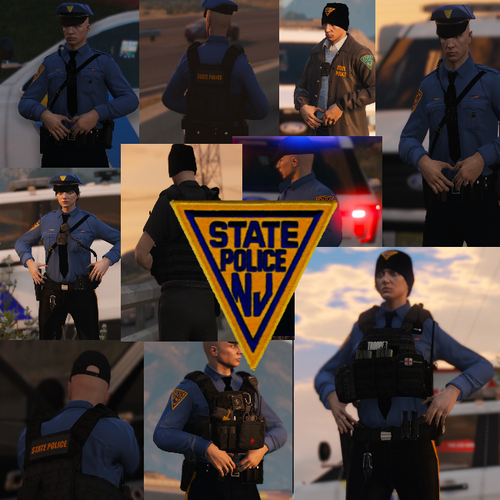
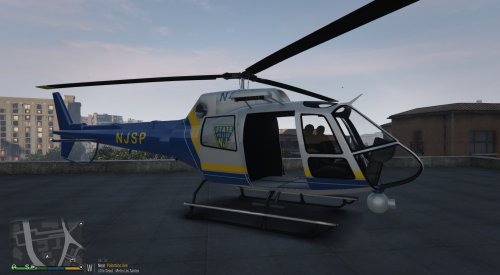 This is my first attempt of just changing the color scheme around on another livery. Lines are a little off as well as placement but my first attempt on doing something like this. Used a pack from below and edited it. Custom NJSP livery. Like the computer+ background i did i just hope someone can use it. https://www.gta5-mods.com/vehicles/police-maverick-mapped
 -
 In RPH settings try selecting DirectX 11 and windowed mode. I can remember having similar issues when I first started.
- 3,646 comments
- 306 reviews
-
-
- 1
-
-
Glad it worked, i recommend doing that all the time because the deep files are too long. Your welcome.
- 3,646 comments
- 306 reviews
-
Right click on RageNativeUI in your GTA 5 directory and select Details make sure 100% positive its 1.6.3.0 Sometimes if you install plugins that require RageNativeUI some are packed with older versions, so just make sure first.
- 3,646 comments
- 306 reviews
-
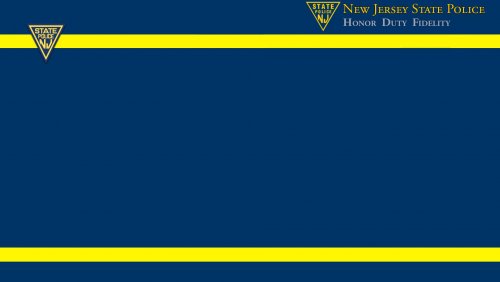 I wanted a background for my patrol cars while using Computer+ so i created one real quick and decided to share. Again this is nothing to get excited about but it adds to the realism for me. I hope somebody can use it. Installation: Insert file here: Grand Theft Auto V\Plugins\LSPDFR\ComputerPlus\backgrounds Change whichever vehicle you want the background with the file name here: Grand Theft Auto V\Plugins\LSPDFR\ComputerPlus.ini *REQUIRED PLUGIN: Computer+ Linked Below
 -
Awesome, maybe something wasnt installed correctly the first time. Glad you got it.
-
No problem, curious as to which one it was?
-
I would take all plugins out and but back 1 at a time. and see what one may be causing a problem.
-
Is there anything in your logs that would explain it? At the time your trying to access the computer.
-
I put all of mine in patchday17
-
So curious as to what is was


.png.9b9dffa0a5d96b46b22b106abe2e2684.png)