


ninkanji
Members
-
Joined
-
Last visited
Everything posted by ninkanji
-
Hey congrats! I am working on the st louis city police academy myself. My military buddy is working me to death seeing as we both are going through together! Be safe and stay strong!!! ps hey Nutt can I come live with you till my military bud forgets about me???? lol he is killing me! j/k I am happy to be getting in better shape.
-
i cant use the mustang with the lights on the side mirrors. crashes when i use prim els! the other one works just fine though!
- 13 comments
- 9 reviews
-
-
-
wow is very nice of yea! thank you for helping! +1 rep
-
ok if no one replys to this i will have an answer for you. i will have to ask him tomorrow.
-
would this be it? http://www.lcpdfr.com/files/file/413-federal-signal-touchmaster-delta-siren/
-
i do not remember i did know what it was jeff is a friend of mine i will ask if someone doesnt already know.
-
ok and your using siren control tool correct? do you have both of them dsound and xliveless? if so u need one not both that can screw it up as well.
-
were did you put the file fixs at? the msvcr100.dll and msvcr100d.dill??
-
this is going to be great cant wait to see it done!
-
-
-
-
i havent been able to figure out how to use this in game!
-
you beat me too it lol. i did find this though not sure if this works. http://www.gta-modding-chest.com/database/grand-theft-auto-iv/player-skins/police-uniforms/14-lcpd-police-sheriff-detectives/index.html although i do like custos better
-
im going to look around for yea. i wouldnt mind having this!
-
-
-
not bad though. but im not a real fan of all white. i only really use lcpd skins for my cars. but i do switch things up a bit.
-
-
really??
-
Requester Name:ninkanji Pack/Request Name:lcpd traffic unit Date Requested:12/1/12 Deadline: dont have one Model/Texture/Ped: police How many and what vehicle models do they need to be for: 2 crown vics and 2 chargers years 2010 if you can PIctures and details:http://www.flickr.com/photos/winspire/4622254442/ this is the only pic i was able to find so i will give the best details i can. the front of this car has a full light bar inside along with the one on top. a few below, also has a rambar not sure what type. i dont care what type is used. has full wig wags in front and in back the reverse light wig wag is red and blue and the brake light is full wig wag as well. the mirrors on the door have lights as well. the cars i want are pretty much the same the crown vic one is with light bar on top (and inside) the other slick top same with chargers. the set up if you can when you use just the wig wags for your light desplay in game have some of the back lights on and in front a few lights on like a cop would do when he turns prims off. but when you use the wig wags all of them are on with the few lights. prim of course if every light. secondariy lights is for a traffic bar in the back above the bottom light bar. the skin just leave blank i will find an lcpd skin i want for them. if needing more pic i can try and find more. would love if all of the lights could be code 3! please dont forget the spot light too! and one more thing i did forget is i want the white rims of the tyers thank you!!
-
just a fast question can we send youtube videos to assist as well?
-
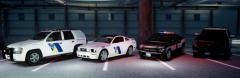 i want these cars!!! very nice!


