



Jersedevl
Members
-
Joined
-
Last visited
Everything posted by Jersedevl
-
So long story short last patch (smuggler's run or w.e) introduced a patchday16 after that update my game pretty much quit on me and crashed a minute in to loading RPH. What I have found out so far is: mods folder when empty lets the game run and not crash plugins and everything is fine, after copying UPDATE, x64 and x64e.rpf into mods the game starts crashing again which made me think maybe the game atm can't handle these many extra files or cars, so got a new gameconfig game loads okay then I proceeded to start modding the files inside mods namely carvariations, vehicles.meta and the car models themselves then game begins crashing once again so I'm thinking I need help with adding DLC packs or something because I'm starting to believe maybe these files are too big? carvariations is 1.7MB maybe I'm just overloading a single vehicles.rpf with too many models? PS: patchday16 vehicles.rpf seems to be quite big on its own without me adding anything so i placed everything back in patchday15 and size is 301MB idk if good or not
-
 Albo all of the sudden my RPH started crashing as soon as the intro was done and began loading up plugins... my game was running just fine 24 hours ago and today it just decided not to work at all. I'm running out of ideas as to what is causing the crashes since before i would a occassional random crash and it would be okay but now it's very consistent and does it exactly at the same time every time some seconds after launch. crashreport CrashReport_Andre_636404980311613903.rcr
- 1,178 comments
- 137 reviews
-
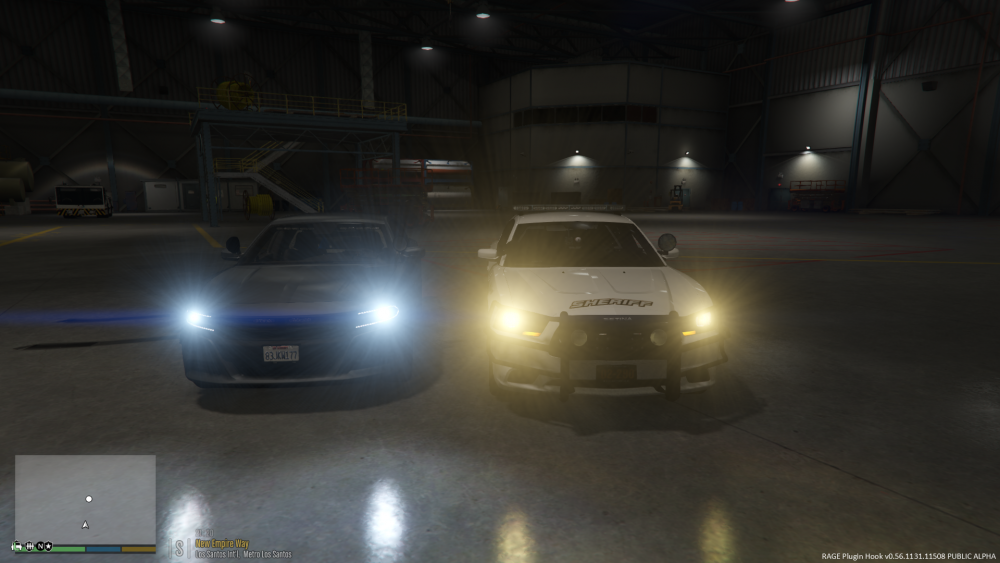
Well 2015 charger you see on the left is a standalone car (addon) and the charger on the right is my sheriff1 police car but once again sheriff1 like my police1,2 and 3 are spawning with yellow beams now when 2 days ago they all had white
-
 Great contribution! Do you think you could do a lore friendly LSPD/LSSD LA-based pack sometime? That would be amazing... Great job!
- 4 comments
- 1 review
-
Hey guys I was just messing with my police fleet since I basically finished adding the last car I wanted for police models to my game, and then I noticed something really strange in the headlights of my cars: some of them were spawning with white beams where others were spawning with yellow beams so I was wondering what could have change that setting to my vehicles and since I got no clue how to fix it I resorted to come here.
-
Word in the street is: you are the real MVP... a lifesaver. Honestly boss thanks a ton for the support most of my knowledge about modding my game I've had to get it myself thru trial and error since they're so many diff ideas on how to do things and it can get super messy so really thanks for the simple and effective support!!!
-
You're beautiful do you know that? :P BTW regarding the other thing I'm not being able to recruit my K9 partner, two things: a) first floor of the police precinct isn't loading and it used to do it before. b) as of this moment I only have 2 addon cars so how do you know when you have exceeded your limit? Also I have not used any custom gameconfig.xml from the internet I basically dumped my new renamed cars into patchday15 placed my ELS vcfs and ran the game with no issues I have tried using a diff gameconfig other than my original default one and it made RPH crash everytime before launch with the default or original one this doesn't happen, I just changed my settings ingame "ignore suggested limit for graphics" to ON OH I forgot! Where exactly is the path for the carvariations? I totally fogot where I can find it and I don't want to mess up my game by changing the wrong file
-
actually you know what no these 2 didn't come with any carvars at all man so basically my carvariations file has no idea these 2 cars exist :/
-
<audioNameHash>POLICE3</audioNameHash> :/
-
Ok kallus so I just checked my vehicles.meta and since these 2 cars came without any special instructions what I did was copy and paste the entry of one of my default SUV police car which was police3 then changed the name and handling id and going down it does seem like my FLAGS for law enforcement and emergency service are both there since they come from another police vehicle so what do I do now? This is somewhat what it looks like: <modelName>TAHOE15</modelName> <txdName>TAHOE15</txdName> <handlingId>FBI2</handlingId> <gameName>TAHOE15</gameName> .... <flags>FLAG_HAS_LIVERY FLAG_EXTRAS_ALL FLAG_EXTRAS_REQUIRE FLAG_LAW_ENFORCEMENT FLAG_EMERGENCY_SERVICE FLAG_NO_RESPRAY FLAG_DONT_SPAWN_IN_CARGEN FLAG_HAS_INTERIOR_EXTRAS FLAG_REPORT_CRIME_IF_STANDING_ON FLAG_EXTRAS_STRONG</flags>
-
Oh my bad I didn't even realize I was in the wrong forum yes indeed I'm referring to LSPDFR/ GTA V. I'll copy paste the thread into the right place
-
Guys so basically I did a bit of research and an older post about this was made back in 2014 and essentially the problem is that I have 2 addon vehicles both are ELS, supposedly the problem comes from the ELS files themselves since the ELS siren its being used instead of the in-game once again I have no evidence to support this myself. For now every police or default emergency vehicle works as intended so all of my replaced cars are just fine moving traffic aside when code3 but the 2 addon cars just can't seem to make anyone yield. Does anyone know a way to solve this issue? Also when I go to the police station with the dog marker in Los Santos oddly the doubledoors to the staircase leading to the dog partner are locked and won't open at all I tried moving through them and found out the basement part of the station doesn't exist like it doesn't load at all... Anyone knows what this is about?
-
-
-
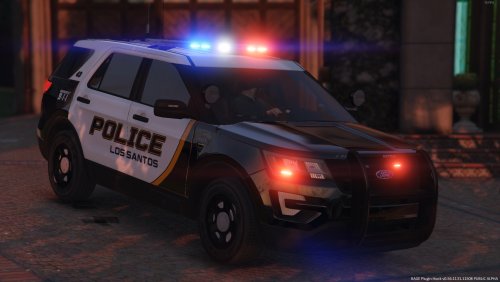 So I made it! This is my very first texture pack EVER!! I took a look @RogueThunder's Cranford PD skins and I decided to spent my night working on a pack for them I hope you guys enjoy them. This is Lore-friendly BTW Here are the templates used: -CVPI (F5544) -14' Charger (BxBugs) -FPIS (OfficerUnderwood) - ELS HQ interior FPIU (thehurk) - Caprice PPV (kane104) - Chevy Express prisoner transport (JJDawkins) Please leave any feedback I'll appreciate it like I said this is my first pack and so I'll need your opinions as to what stuff you liked, what you didn't and what would you like in the future!
- 5 comments
- 3 reviews
-
-

- 5
-
-
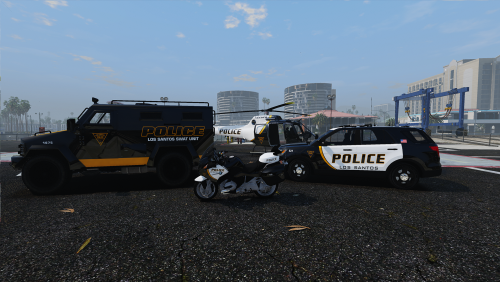 Amazing work bud! This along with the original texture pack certainly is a must because all these skins together make for one EXOTIC police fleet!! Like I said this is a must have period!!
- 1 comment
- 4 reviews
-
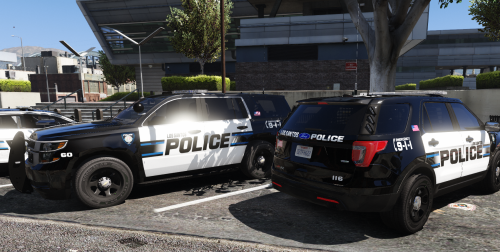 This texture pack is insanely good from a design point of view it's very simplistic but so refreshing as well, keeping that classic black/white theme but with modest police markings as decals without oversaturating graphics it's just so perfectly balanced! Great job buddy your work is very high quality and I can't wait to see more from you. Regarding the texture for the Caprice PPV from kane104 I have that vehicle in my fleet as an addon car and I had no issues whatsoever using the skin template that was provided with the pack so no idea what the fuzz is about. Whole fleet is using these, from police,police2,police3,police5,police6 to the police transport unit gorgeous skins!!
- 41 comments
- 19 reviews
-
-
- 1
-
-
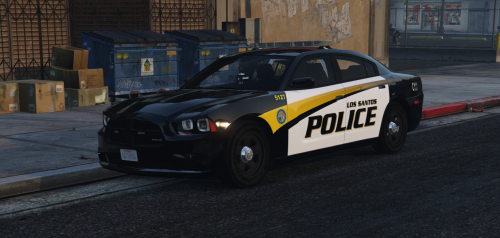 Superb work!! Can I wish an ELS version of this same texture pack for christmas??
- 35 comments
- 9 reviews
-
 @BradM brother if you could adjust/close the distance between the pushbar of the FPIS and the front bumper of the car? As of right now there is a pretty noticeable gap between the component and the vehicle and makes the pushbar look bigger and really strange, but it's not a big deal really haha I would rather have you update your own texture pack because the FPIS from Officerunderwood is the most common one for ELS and I wish your texture pack included a template for it :c as my fleet is all ELS based. THANKS for your contributions still you're AWESOME!
- 147 comments
- 65 reviews
-
Oh boy where to begin... I have a notepad with every download I've made from this prestigious website so I can keep track of the stuff I'm using and what files belong to what creator. That being said I find it rather interesting I have all of BradM's vehicle packs including this one and it's mindblowing the fact every car included fits the police fleet I wanted, not only most of the cars are almost exact replicas of the real deal but the design and polish each one has shows how much work this guy puts into his projects. BradM you have come a long way with lots of effort and a couple of achievements under your belt already, let this file be another one! Cheers P.S. in the future it would be nice if you could toggle having the pushbars on or not. :) http://imgur.com/a/pkIOA
- 147 comments
- 65 reviews
-
-
- 2
-
-
 Dunno if you can do this but if you could have that wraparound push bumper as optional instead of default in the car that would be so sick dude!
 -
Does anyone know how to properly change the lightbar of a vehicle model you have or any other component such as the push bumpers?? I realize I have downloaded every car model I could possibly want from the best authors and so my police fleet is complete but I want to know if there's a way for me to change the lightbar of some of my cars without getting a new model altogether if that makes sense.
-
Guys I'm fairly new to GTA 5, let-alone modding and as of right now I've figured out how to change vehicle files and whatnot but I have no clue how to install a livery pack. So to be more specific I have one car ('16 FPIU) that I absolutely love however I want to make it a SA State Police car and so I downloaded the texture pack from BradM but I don't know how to install it. :C Help
-
 What's the path to find the folder where to put your PNG files? I really have no idea... got the game and into modding about 4 days ago :C
- 6 comments
- 8 reviews


