



Jersedevl
Members
-
Joined
-
Last visited
Everything posted by Jersedevl
-
Hey buddy don't worry it's a known issue of Arrest Manager which i'm sure you have installed is one of Albo's greatest plugins afterall. The way how I basically resolved this was by essentially ignoring the keys of Arrest Manager to grab peds and using the default keybinds of LSPDFR itself meaning after arresting them I'd grab a ped with E or DPadRight in the Xbox controller I use then once you're holding that arrestee going next to the back door of your car and holding E or whatever key you have assigned for LSPDFR interactions would place your ped in the back of your car with a very smooth animation and they will stay inside of it succesfully. Other thing you can do is to call for a transport unit to pick them up and alternatively you can arrest peds with "Stop that ped" mod and use its menu to also manage them. Hope this helps
-
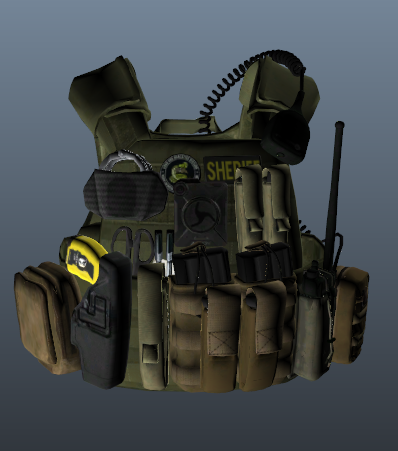 Changing liveries/textures in vehicles or uniforms is quite time consuming. You need to have tools such as Photoshop or Paint.net do modify and change the textures you're gonna be working with either ones you made yourself or you downloaded, these are image files PNG mostly. You gotta make sure that such texture matches the template of the 3D model object you're interested in whether that's a vehicle or a tactical vest. OpenIV is crucial in this since it will let you open files and check those models. So in the end is quite a project that can take anywhere between 5min to an hour depending on how much work needs to be done. If you don't want to screw up I highly suggest watching a video of someone installing new liveries on cars so you can learn the process.
 -
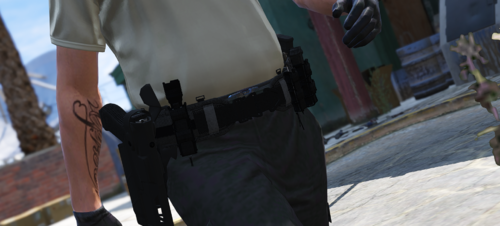 First off you need OpenIV to edit and mod your game that should be a no-brainer then what you gotta do once that is open and you're in "Edit Mode" is simply follow the path provided by the readme. Once you drop the files in the location you're supposed to all that is left to do is go inside of the game pull up your EUP Menu and then as you're going through the options of uniforms and such for your character you get "Undercoat" category and then item #62 should be the newly textured/installed tactical belt.
- 59 comments
- 7 reviews
-
Hey guys if you installed correctly and are having a hard time finding the duty belt with EUP Menu it should be in your "Undercoat" section and item #62 should be it! Hope this helps and hopefully the author can put that in the instructions next time.
- 59 comments
- 7 reviews
-
Man you did a better job than some of these other guys at giving instructions on how to install your vest and I applaud you for that. However you may want in the future to include in the readme how to just add your texture as a variant to whatever skin the vest is supposed to replace so that if anyone likes that skin they can keep both and just switch to whatever they want. Right now it just says replace for 3 or 4 (tac vest entries) and for those who aren't veterans at modding they'll be scratching their head as to what happened to the police skin that was there before your texture replaced it.
-
 Yeah bro I'm not new to this believe me I know my way around modding quite well at this point if i may say so myself however what its not clear to me is which component is the one being replaced not to mention I would hope the texture matches the vest style.
- 555 comments
- 46 reviews
-
Dude you may want to add instructions on how to install different textures on the vests because as of right now I'm still using only the skins that come with the default file you provide but even with the images of other textures I have no idea which ".ytd" vest files I gotta modify to get more than one option on them it's very frustrating. But other than that the vest models and textures that come with it are extremely high quality and mesh well with the character so I'll give you props on the content itself 10/10. PLEASE add instructions!
- 555 comments
- 46 reviews
-
So I downloaded it installed it on the path specified by the readme went on the game and went through all the under coat options (holsters) in EUP menu and couldn't find the new belt ANYWHERE... Maybe you want to address this issue by telling people where the belt its supposed to be so people don't get frustrated looking for it like I am, literally installed all 5 variations of the belt and couldn't find a single one in EUP.
- 59 comments
- 7 reviews
-
Got myself a new phone I still have the previous phone with Google authenticator in it, however I can't seem to remember where to find my account security options regarding my 2FA. I need the QR code so i can scan it with the new phone and finally factory reset the old one without worrying about losing my only access code generator to this website which i use a lot lol. Please point me in the right direction...
-
For anyone ever encountering this problem I managed to find out what the cause of the issue was and turned out to be me changing the ped models in Ultimate Backup's "CustomRegions.xml" file to mp_m/f_freemode_01 instead of leaving the default ones that come with the file itself, so that one file DON'T change the Ped models to any custom ones or ultimate backup will crash and won't work at all.
-
My problem happened because I messed with one of the formatting lines in the vehicles.meta file where my addon cars are located. Make sure and TRIPLE CHECK that there isn't any mistakes in your entry lines such as an extra space or an extra bracket or symbol of any sort e.g. "><_)( ....etc"
-
I don't think so man that location works as such by default and to my knowledge there's no file you can edit to make it show up somewhere else but after using it for a long time I can tell you that it doesn't bother whatsoever since the game doesn't have anything relevant appearing on that corner of the screen anyways.
-
I'm super late but I greatly appreciate it, this in fact worked on the INI file thanks a lot!
-
Anyone can point me as to what can be causing one of my plugins to not work? To be specific everytime I go on duty on lspdfr, it says it launched with an unhandled exception... that being UltimateBackup because my K9 or Female backup units say something about none of those functions being assigned to a button when I try using them and the key itself that activates UltimateBackup menu doesn't work
-
 Codey have you updated the belt magazines to look a bit more proportionate to the gun in the holster by chance? I saw the "complaints" when you first posted this mod about the size of the mags and I'm wondering if this has been addressed ever since before I download for sure. And don't get me wrong your belt looks amazing but I'm pretty knitpicky and it's only because of that concern that i've stopped myself from getting this.
- 124 comments
- 37 reviews
-
So i've been experiencing a significant drop in framerate ever since I updated LSPDFR, prior with 0.3 I'd average 60 fps with certain drops on pursuits and lots of vehicles on the road. Now that 0.4 has a lot of built-in features I removed probably like 6 mods I had before that are only compatible with 0.3 such as traffic policer and police radio etc... So technically now that i have even less mods than before I wasn't expecting 0.4 to take such a toll on my game I'm currently playing around 35-40 fps without much going on graphic wise on a vehicle chase going thru town my fps easily dive to 22 and it's really frustrating, I understand 0.4 is pretty new and has been in the works for a while and I appreciate the effort going into this project I just want to know if others are having the same issues and if some optimizations will come later down the road?
-
-
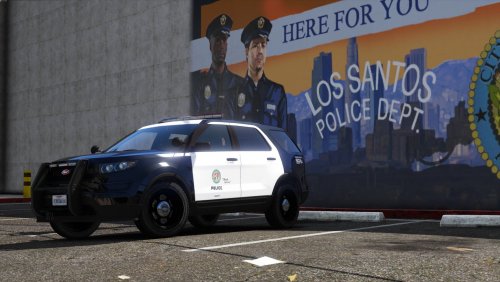 Absolute beast of a car man... For all those who want to truly stay lore-friendly this is the FPIU that should have been in the game to begin with but with that being said and considering how good this model is wouldn't you consider your next big step to make an ELS enabled pack next? I'm sure most of us prefer the use of ELS even on vanilla cars. Please make an ELS pack it would be amazing!
- 23 comments
- 3 reviews
-
Hey guys got Ultimate Backup installed and I'm trying to activate its menu with my controller's right thumbstick button since the mod is overriding the game default's backup that button is free now and I'd like to use it for the menu of UltimateBackup however in the .INI file I have no clue what the right thumbstick button is called accurately so that I can type it in and have it work ingame... I tried "RightThumbStick" but didn't work so if anyone could tell me the name of that input it'd be much appreciated thanks!
-
Albo I am sure you've heard this over a million times but you're an absolute legend in this community and the amount of work and countless hours of fun you have provided to me and all the gamers enjoying every single one of your plugins you will always be regarded at least to me as one of the gamechangers in the GTA modding community and I certainly wouldn't enjoy my time in LSPDFR as much as I do without your contributions so honestly from the bottom of my heart man a BIG THANKS!
-
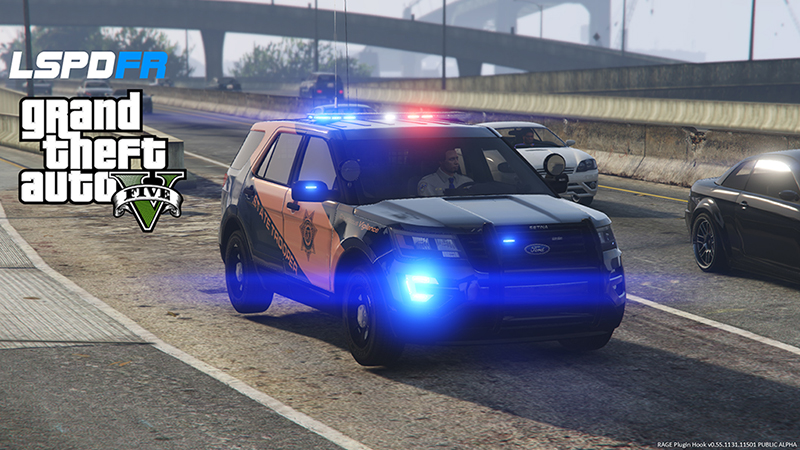
 Pack is nothing short of amazing, the lighting setup, the models, the pushbars, liveries, etc... just perfection. PS: Although I have no clue what that weird square on top of the red half of the lightbar is kinda distracting but not too much.
- 89 comments
- 45 reviews
-
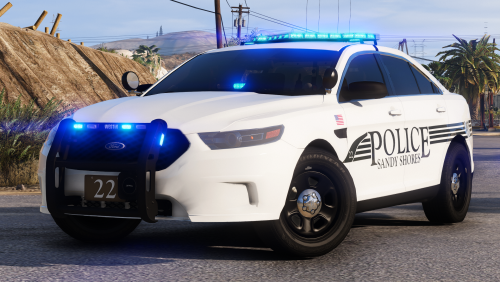 I'm curious since I haven't downloaded the pack yet... does this include a red/blue version for lighting or just blue?
- 25 comments
- 7 reviews
-
So I've noticed how probably 80% of the vehicles use a yellow light with red glow around it as far as red LED components go be it lightbars or addons throughout the car, now what I'd really like to know is if there's any possible way to preserve the red glow or red tone itself in the cars when you start putting some distance between you and the vehicle? Like the further away you go the less color the ELS based lights seem to retain to the point that you notice just white light flickering at a moderate distance so is there anyway to prevent this from happening/ reduce the effect?? By no means I have a slow PC this is my 4th build and it's pretty beefy so whatever I gotta do it will take it but I need someone to point me in the right direction and advice what should I be looking at to modify this ELS behaviour. Drawing distance sounds kinda connected to this but at the same time I'm just interested in the light effects only, not the details for regular object rendering.
-
If you look up Jersedevl in youtube you will find my 2 videos with very easy to follow steps tutorials for installing ELS and LSPDFR and the other video showing how to do day one installing vehicles. Also my discord name is provided in case you need to pm any questions.
-
Guys so I'm trying to have my own custom RadianceV file or rather changing it to suit my preferences and most of it is self-explanatory however I haven't figured out in the Emissive Bits part what does the Car.defaultlight.day.emissive belong to? What about car.extralight.day.emissive? So I'm basically trying to boost how bright my lights will look during day patrol and have them reasonable during night since they're obviously way more visible, so far I got defaultlight.day.emissive set at 2300 and extralight.day.emissive at 350 if i change these numbers what lights of the cars should I be expecting to be brighter is what I want to know? PS: can somebody tell me what the LODs are for? What happens when I mess with the LOD numbers?


.thumb.jpg.182dedb1a55dea252c1853d35d4d1e3c.jpg)
