




MichaelV
Friends of LSPDFR
-
Joined
-
Last visited
Everything posted by MichaelV
-
You have to press NO and wait for the next callout.
-
If you are looking for a Forum based website, look at Zetaboards.
-
-
Potato, definitely.
-
Because the callouts became overflowed. The solution is to say N for every callout you don't want.
-
It is a texture. To use it, follow this tutorial. Make sure you have the proper vehicle. http://www.lcpdfr.com/page/tutorials/index.action/_/vehicle-modification-tutorial/how-to-import-skins-onto-a-vehicle-r28
-
Usually, they speed up when going down a hill, so watch out for that.
-
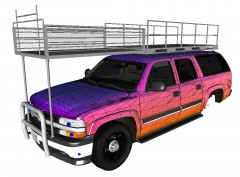 I didn't know they had American cars there. Great work!
 -
Instead of using highbeams, use the mod.
-
1. You click the pen tool (This thing): (Little bit different in newer versions) 2. Make sure you have it on "Path" at the top. 3. Click on the part where you want the line to start 4. Drop anchors (Click) to create stops 5. If you want to make a curve, drag while clicking. 6. Once you have reached your destination, click the brush tool 7. Go to the top toolbar and change the size of the brush to the thickness and hardness of your line 8. Go back to the pen tool, right click on the canvas 9. Click "Stroke Path" 10. Click Okay. There is a simpler way, just click the shape tool, drag it out, and click the line tool. Before doing so, you must do the brush thing I mentioned earlier. More in depth Pen tutorial:
-
Yeah, Back when they had that Voodoobie incident, and they got rid of the Negative Rep, we had that for a few minutes. I didn't know you could see the names. Since that is true, I do like this idea.
-
Great work! The HRP cars are very high quality. Nice work on the RCMP. I could never get it correct. Well done.
-
Depends if you have any addons for your browser.
-
I was thinking of something similar to the current system, but it will show your username when you leave rep. This will filter out the cowards who hide behind the name "LCPDFR.com User". I believe this is the system they use on GTA Modding Chest.
-
I like Windows 7 for computers, and Windows 8/Android for phones.
-
They are the same thing.
-
Couldn't agree more.
-
You just made it back.
-
Yes you do. You must purchase it.
-
One I really like is MicroFLFExtended. It looks fantastic and is great for a police font when bolded. http://www.fontspace.com/casady-and-greene/microextendflf
-
Yep. http://www.lcpdfr.com/page/tutorials/index.action/_/texturing-tips-and-tutorials/
-
-
-
Good. You don't have to. So just select the part the don't want with the Rectangle Selection Tool, Press the Delete key, then keeping that same selection, fill it with the background colour.
-
Did you create a new layer?

