



SrLuK
Members
-
Joined
-
Last visited
Reputation Activity
-
 SrLuK reacted to Cyan in Regarding GTA Enhanced EditionLSPDFR and RPH would need substantial updates for the new version. We're exploring the feasibility and viability of support but have nothing further to share at the moment.
Right now, use the legacy edition for LSPDFR/RPH.
-
 SrLuK reacted to rukrim in [CHARACTER][WIP] Enhanced EquipmentGood evening everyone!
I started working on new equipment that will be implemented when Enhanced LSPD Cop V5 comes out.
Pending tasks:
- Meshes mapping and texturing unification.
- New radio cord and commander models supporting different positions.
- New taser model.
- New ASP baton + pouch model.
- New flashlight + pouch model.
- New pepper spray + pouch model (Not confirmed).
- New head models (Taken from Rockstar game models).
- New uppr traffic vest model.
- New uppr jacket model (Not confirmed)
- Textures templates (Available on release).
(Tasks are subject to modifications)
Updated renders:
-
SrLuK reacted to Reddington in Recommended handlingIds for your police vehiclesSo you downloaded a fancy 2015 Tahoe and installed it in the police3 slot, only to find that it rolls more than your eyes when your boss is talking to you. Does your Silverado not drive like a truck should? or maybe your '15 Charger doesn't feel right. There are a lot of options to choose from when deciding which handlingid you want to use for your car. I've compiled a list of what I use for handling lines, and thus far, all have worked just fine. For some of them, such as the Silverado and Expedition, someone else might of found a better handling, and if that's the case, please comment below letting me know what you're using and I'll give it a shot.
Some people like to edit the handling.meta. This is not a requirement, the handlingid is all you need to touch if you just want the basics. Handling.meta is there for those who know a bit about modding and want to refine the handling lines to feel realistic.
For those that might be confused on what the handlingid is, it's one of the top lines in the vehicles.meta.
Here's an example:
<handlingId>police3</handlingId>
All of these will be for police vehicles, I will not be covering modded civilian cars. Also note that this topic really only applies to those who have modded their police fleet.
Crown Vic
police
Dodge Charger
If 09-10 version, police2 If 2013+ version, buffalo2
Ford Taurus, Chevrolet Caprice and Chevrolet Impala
police3 (this is meant for smaller vehicles, such as the Impala) premier (this is an alternative for smaller vehicles, such as the Impala. Use this if you don't like the way police3 feels) fugitive (this is meant for bigger/heavier cars, such as the Taurus) felon (this is an alternative for bigger/heavier cars in case you don't like Fugitive)
Ford Explorer
gresley
Chevrolet Tahoe
baller baller2
Ford Expedition
fbi2
Chevrolet Silverado
sandking
Dodge Durango
baller
Dodge Challenger
gauntlet
Ford Mustang
dominator
Ford Fusion
tailgater (There is most likely a very better choice out there, I'm just not sure which would work)
BMW motorcycle
policeb
Ford F-150
sandking
Ford F-350
sadler sandking - may work for this as well, not confirmed
Chevrolet Corvette
coquette
Chevrolet Avalanche
sandking
Chevrolet Camaro
gauntlet
Nissan GTR
elegy
Land Rover
baller
Hearse
romero
Dodge Polara
glendale -
SrLuK reacted to TheHC09 in I have found the ELS siren strings! 100% WORKING!After extensive research I have finally found the siren strings for ELS and all but two siren tones are now working in-game!
They seem correspond to the OpenIV assigned names but they have the beginning part of the string added. These were all found by me personally through research and experimenting, so you're welcome (also would appreciate this being a pinned topic for others to find). From what I gather the string is basically referring to the location of the siren file in the game's archive ('RESIDENT' being the RESIDENT.rpf and 'VEHICLES' being vehicles.awc, followed by the siren name). Strangely, the siren names identified by OpenIV for the main LSPD tones and the Sheriff Granger tones don't work so I will need help with that. Anyway, enjoy!
LSPD Main Police Siren:
"VEHICLES_HORNS_SIREN_1" - Police Primary
("RESIDENT_VEHICLES_SIREN_PA20A_WAIL" doesn't work for some reason)
"VEHICLES_HORNS_SIREN_2" - Police Secondary
("RESIDENT_VEHICLES_SIREN_2" doesn't work for some reason)
Firetruck Siren:
"RESIDENT_VEHICLES_SIREN_FIRETRUCK_WAIL_01" - Firetruck Primary
"RESIDENT_VEHICLES_SIREN_FIRETRUCK_QUICK_01" - Firetruck Secondary
Police Bike Siren:
"RESIDENT_VEHICLES_SIREN_WAIL_03" - Police Bike Primary
"RESIDENT_VEHICLES_SIREN_QUICK_03" - Police Bike Secondary
Sheriff (Granger) Siren:
"RESIDENT_VEHICLES_SIREN_WAIL_04" - Sheriff (Granger) Primary
"RESIDENT_VEHICLES_SIREN_QUICK_04" - Sheriff (Granger) Secondary
^ These two aren't working for some reason
FIB Siren:
"RESIDENT_VEHICLES_SIREN_WAIL_02" - FIB Primary
"RESIDENT_VEHICLES_SIREN_QUICK_02" - FIB Secondary
Ambulance Siren:
"RESIDENT_VEHICLES_SIREN_WAIL_01" - Ambulance Primary
"RESIDENT_VEHICLES_SIREN_QUICK_01" - Ambulance Secondary
Siren Warning/Priority Tones:
"VEHICLES_HORNS_POLICE_WARNING" - Police Warning
("RESIDENT_VEHICLES_POLICE_WARNING" doesn't work for some reason)
"VEHICLES_HORNS_AMBULANCE_WARNING" - Ambulance Warning
("RESIDENT_VEHICLES_AMBULANCE_WARNING" doesn't work for some reason)
Siren Horns:
"SIRENS_AIRHORN" - Airhorn
("RESIDENT_VEHICLES_AIRHORN_EQD" doesn't work for some reason)
"VEHICLES_HORNS_FIRETRUCK_WARNING" - Firetruck Horn
("RESIDENT_VEHICLES_FIRE_TRUCK_HORN" doesn't work for some reason)
My three requests are:
1. Why are a few of them not working, particuarly the Sheriff Granger ones? Could someone with knowledge help?
2. Can we get an AI Sirens mod that makes the AI change siren tones based on the vehicle's VCF siren setup?
3. Is there any way to remove the pitch filters that are applied to some of the sirens? (e.g. the ambulance and fire truck sirens in-game are lower pitched than the actual file itself)
Cheers everyone.
-
SrLuK reacted to
Deactivated Memberin GTA V Sirens Hash ListI thought it would be helpful to post the hashes for the sirens in V since most of them are still in the hash code. Make it a bit easier on those siren modders out there.
0x0EA58C7C - Generic Bullhorn
0x013F5FE7 - PoliceB Main
0x17DDFB5C - PoliceB Secondary
0x0A8960B6 - FIB Primary
0x0A49B203 - FIB Secondary
0x0D329446 - Police Primary
SIREN_2 - Police Secondary
POLICE_WARNING - Not a clue.
0x0E0DA7BC - Granger Primary
0x16E74B3E - Granger Secondary
0x1C98C4D5 - Ambulance Primary
0x144C8602 - Ambulance Secondary
AMBULANCE_WARNING - Wonder what this one could be?
0x14BFBCE3 - Fire Horn
0x159C9182 - Fire Primary
0x161768E7 - Fire Secondary
Siren Hashes.txt
-
SrLuK reacted to Sam in LSPDFR 0.4.8 - Now available!We're back with another minor update for LSPDFR 0.4, which introduces a couple of hotly requested features, including 1893 Grapeseed Ave - an all new, modest home in a rural setting for your characters to live in.
This new pad has a different 'low-end' interior with all of the usual amenities like a shower and bed. This brings the total number of apartments in LSPDFR to 3, and means that we now have 'high', 'medium' and 'low end' styles to choose from in a variety of locations, both urban and rural.
The new property available for your residential convenience at 1893 Grapeseed Ave
LSPDFR 0.4.8 adds a few new features, and introduces many fixes and ongoing improvements to increase the quality, stability and performance of the modification, including:
1893 Grapeseed Ave - a new, modest and rural accommodation option for your LSPDFR player characters to live in. A remastered 'hand-on-holster' (Intimidate) action that fluidly animates, doesn't block movement, and allows for you to quickly draw sidearms. Evidence Markers to mark crime scenes which can be seamlessly placed down, picked up again and customized per agency. Improvements were made to the way in which NPC officers respond 'Code 3' to backup calls and navigate through traffic. A number of new, useful API functions requested by developers were added.
Using the remastered 'Intimidate' option to quickly draw a sidearm with animations.
LSPDFR 0.4.8:
Download and release notes: https://www.lcpdfr.com/files/file/7792-lspd-first-response Release Highlights: https://www.lcpdfr.com/lspdfr/04/highlights/
We hope that you enjoy this small update for LSPDFR and wish you all the best as we continue to endure the global pandemic.
Sam.
If you are having problems with LSPDFR 0.4.8, please do not post about them in this topic, but use the support forums instead.
Before you do, though, read through this topic: https://www.lcpdfr.com/forums/topic/89691-read-will-save-your-time-common-issues-fixes-and-bugs/
There are a lot of fixes for common problems in there.
-
Download the latest release, and from the archive, drag the contents of the "GTA V Folder" folder into the game directory.
-
mods\update\update.rpf\x64\data
You can also use Ctrl+F3 to search for the file you want in OpenIV as well :)
-
I figured I'd post this useful plugin by @PNWParksFan since this thread popped up and nobody else had, since it will make editing light settings far easier than constantly reloading the game.
https://github.com/pnwparksfan/rph-live-lights
-
Hey all,
Recently the OpenIV team has made the carcols.ymt file available as an XML file which allows editing. Big thanks to them for that as this is what makes this project possible. You can find the carcols.xml here: https://www.gta5-mods.com/tools/carcols-ymt-converted-into-xml-format
Anyways on to the meat of it. The carcols is where all vehicle sirensettings are configured. Vehicle developers are probably familiar with this and most, but not all, vehicles currently released have been configured to work with sirensettings 1. Looking in the carcols we can see exactly where siren setting 1 is configured and learn about the structure of sirens. This is a shortened portion of the configuration for siren setting 1:
The full xml contains definitions for all 20 siren elements in order, but I have removed sirens 2-20 for the sake of making it easier to read. So far, here is what I have learned:
The game engine caps the maximum number of sirens at 20 per sirensetting. Custom sirensettings can be added to the file and used. Corona colors and intensity can be edited for each individual siren (format for color: AARRGGBB). They can also be removed completely. Each individual siren can have it's own individual flash pattern (and these can be user created, not just selected from a list) Headlight and taillight flashing can be configured with custom flash patterns - one user has already released a modification that enables headlight flashing. You can set the number of "beats" per minute that the lights will flash using sequencerBPM value. This value will apply to all of the sirens for that specific sirensetting. You can set individual sirens to be rotating or non-rotating and configure their speeds.
So far I have not done any work with rotating lights. For non-rotating lights, the flash pattern can be custom configured by editing the sequencer value under "flashiness" for each siren. In the snippet of code posted above, the siren uses the following configuration:
<sequencer value="1431655765"/> At first glance it looks to be just a random number. This is actually a 32-bit integer, and when you view it in binary, the flash pattern becomes clear:
01010101010101010101010101010101 So this siren uses a simple alternating flash pattern - off, on, off, on, off, on, etc. These can be configured to create new and far more complex flash patterns than are currently in the game. Along with increasing the sequencer beats per minute you can create some neat stuff.
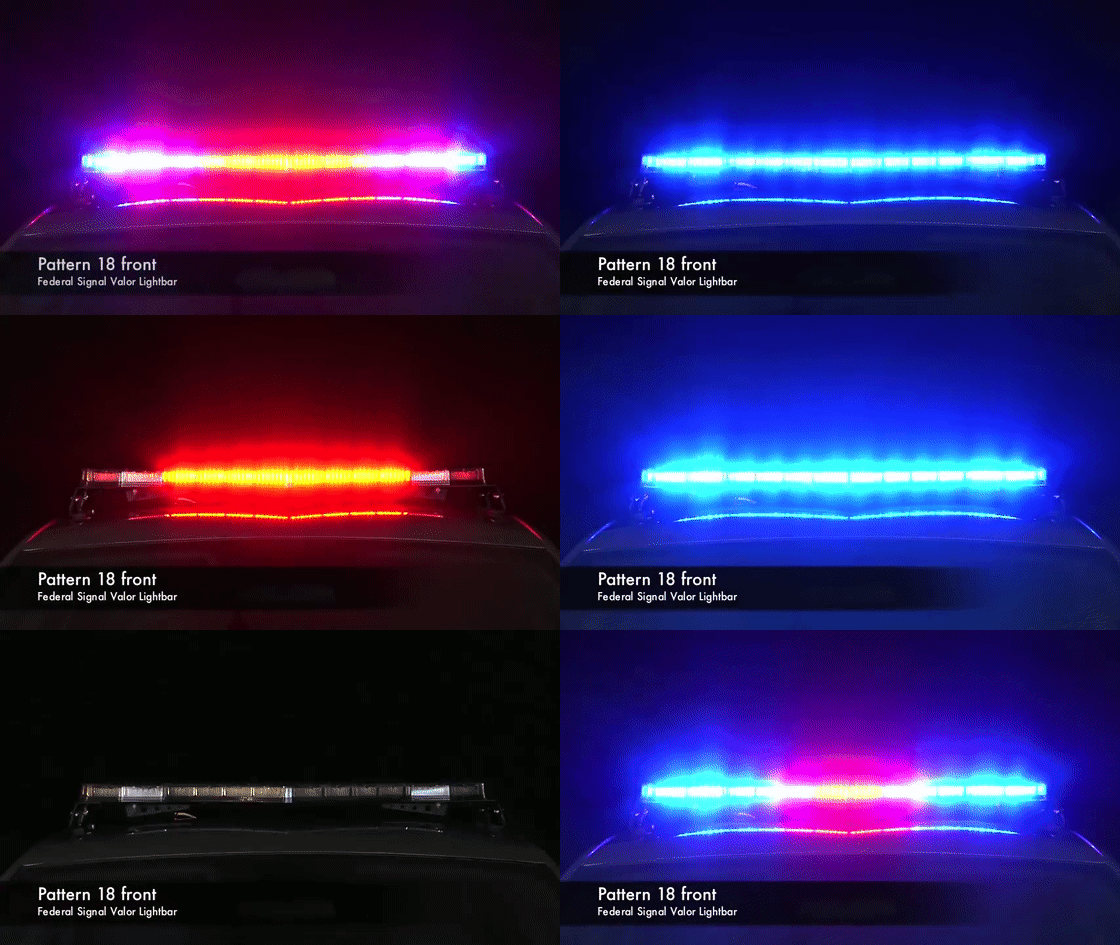
Here is a (very quickly) thrown together demo to showcase possible patterns. This vehicle uses 6 sirens: two for all the red and blue lights, two for the traffic advisor (which is an extra), and two for the headlight strobes. The headlight strobe coronas have been modified to be white and the vehicle uses a completely custom sirensetting. The pattern for the red and blue lights has been customized for alternating speeds.
Again, this is just rough stages of research so far, but I wanted to share what I had found with the community. Hopefully this will be useful for vehicle developers in designing cars which are non-ELS but offer similar levels of functionality. I will be updating this thread with further research as I discover new things.
Thanks for reading and happy modding!
-
SrLuK reacted to Cyan in Thoughts on a new Policy/RuleJust as a bit of an update on this, we now have some custom-designed tooling to detect stuff like texture resolution of textures within GTA V texture dictionaries.
I'm working on integrating it into the site and will do this when I have some free time. Hopefully soon.
-
SrLuK reacted to Black Whistle in Thoughts on a new Policy/RuleSo I bring this up because this is starting to become very annoying and I want to speak on it and get opinions. I am suggesting a rule be made that developers who make cars have to upload a downscaled version of their Cars,Peds,etc Because some people who have these high end systems (like myself) and Low end systems should be able to download whatever mod they want along with a system compatible resolution for them.
Let me explain...So currently anyone can download a car pack,skin pack,Ped pack and it be in 4K and not many peoples system can handle those. These developers are throwing out 4K items as if everyone has a beast of a system now I have a 8700k with a 2070 Super which is perfect and I say is high end now.......I can understand a singular item being 4K but a car pack or skin pack of multiple things in 4K is unacceptable. Now one would say "Why don't you just downscale the textures?" I shouldn't have to do that I should be able to install a pack and enjoy it...Half of these creators don't even make it known that they are using 4K/2K textures, They are just throwing things out there. Now I do love the content that people put out however I shouldn't have to downscale your creations because you were inconsiderate towards those with low end systems and fail to realize that 4K cars and peds aren't going to always work. I'd hope there is a rule that developers HAVE to have a downscaled version of certain things, It is a courtesy however I haven't seen one developer do that. Now if you had a 2K skin I could say sure don't upload a downscaled version but it's mandatory if you upload a 4K version of something.
-
Disclaimer: I can't guarantee these will work universally across the board, but these are the plugins and callouts that I have working in my game personally. Remember to always make a backup. I am not liable for your broken game.
Keep in mind to remain grateful as this is a modification we are playing free of charge. We are literally just over 12 hours into 0.4's release, so time is needed for authors to make the proper adjustments to their mods for implementation from 0.3.
Also, please do not include any visual or audio modifications as these should be irrelevant to the version of LSPDFR being played.
0.4 Plugins
Arrest Manager
Better EMS
Callout Manager
Cop Holster
EUP Menu (Emergency uniforms pack - Serve & Rescue)
Interaction+
Keep The F****** Door Open
LSPDFR Computer+
Police SmartRadio
Real Police Tape Mod
Speed Radar Lite
Spike Strips V
Spotlight
StickyWheels
Stop The Ped
Traffic Policer
Ultimate Backup
0.4 Callouts (install any audio folder manually into GTA V -> lspdfr -> audio -> scanner)
Assorted Callouts
CalloutsV (MVA callout seems to crash game once pressing "T")
Code 3 Callouts
Code Red Callouts 2.9.7
PeterUCallouts (some callouts work, some don't)
UnitedCallouts
Wilderness Callouts
0.4 Miscellaneous
Emergency Lighting System
NOT WORKING
LPCallouts
LSPDFR+
-
SrLuK reacted to
Deactivated Memberin LSPDFR Mod Showcase Episode 1"Content team? But where is all the content?" you ask.
Well here it is:
It has been a while, but today we are (again) introducing the first episode of the LSPDFR Official Mod Showcase. The Mod Showcase is an opportunity for members of the Content Team to showcase the latest and most popular mods on a regular basis. It also gives us a chance to highlight some mods that we believe deserve more attention. Within our first showcase we take a look at five different vehicle modifications inside and out and give them a little test.
What is it?
The Mod Showcase is exactly what it says, a showcase of mods on a regular basis. Within the showcase, we will take a journey through a few selected mods. For vehicles we will look at their lighting patterns, skins and textures . We may take them for a spin to test their handling and how they work at different speeds. For scripts, we may test out a new callout, whilst also showcasing a vehicle, and potentially even throw in a siren pack too!
This Mod Showcase is a reboot of an exciting idea that we want the community to get behind. We would like everyone’s feedback, so we can shape and mould it into the best it can be. Additionally, in the future we hope to create further content for everyone to enjoy and participate in.
Who is it?
This series will be created and presented by @Shockie and @Gan Ceann, taking turns to present the video. We have both been part of this community since early 2012, and have a huge passion for the site and the community. Our routes start way back with LCPDFR and Fort Carson Roleplay (if you know, you know), and we have kept in touch with the community ever since. Coincidentally, we also both have a passion for content creation and enjoy working together to make fun projects for everyone to enjoy. This project has already taught us a lot about video creation, and we look to expand on that, as well as our commentary and showcasing ability. It is our first video, so we would really appreciate any constructive feedback.
Why?
We are starting this series to show off what the community is creating and sharing. There are a lot of high-quality mods and we would like to act as a new channel to not only support the creators but also provide the community with an overview of what is out there. We also hope that with your feedback, we can look to explore future ideas and features.
Where can I see it? (Links at the bottom of the page)
The series will be uploaded to the official G17 YouTube channel (yes, there is one), and will also be viewable in a portal on the website, where there will be easy access to the mods presented in the video. The Mod Showcase page will have direct links to the mods shown within the video, and also the times they are showcased. Like the look of a mod? Click on the link, and it can be downloaded in seconds. Want to check out a specific mod? Look at the timestamp and you will be seeing our showcase in seconds. Mods that have been highlighted in one of our showcases will also have a link back to the video on their respective page.
All in all, we hope you enjoy the showcase and give us feedback so we can make this project the best it can be!
Links:
LSPDFR Official Mod Showcase Episode 1
Mod Showcase page:
https://www.lcpdfr.com/resources/showcase/
G17 Media on YouTube
-
SrLuK reacted to Reddington in [GUIDE] Step by step instructions for installing add-on/standalone carsNote: There is a reply below this post that is just as helpful, make sure you read that!
There are so many car mods out there that it's frustrating when you can only have a certain amount in game (as replacements), and have to keep switching between all the ones you like or just want to try. This text-based tutorial aims to teach you how to install cars as a add-on/standalone! Please note, this tutorial does not cover add-on cars that have their own dlcpack.
Quick notes before you begin.
* You must use a mods folder!!! For information on how to use this, click here. (OpenIV website)
* Mpchristmas2 is just my preference for standalone cars. Some people use other DLCs such as mpluxe.
* There is a standalone car limit. If you exceed yours, download this gameconfig for unlimited add-ons. NOTE: I have not personally tested this one, back up your gameconfig before installing!!!
* All standalone cars must have a vehicles.meta and carvariations line! Otherwise it will not work properly.
* Handling.meta, YMT edits, etc are all optional, you do not need to edit anything else aside from the vehicles.meta and carvariations for the car to work.
1) In OpenIV, navigate to mods-->update-->update-->common-->data-->levels-->gta 5, and extract "vehicles.meta" to your desktop. I advise making a folder on your desktop named "original vehicle meta", or something similar so that way you can store these files and know exactly what they are. You won't actually be editing this meta, but you will be taking individual meta lines from it to use for your add on cars. For example, if one car is a Dodge Charger, you'll use the police2 meta lines. CVPI, police lines. I don't think it truly matters in the long run which you use (aside from the handlingid needing to match the car) as long as they are similar and not completely different (IE using the meta for the Pounder)
2) Grab the "police" meta from this vehicle meta. Either paste it in a notepad or just hold onto it. Note: If your vehicle is a non Law Enforcement vehicle, just take the meta of a similar type vehicle.
3) Navigate to mods-->update-->x64-->dlcpacks-->mpchristmas2-->dlc-->common-->data-->levels-->gta 5. Extract this vehicles meta to your desktop. Open it, and paste the meta line. Change the modelName, txdName, and gameName to that of your add on car.
4) In the vehicles.meta there is this line: <audioNameHash />
Audionamehash dictates how your vehicle sounds. If it remains <audioNameHash />, it will not have any sound. You will change the audionamehash to whatever suits the vehicle you're installing. So if you install a CVPI, it'll be police. There isn't a huge variety of namehashes for police vehicles. There's no police Explorer, so you'll either end up with an Explorer that sounds like FBI2 or SHERIFF2.
Note: The following only applies if you are using ELS!!! I, however, have started using the namehashes of regular civilian vehicles. In the case of the Explorer, I use gresley. This means that your vehicle will sound more in tune with what you're driving. However, this also means the in-car radio will work. The only way to disable this is by turning the music all the way down in the settings. As I said, there's a variety of what you can use, and I have those listed in another topic.
Save, and drag the edited file from your desktop back to OpenIV.
5) In OpenIV, press the back button twice so you see the "carvariations.meta" (mpchristmas2-->dlc-->common). You will also need to extract and do the same thing in terms of naming it. Change the name, save, and re-add to OpenIV. I've included one of my carvariation lines you can use as a template for all your vehicles. Do note a few things: 1) Some vehicles require custom carvar settings. Most, however, will work fine with this. 2) For non police vehicles, change sirensetting to "0". This setting is only for emergency cars. 3) <kits> deals with the mods that the car will have. I, personally, never mod my cars, so I just ignore that.
6) If you haven't already, download the vehicle files for the car you want, and rename them to match your add on car.
7 ) In OpenIV, you can either click the back button until you get back to the page with "common" and "x64" folders (mods-->update-->x64-->dlcpacks-->mpchristmas2-->dlc). Once on this page, go to x64-->levels-->gta 5-->vehicles-->xmas2vehicles.rpf. Click the "edit mode" button, and drag and drop the vehicle files from your desktop into OpenIV.
8 ) Click "edit mode" again to turn off edit mode, and you're good to go.
Final notes:
* In the carvariations, sirensetting must be set to at least 1 for it to have siren. There are other siren settings you can use.
* In vehicles meta, <flags> must have FLAG_LAW_ENFORCEMENT and FLAG_EMERGENCY_SERVICE
