



Agent's Workshop
Members
-
Joined
-
Last visited
Everything posted by Agent's Workshop
-
 Cool idea, I really like it! Is there a chance that, in the future, we'll be able to connect the pin individually, just like in real life, so that the shock doesn't occur until the second pin hits the target?
- 30 comments
- 6 reviews
-
 Hi there! Most of the "Coming soon" vehicles have already been released to my supporters on Patreon. Feel free to take a look at my website or join my Discord server to stay updated. :)
- 50 comments
- 13 reviews
-
 Cool idea! Unfortunately, this plugin causes minor lags/stutters for me, so I had to remove it again.
- 133 comments
- 15 reviews
-
 Hi, did you already consider updating the plugin? It crashes my game after the latest GTA update.
- 109 comments
- 12 reviews
-
-
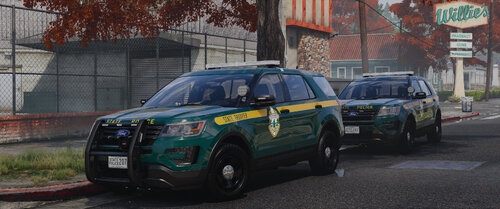 The VSP Pack v1.2 with many new vehicles has now been released for my supporters on Patreon. Enjoy! In addition, a FiveM and non-ELS version of the VSP Pack v1.2 is now available for Level 3 Supporters.
 -
The shaders are there to make sure that the spotlight and other things reflect properly. Many graphic mods cause the spotlight, which is usually glossy black, to suddenly be chrome.
-
What do you mean?
-
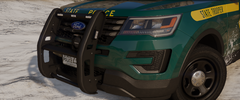
From the album: Vermont State Police Pack
© AgentDZN
-
Take a look at my Vermont State Police Pack project! This album showcases the collection of vehicles I've been working on. It's still a work in progress, but I'm excited to share it with you.
-
Ford Police Interceptor Utility 2016 (Vermont State Police)
-
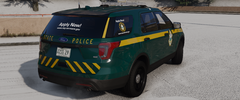 Ford Police Interceptor Utility 2016 (Vermont State Police)
-
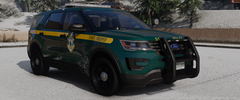 Ford Police Interceptor Utility 2016 (Vermont State Police)
-
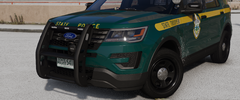 Ford Police Interceptor Utility 2016 (Vermont State Police)
-
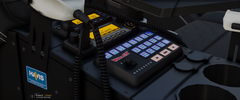 Chevrolet Tahoe PPV 2018 (Vermont State Police)
-
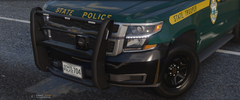 Chevrolet Tahoe PPV 2018 (Vermont State Police)
-
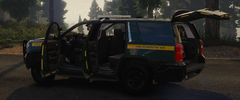 Chevrolet Tahoe PPV 2018 (Vermont State Police)
-
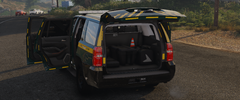 Chevrolet Tahoe PPV 2018 (Vermont State Police)
-
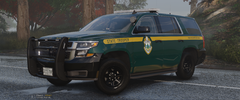 Chevrolet Tahoe PPV 2018 (Vermont State Police)
-
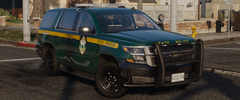 Chevrolet Tahoe PPV 2018 (Vermont State Police)
-
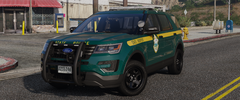 Ford Police Interceptor Utility 2016 (Vermont State Police)
-
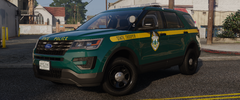 Ford Police Interceptor Utility 2016 (Vermont State Police)
-
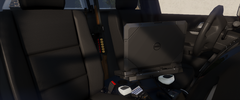 Ford Police Interceptor Utility 2016 (Vermont State Police)
-
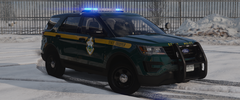 Ford Police Interceptor Utility 2016 (Vermont State Police)
-
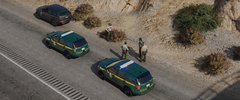 Ford Police Interceptor Utility 2016 (Vermont State Police)
-
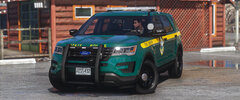 Ford Police Interceptor Utility 2016 (Vermont State Police)
-
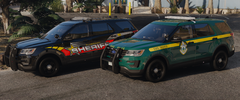 Ford Police Interceptor Utility 2016 (Vermont State Police)
-
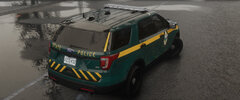 Ford Police Interceptor Utility 2016 (Vermont State Police)
-
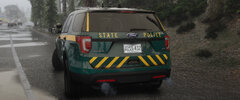 Ford Police Interceptor Utility 2016 (Vermont State Police)
-
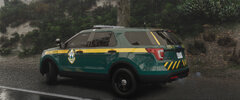 Ford Police Interceptor Utility 2016 (Vermont State Police)
-
-
From the album: Vermont State Police Pack
© AgentDZN
-
From the album: Vermont State Police Pack
© AgentDZN
-
From the album: Vermont State Police Pack
© AgentDZN
-
From the album: Vermont State Police Pack
© AgentDZN
-
From the album: Vermont State Police Pack
© AgentDZN
-
From the album: Vermont State Police Pack
© AgentDZN
-
From the album: Vermont State Police Pack
© AgentDZN
-
From the album: Vermont State Police Pack
© AgentDZN
-
-
Hi. This is probably because you have a weaker PC or have installed many vehicles with large textures. In order to continue to provide a smooth and bug-free gameplay experience, the game automatically switches to less large textures for my vehicles. This also happens, for example, when you move further away to save performance. To work around this, you can alternatively delete the +hi .ytd files. After that, go to the livery options, find the livery you want to use and paste the livery that is in the +hi folder into the normal .ytd file, so that there is a 4K livery instead of a 1K livery inside. Since it's a fairly recent haircut, it would have to be relatively far back. IIRC, it was on slot 70 or so.
-
All folders have the correct name and the uniforms can be installed without problems if EUP has already been installed. Some EUP uniforms are not being replaced, because where it was possible, I resorted to new slots, previously unused by EUP. The goal is to overwrite as few files as possible. Hey, thanks for the positive feedback! I know that you already answered your question yourself, but in case other people might have the same problem, I'm going to answer anyway. Here are the model names of the vehicles included as of now: vspfpiu, vspfpiu2, vspfpiu3, and vspfpiu4. Just enter the name in the trainer to spawn the vehicle. Alternatively, the LSPDFR configurations I added under the options can be used to spawn vehicles. At least, this is the more immersive variant.
-
The formal pants are on slot 110. Hey, the hairstyle is part of the newest GTA update.
-
Currently, it's not planned. However, I'll consider it in case of further requests.
-
Yes, SSLA is required because the vehicles uses 32 sirens. Please make sure you downloaded everything that is listed under the requirements section in the README. You most likely forgot to install SSLA which is required because the vehicle uses 32 sirens.
-
Hey, I really hope you like the pack! I enjoy creating vehicles and uniforms for GTA using the LSPDFR mod. It has been a rewarding experience, but these projects involve expenses for 3D models and software, such as Photoshop. I share all my work for free, and your contributions assist in covering these costs, ensuring the ongoing development of our modding projects. Feel free to show your support on "Patreon" - I'd genuinely appreciate it.



