
SpikeTerm
Members
-
Joined
-
Last visited
Everything posted by SpikeTerm
-
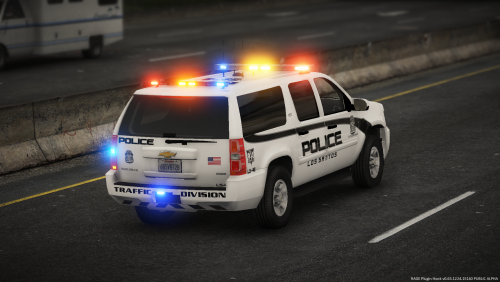 The textures look great! I wish you could make them into a vehicle pack because I'm too lazy to put the textures on each individual car 😁
 -
-
-
-
-
 Awesome! I would love to replace with with my LSPD helicopter believe it or not.
- 35 comments
- 3 reviews
-
-
-
-
-
-
-
-
-
-
 Amazing! Such a beautiful car with an amazing light setup. Can you make a complete vehicle pack pls?
- 253 comments
- 53 reviews
-
I install all of my mods in my mods folder, everyone should.
-
If you have a mods folder, just remove parts there so you don't have to delete your entire game.
-
-
-
I recently installed new BCSO vehicles, I will try switching them out though. It's hard to believe that vehicles would cause corrupted files like this.
-
Thanks for the reply, I already tried this though with no avail.
-
When I remove x.64e, my game works normally.
-
Riley, what's your solution? The fact of the matter is that guns were more easily accessible in the 19's, and the gun culture was identical but there were little to no school mass shootings. We aren't drowning in guns? What would you rather have? A bunch of unarmed civilians and single women who can't bear arms, because your feelings were hurt? More guns do not equal more crime, gun ownership has been increasing since the 1950's, as gun violence and homicides have decreased. Do you care about facts? Vermont and New Hampshire are the safest states in the US with the strongest gun culture, Chicago has gun homicide rates way higher than those states. You are probably going to say "Well the guns in Chicago came from other states like Indiana". Even if you remove the amount of gun homicides committed with guns from other states Chicago still has higher rates than many other states. You have to be more specific than "drowning in guns", but it is hard to be specific when the facts aren't on your side. Many countries are drowning in gun homicides, regardless of their gun control laws. Gun laws often create an underclass, in fact that was the first intentions of gun control in the US to keep free African Americans and former slaves from bearing arms.