



Harper
Friends of LSPDFR
-
Joined
-
Last visited
Everything posted by Harper
-
I had GTA IV on PS3, when I sold that console and got a Xbox 360, I bought it again as well as TBoGT Yet I supported the developers by legally purchasing it AGAIN but for PC.
-
Scrowling through youtube and I found this; After seeing the second officer attempt the unconventional take down method, I couldn't stop laughing. Anyone got anything similar?
-
 *Facedesk* Driver: San Francisco.
 -
@Big96 Those cars have been reported to not having smashable windows and can cause multiple game crashes.
-
-
You'll use this topic to address starting times and the people involved, theres no need for another topic
-
I usually attach each seperate piece of the lightbar to the main "part" which is usually the base. I'm having issues with my car though, so its probably best not to do the same.
-
UPDATE: I've sorted out the horrible texture bug issue I was having as well as parts of the car stretching to each side of the city. Just solving the issue with the lightbar textures suddenly disappearing and it should be ready :happy:
-
-
W.I.P [ELS-H] Vapid Police Cruiser My second major modification after the retired cruiser, this model is a edit of the original Vapid Cruiser created by Rockstar Games and modified to a ELS-H version by me, using Lt. Caine's Streethawk ESTIMATED RELEASE: 03/04/2012
-
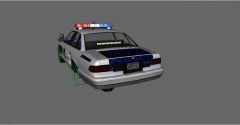
From the album: Yo Dawg, I heard you like photos..
Coming very soon. Just need to iron out some of the bugs and it'll be ready. -
O.O Mother of God..
-
I'm using a retail copy of the game, disc copy. All the installer does is add a extra file to the scripts folder like so: common pc scripts - LCPDFR - Grand Theft Auto IV - IVDashcam
-
For some reason, the installer likes to create a "Grand Theft Auto IV" folder in the place you direct it to. I installed Dashcam for EFLC and had the same issue of it not working ingame. I later found out that the installer created the above folder inside my scripts folder, all I had to do was move the contents inside it to my scripts folder and then delete the empty one. The only other way to stop it doing that is for Sniper to take a look at it I'm guessing
-
I could consider hopping on for a bit tonight. But just because I'm on doesn't mean its an official game, which means official group rules and procedures would not apply.
-
-
Mr.Anderson
-
Try going into the options readme and changing the resolution values to that of your monitor.
-
Whats the error? Is it "Failed to set graphics mode" ?
-
-
Either use them or deal with the crashes.
-
If your using different models to eachother, you'll most likely get the "SMPA60 ERROR" and crash to the desktop. Just use the default vehicles, works almost flawlessly
-
Buy a desktop.
-
DISCLAIMER: I AM IN NO WAY RESPONSIBLE FOR ANY HEART ATTACKS CAUSED BY THE PLAYING OF THIS VIDEO GAME Tonight, I got the joyous pleasure of playing: This game isn't your regular horror, this game relies heavily on atmosphere and sound which cause the natural human reaction of fear of the unknown when walking the dark corridors. The first game was fairly bland and the objective was to see how many levels you could get down before SCP-087 would kill you. SCP-087-B The first game in the "series" that used only FIVE texture files for the environment and around 10 for the NPC's. Enemies SCP-087 Attack: The picture may let it down, but remember that you are in complete darkness and can only see a few feet infront of you. The creature's presence is made aware when the only light you have dim's down completely, what follows is the sound of drum beats each time the light flashes. The "monster" will leap forward every time the lights flash, looking away lets it break your neck almost instantly. How to escape it? Look at it while backing away as fast as you can, eventually it'll despawn Glimpse Attack None. This is merely a jumpscare that'll appear randomly How to escape it? Just clear the crap out of your pants and continue walking forward SCP: Containment Breach The oh-so-joyful newer version of the game, this one is a thousands times scarier. Enemies SCP-173 Attack Cannot move when in the sight of the player, as soon as the player blinks it'll jump forward two metres, much like the weeping angels from doctor who Will break the players neck when close enough How to escape? Back up as quick as possible, maintain eye contact with it and try to close any doors you pass. It'll move to a new area once you get far enough away SCP-879 Attack Will climb out of the ground of the player and will move through solid objects like doors to reach the player. Will kill them instantly on contact How to escape? I haven't been able to, I think its impossible. It'll also appears in this form sometimes: Download links Before anyone starts screaming "PIRACY!" I'd like to state that this game is FREE and can be downloaded from any website. I highly advise playing both games in a dark room with headphones, also keep a route to your toilet clear and clear your play area of any liquids before playing. SCP-087 (Original Game): http://scpcb.wordpress.com/scp-087-b/ SCP: Containment Breach (Newer One) http://poeregalis.com/SCP%20-%20Containment%20Breach%20v0.1.2.zip Enjoy.
-
I need one, Creating a model from scratch. I've selected everything correctly (or so I assume) but it refuses to create a polygon or line when I click on the grid.


