




BlueGhost
Members
-
Joined
-
Last visited
Everything posted by BlueGhost
-
I applied those textures to begin with. I fixed it by replacing a car instead of adding it on. As of now, my car is ready for release. Thanks for your help!
-
I'm getting better with ZM3, and I'm excited to keep learning. My next question relates to ELS. I spawn my vehicle, and my lights flash all white, depending on my camera angle. In my VCF, I specify that I want Extra 1 to flash red, Extra 2 & 3 to flash white, and Extra 4 to flash blue. Again depending on the camera angle, the emissives are either bright, or nonexistent. The textures themselves are either white or offcolor. My best guess would have to be creating LODs to rectify this issue. Am I correct to assume this? If not, what is the best solution? I'll attach pictures when I can
-
Fixed! I started over on the model and reset the axes of the dummies before I did anything else. Thanks for your help Major!
-
Do my wheel dummies need brackets around the name? I tried resetting the axes of the wheels and bumpers, to no avail
-
Ok, I'll try that tomorrow. Thanks for your help, I'll update as soon as I can
-
What am I looking for in the dummies? Sorry, I'm terribly new to ZMod
-
Should I dismiss the compound of the lights? (Extra 1-4)
-
Not that I'm aware of. If you rewatch the video, you see the wheels turn after wiggling the steering buttons.
-
Reset the axes relative to the windows and bumpers? Also, how can I get the wheels to turn and rotate?
-
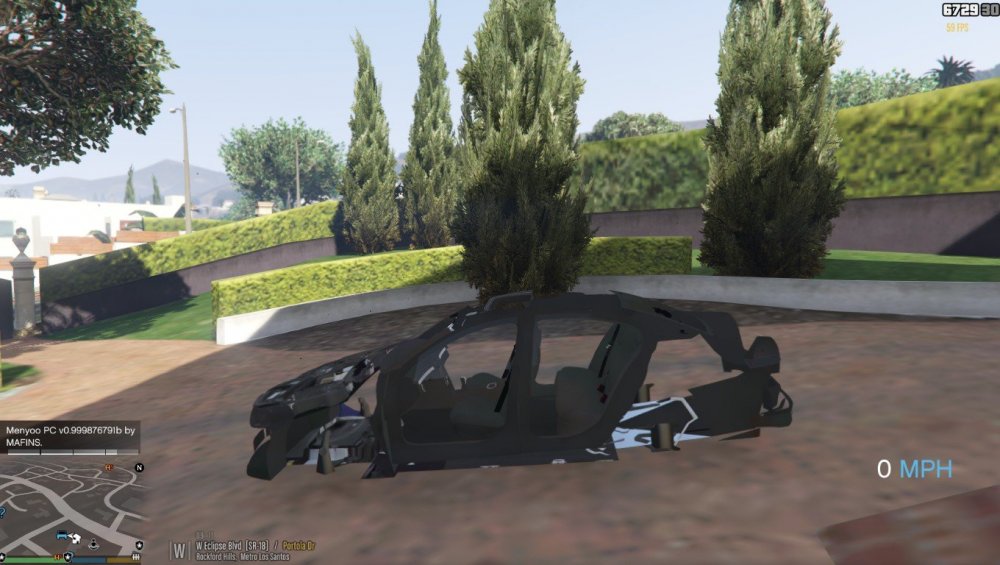
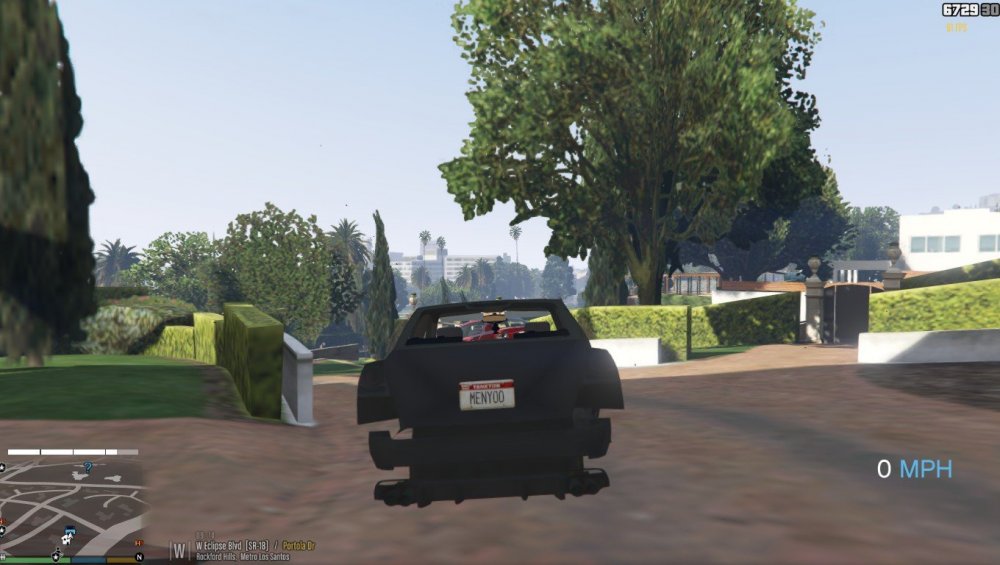
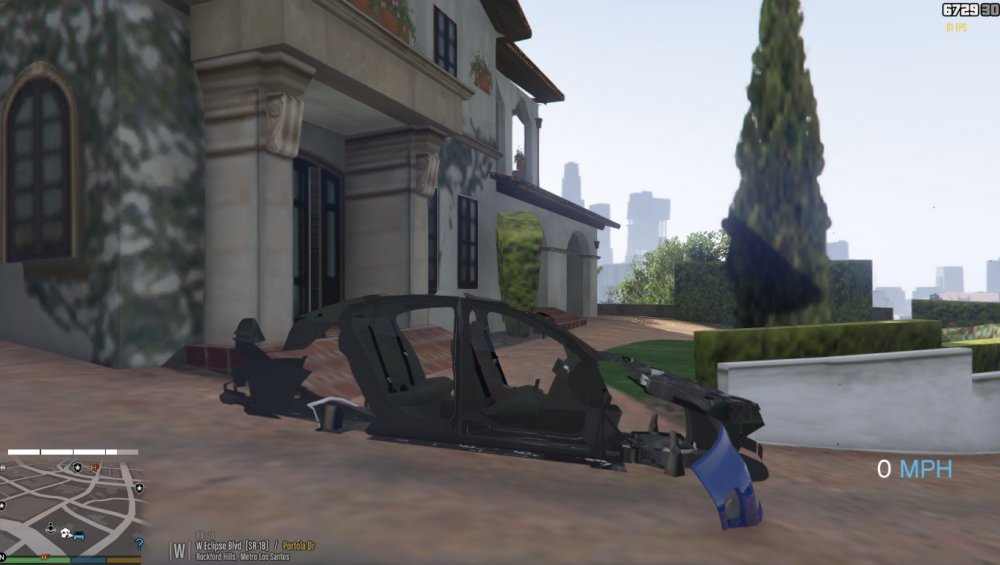
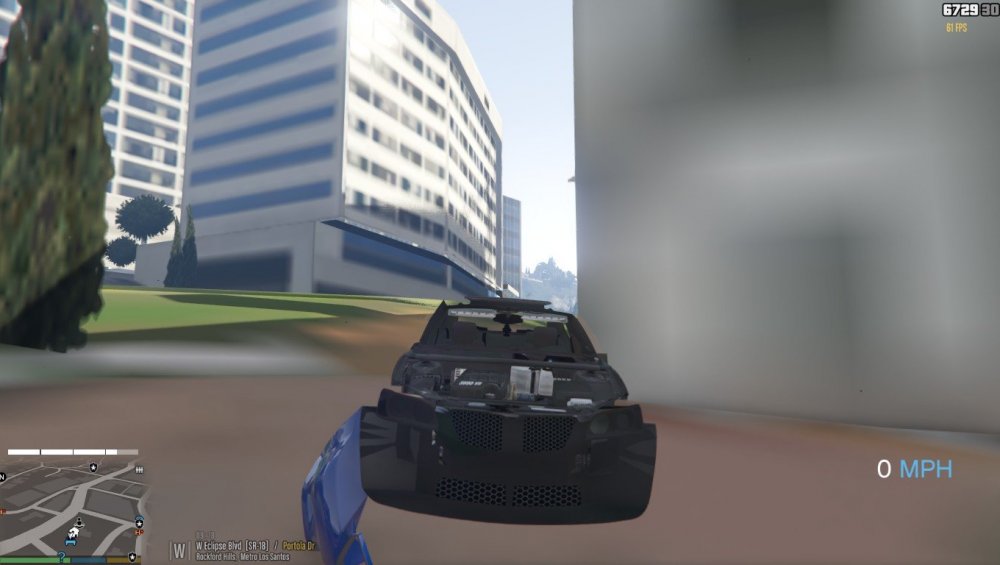
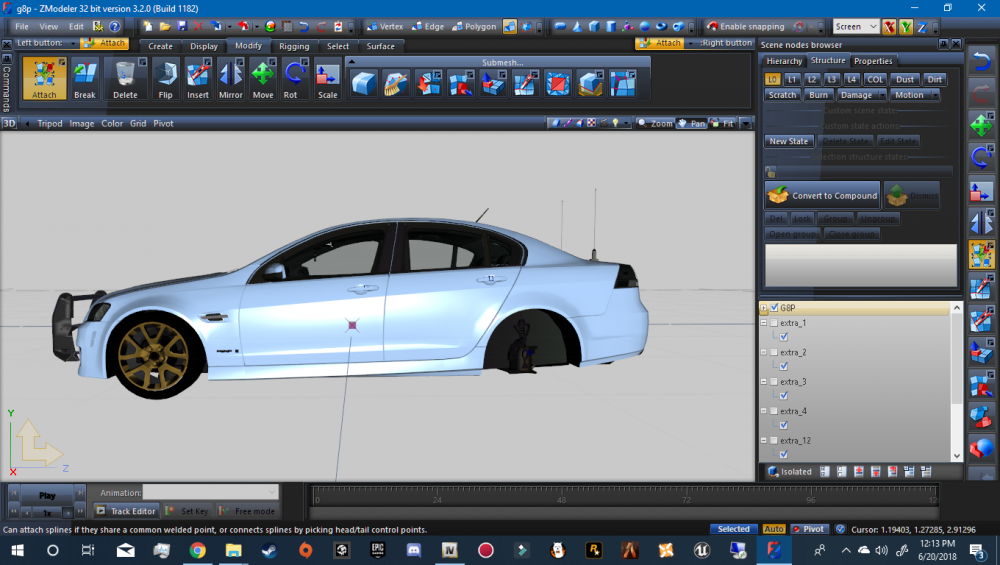
I'll post a video soon. Stick around. Don't forget about me, I'd love to solve this with your help I'll post a video soon. Stick around. Don't forget about me, I'd love to solve this with your helpOk, thanks. I'll post an update shortly Changed the order of the hierarchy to have the extras on top of misc_a and siren_glass1, now it spawns in good condition, but all of the body panels and glass each swivel at one point. The lightbar housing up front flashes as well. I'll keep tinkering.Which items are duplicates?I tried my hand at 3D modeling yesterday, starting with ELS vehicles. I used a Pontiac G8 model as my starting point. I added antennas, radars, partitions, interior lightbars, etc, and it looked really good in the viewports. When I exported it to OpenIV and started GTA V and spawned it, it looks absolutely abysmal. Nothing on the car is functional whatsoever. The images provided show what it is. The driver is not in the seat, the lights aren't functional, the bumper is hanging on by a thread. On top of that, by spawning the car, the world LOD's drop dramatically. In layman's terms, the car spawns as if it was destroyed. I'm entirely new to ZModeler, so if you've got a solution, please let me know!
.thumb.png.b9621f84ef03eb70d3b8244c5ea40d1d.png)
.thumb.png.e60ba4304475ad3f53bc51c3c6978562.png)
.png.b0f1bed43cf18a528275ffa658c8c484.png)
.png.5279649f817492abe485904fcb545b38.png)
.png.0f6ce8c6537e6faa6b9ade4b21898e3f.png)
.png.0c8fc2ef34e1a8bd50fb600c0efbbdf0.png)
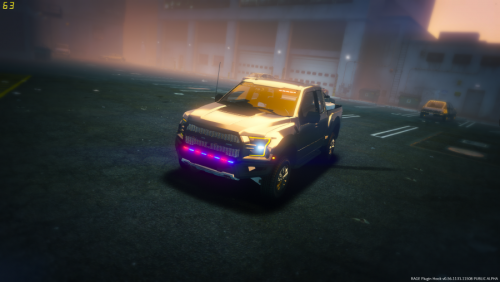 I've tried changing the colors to all blues, but they're still red & blue! I changed the textures in both the .YTD and the Hi.YTD, as well as the XML, but they haven't changed at all! Ideas?
- 12 comments
- 9 reviews
 That's very strange. I'm sorry for that! I've had success with it. What handling lines have you tried?
- 65 comments
- 36 reviews
 I use the Add-On method for all of my cars. Go here, download the file, then follow the instructions. It's foolproof. https://www.gta5-mods.com/vehicles/more-police-cars-to-add-v1-2 Essentially, you're copying and pasting data from the provided vehicles.meta and carvariations.meta. It's a fluid method that you'll get the hang of in no time. If that doesn't help, I'll PM you proper META files.
Use this handling line, I custom made this one for my Chargers. Obviously, by naming it CHARGERRWD, you will have to change the handling lines for the cars you'll wanna use it for. I also have an AWD version. I've had no problems whatsoever.
I use the Add-On method for all of my cars. Go here, download the file, then follow the instructions. It's foolproof. https://www.gta5-mods.com/vehicles/more-police-cars-to-add-v1-2 Essentially, you're copying and pasting data from the provided vehicles.meta and carvariations.meta. It's a fluid method that you'll get the hang of in no time. If that doesn't help, I'll PM you proper META files.
Use this handling line, I custom made this one for my Chargers. Obviously, by naming it CHARGERRWD, you will have to change the handling lines for the cars you'll wanna use it for. I also have an AWD version. I've had no problems whatsoever.- 65 comments
- 36 reviews
 Always nice to see a demo where the showcase is the engine, but the siren masks it completely
- 15 comments
- 2 reviews
Open up a photo editing software, make a new image, size it 4098x4098, fill it all white, black, whatever, replace the texture, boom.- 65 comments
- 36 reviews
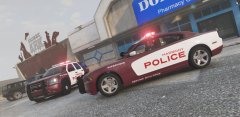 The pack will have Harmony PD and Sandy Shores. SSPD will be exclusively Dodge cruisers, and Harmony will be various brands
Thank you! I've been keeping it under wraps for a while ;)
I've found the BUFFALO2 handling works best. I have combed through the handling lines and added a few new ones to better suit my AWD Chargers as well. If anything, editing them might be the best course of action.
The pack will have Harmony PD and Sandy Shores. SSPD will be exclusively Dodge cruisers, and Harmony will be various brands
Thank you! I've been keeping it under wraps for a while ;)
I've found the BUFFALO2 handling works best. I have combed through the handling lines and added a few new ones to better suit my AWD Chargers as well. If anything, editing them might be the best course of action.- 65 comments
- 36 reviews
A few photos of an upcoming skin pack I'm releasing. Goes well with t0y's LSPD pack with the Freedom lightbar and Gump's 2015 Slicktop Charger. More cars are not pictured, but you get the idea. Sandy Shores PD based on Wilmore and Harrodsburg, KY. For some reason, both departments use the same decals for their Charger cruisers. Harmony PD isn't based on any department in particular, just a simple design for a small town in the state of San Andreas. Keep those eyes peeled!



.png.174ac4e00f44ba3aa45fb002b06ab440.png)

.png.fc4c3be1a3ad6be3fb6ed231a49759a1.png)
.png.b0f1bed43cf18a528275ffa658c8c484.png)
.png.5279649f817492abe485904fcb545b38.png)
.png.0f6ce8c6537e6faa6b9ade4b21898e3f.png)
.png.0c8fc2ef34e1a8bd50fb600c0efbbdf0.png)

.jpg.c7df7888878d9b1ec4d39d996cf621b3.jpg)


